
Participant
June 27, 2020
Question

Problems scaling UI Premiere Elements

  • June 27, 2020
  • 2 replies
  • 739 views

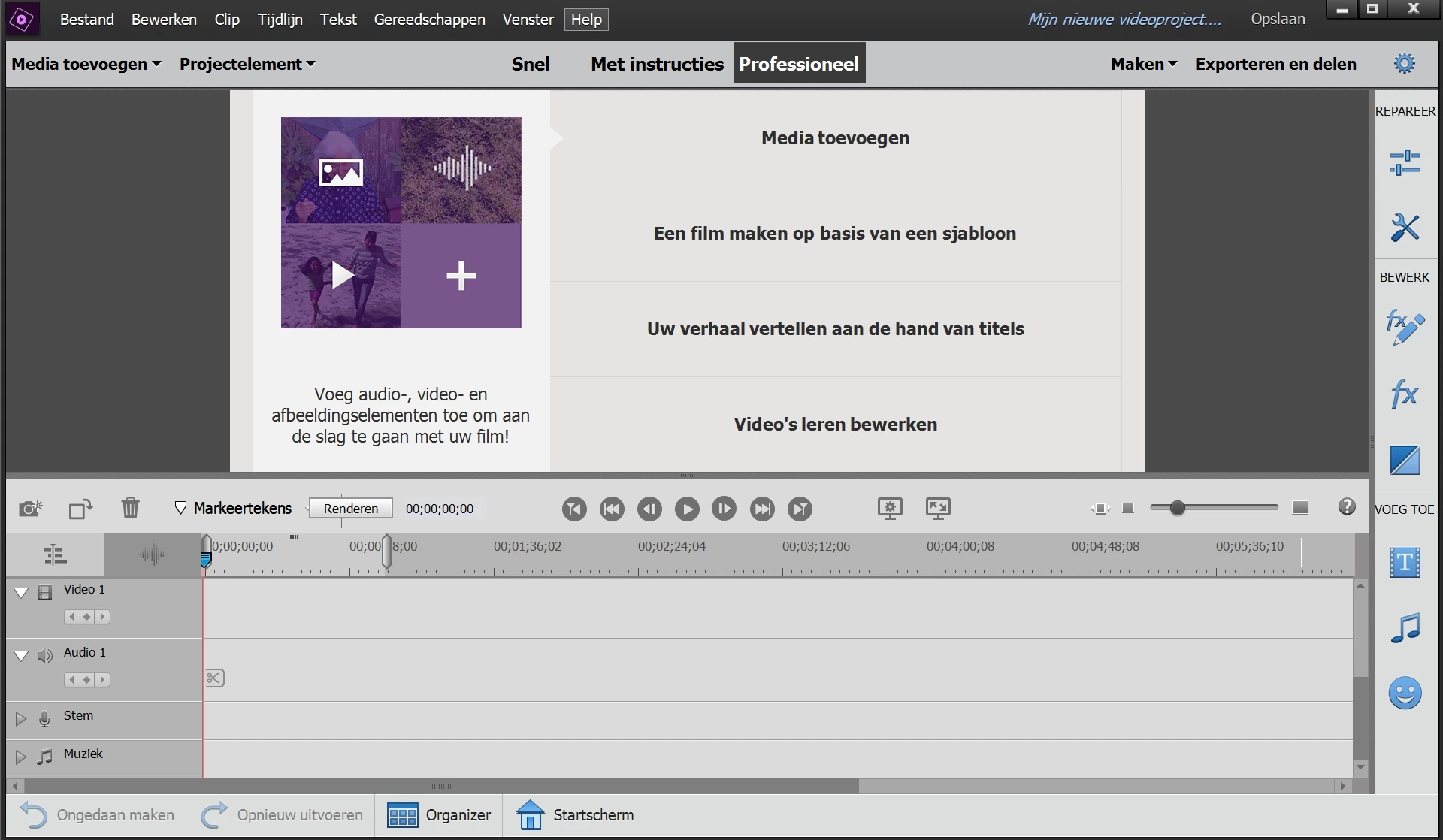
I've a problem with the scaling of the UI of Premiere Elements 2020. I've got a new pc, with the resolution 1920x1200. Before i had no issues, i had a pc with resolution 1920x1080. The strange thing is that photoshop elements is scaling the program right, but premiere elements zooms till 200% or so what. When i change the resolution to 1920x1080, the program is scaling right. I contacted the Adobe helpdesk, but they didn't find a solution. Are there others with the same problem? Is there anyone who found a solution? I would like to use the program in the normal resolution
This topic has been closed for replies.

2 replies

Legend
July 17, 2020


Do you have an ultra high resolution monitor?

Participant
July 28, 2020

No, it's a laptop with the resolution 1920x1200

Legend
July 29, 2020

I don't know why that would be.

Shivangi_Gupta
Community Manager
Community Manager
July 17, 2020

Hi there,

This sounds weird. I understand when you scale the screen resolution to 1920x1200, it zooms Premiere Elements 2020 by 200%. Am I correct? 

Ideally, it should not happen. Have you considered reinstalling the application?

Let us know. We're here to help.

Thanks,

Shivangi

Participant
July 28, 2020

Thanks for youre reply. I bought the XPS 15 9500, and installed Premiere Elements with a clean installation of Windows 10. I tried several times to reinstall, and even installed Premiere Elements 2019, with no succes. When I change the resolution to 1920x1080 the scaling is right, but when i change it to 1920x1200 the user interface is far to big. Windows is telling that the zoom is still 125%, but the result is a much bigger zoom. I contacted adobe support, they took over my pc, but couldn't fix the problem.

I found out that when i change the high dpi scaling override to system (Enchanced), the scaling is right, but the interface is extremely buggy, so that's no solution too. 

Participant
July 28, 2020

The option with high dpi scaling override: buttons are missing, other options with scaling don't work

1920x1200: too big interface

1920x1080: right interface, but i have to change the whole resolution of my system, there are black site above and beneath the screen