

Participant
January 21, 2025
Question

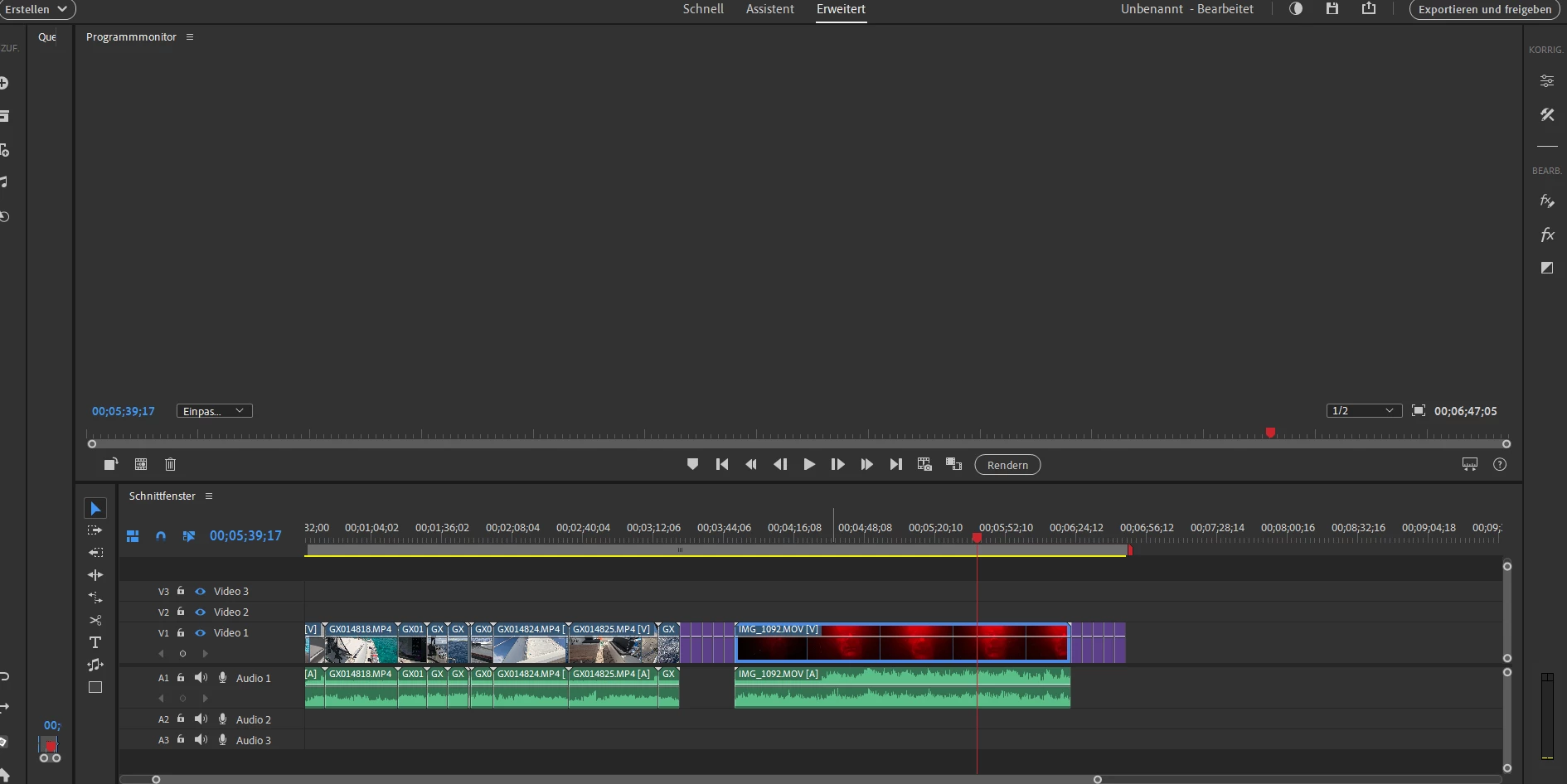
Programmmonitor ist leer

  • January 21, 2025
  • 2 replies
  • 119 views

Ich habe soeben die 2025 Version von Premiere Elements gekauft. Der Programmmonitor ist leer. Wie aktiviere ich ihn?

2 replies

Participant
January 21, 2025
I recently bought Premiere Elements 2025.


After installation Quellmonitor and Programmmonitor are black.


I deleted and reinstalled Premiere Element 2025 - same problem.


I reinstalled the driver of my NVIDIA graphic card - same problem.


I do not have the problem with Premiere Elements 2023.


What can I do to work with this software?


fair winds und mit freundlichen Grüßen


Hans-Jörg Peter

SY MariaNoa


Aktueller Aufenthalt:

auf den Weltmeeren


Postanschrift:

Hans-Jörg Peter

Huusbargstieg 18

22359 Hamburg


<> https://sailing-marianoa.de/

<>
https://www.youtube.com/@sailingmarianoa2659

<>
https://www.instagram.com/sailing_marianoa/


Von: Adobe Community Mailer
Gesendet: Montag, 20. Januar 2025 16:19
An: h.j.peter@gmx.net
Betreff: Re: [Premiere Elements] Programmmonitor ist leer


<>mail-header-logo.png>

Adobe Community


Peru Bob hat gerade in einer Community gepostet, der Sie folgen.


_____


Jan 20, 2025 05:40 PM in
<>elements> Premiere Elements Discussions


Re: Programmmonitor ist leer
<>r-ist-leer/m-p/15102480#M51232>


Try updating or rolling back your graphics driver directly from the video
card manufacturer’s site. If NVIDIA, do a clean installation of the latest
Studio Driver (NOT the Game Driver).


l.usw2.prod.hosted.lithcloud.com?subject=Re:%20Programmmonitor%20ist%20leer>
Auf diese Nachricht anworten


Hinweis: Antworten per E-Mail sind nur im Nur-Text-Format. Melden Sie sich
bei der Community an, um mit Text und Bildern zu antworten


_____


<>mail-header-logo.png>

Adobe Community


<>

<>


Sie können Ihre Benachrichtigungseinstellungen
<> oder abmelden
<>il-message-tracking/M65UJGFMOW6PP9> von allen E-Mails der Adobe-Community.


Adobe is located at 345 Park Avenue, San Jose, CA 95110 USA. Copyright ©
2024 Adobe. All rights reserved


Datenschutzrichtlinien <> | Kontakt zu
uns <>
Peru Bob
Community Expert
Community Expert
January 21, 2025

Try updating or rolling back your graphics driver directly from the video card manufacturer’s site. If NVIDIA, do a clean installation of the latest Studio Driver (NOT the Game Driver).