Participant
March 19, 2021
Question

Psychedelic colors when video imported

  • March 19, 2021
  • 4 replies
  • 623 views

Hi everyone,

I was using Premiere Elements 8 until today and I've just decided to update my setup 😉

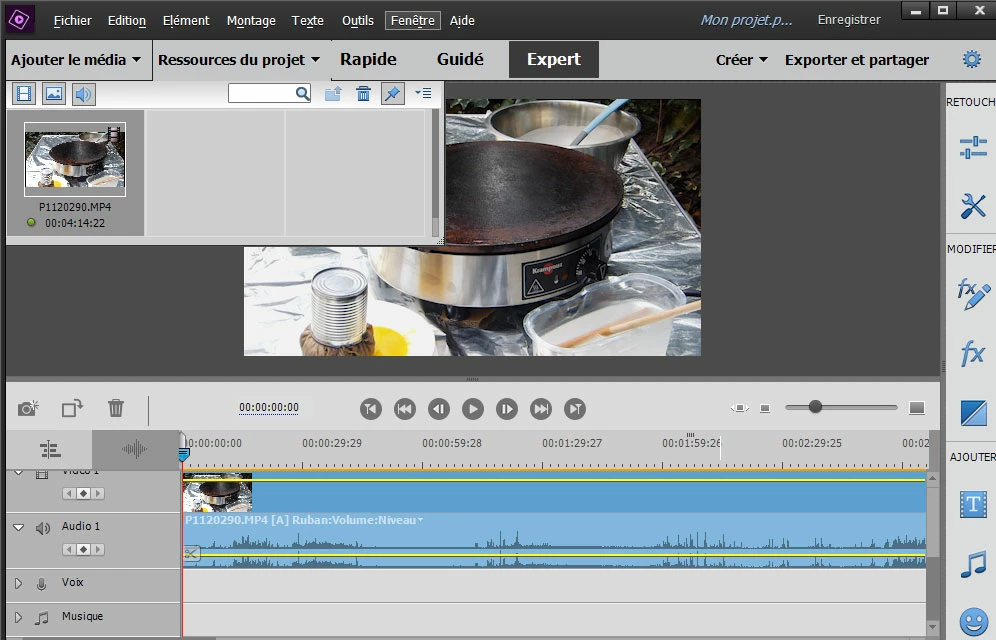
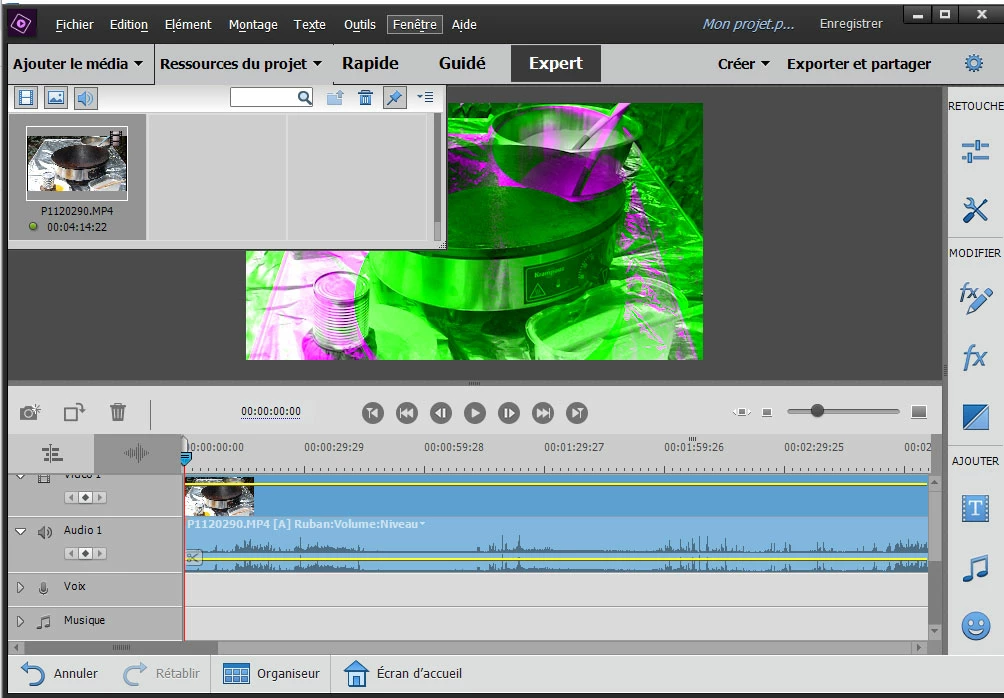
I've got a big problem when I import a video with Premiere Elements 2021 : the snapshot is ok but the video has psychedelic colors (green and pink) as shown in the screenshot. The only way I found to fix it is using the auto-smart-tone but it takes time.
- this happens with any video: from YouTube or made with Samsung 7 or S21 etc.
- no problem with pictures loaded (jpg)

- no problem with my computer Windows 10, Photoshop etc.
Maybe can someone help me?
Thank you !
This topic has been closed for replies.

4 replies

Community Expert
March 21, 2021

Kenneth,


Since you are working with a current version, online support is availble via "chat".   In the Help menu there is a choice for that.  It will take you to a website.  In the lower right corner is an icon that initiates the chat.  If necessary, Adobe techs can troubleshoot remotely.  


This is the icon to click on:   


Participant
March 21, 2021

Thanks I will try that, it did not solve the problem to reinstall premiere, so I will chatt with adobe tomorrow

Participant
March 21, 2021

Hi Kenneth,

My graphic card is Intel HD Graphics 630. I've just discovered on the web this is not a good one. Drivers are up to date anyway. My desktop is 2 years old.

The only way I found to change the psychedelic color for now is for example adding 0.1 to the brightness of the video. For some reasons red and pink diseappear. Of course that's not convenient at all because you have to do it for each video imported.

Would you please tell us here the answer of Adobe experts, so that I don't ask the same question on my side?

Thank you.

Community Expert
March 21, 2021

Kenneth,


Sometimes the Nvidia driver code, through updates, will get ahead of the Premiere Elements code.  The solution is to "roll back" the Nvidia driver to an earlier version that will be a better match.  

Participant
March 21, 2021

Thanks for quick answer I shall try that.


Kenneth

Participant
March 21, 2021

Hi 


I have the same issue, brand new laptop with the latest studio driver direct from the vendor.

It perfect for one week and now it looks like on the picture added.

Nvida Geforce RTX


Any help would be much appriciated.


Best regards

Kenneth 

John T Smith
Community Expert
Community Expert
March 19, 2021

Do not count on Windows to be fully up to date when it comes to device drivers
Go to the vendor site to be sure you have an updated driver for your graphic adapter
•nVidia Driver Downloads http://www.nvidia.com/Download/index.aspx?lang=en-us
••for Premiere Pro and MAYBE Premiere Elements use the STUDIO driver, not the GAMING driver
•••such as (MAY not be the latest) https://www.nvidia.com/en-us/drivers/results/170344/
•ATI Driver https://www.amd.com/en/support
There are also intermittent reports that the newest driver is not always the best driver due to driver bugs or compatibility issues, so you MAY need to try an earlier driver version

Participant
March 19, 2021

Thank you so much for your speedy answer.
I'll check my graphic card and update the drivers.

b.