


Question
Re: Importing AVCHD (.MTS) video files- what is needed?
I also have a Sony cam and changed settings from recording MP4 to AVCHD.
I use Adobe Premier Elements 11 and found it worked fine by dragging the mps file to the timeline.
It took some digging.
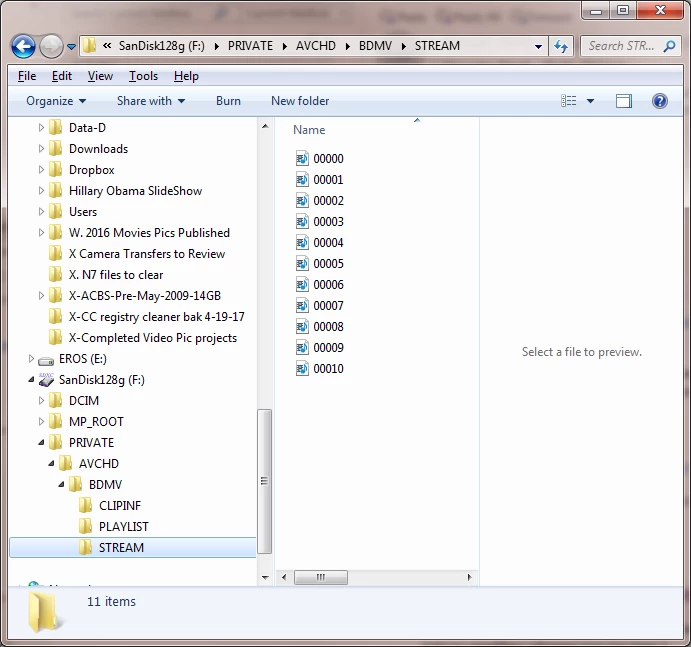
The mps files are located in the path PRIVATE / AVCHD / BDMV / Stream and no file extension name shows, but filenames show as sequenced file named like 0008, 0009 etc.
Here is a screenshot of my SD card directory path showing the unlabeled mps files.
Just copy the files to your PC, then drag them onto the Elements timeline and they work fine, including audio tracks.
I didn't do anything with the other folders.
So copy all these mps files to your pc, then I assume delete them on the SD card.
[Branched into a new thread by mod]
 AdChoices