


Render 4k at 60fps in Premiere Elements 12
Is it possible to render 4k in 60fps using Adobe premiere elements 12? My subscription to premiere pro CC ran out and I can't afford to renew it at this time, so I'm trying to use my old Premiere elements 12 for the editing I have been doing lately.
I have tried the following:
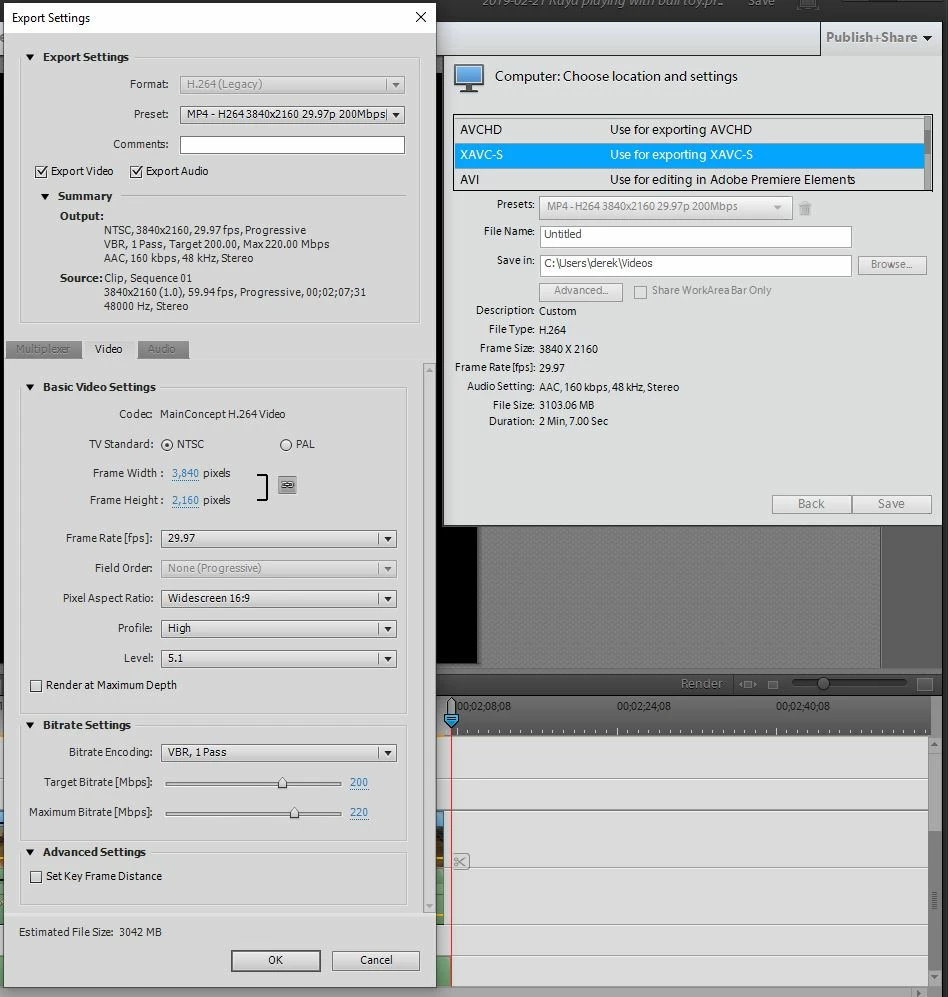
But when I change the frame rate to 59.94fps, I get the following error:
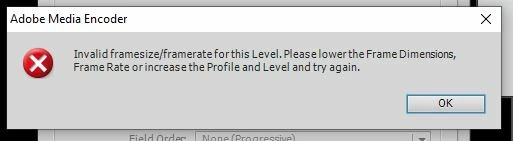
But as you can see in the first screenshot, the profile and level are already as high as they go. I get the same error if I change to square pixels or check the "Render at Maximum Depth" box, not sure if those are expected to help. I have also tried reducing the profile and level, which may sound counter intuitive, but just to see if that could possibly work I've tried it and it doesn't seem to work.
Thanks,
Derek
 AdChoices