
Render Bitrate Issues
I'm trying to render a 4K video of PC gameplay, however the bitrate I'm choosing to render at is not what it's *actually* rendering as.
These are the settings I am choosing to render with:
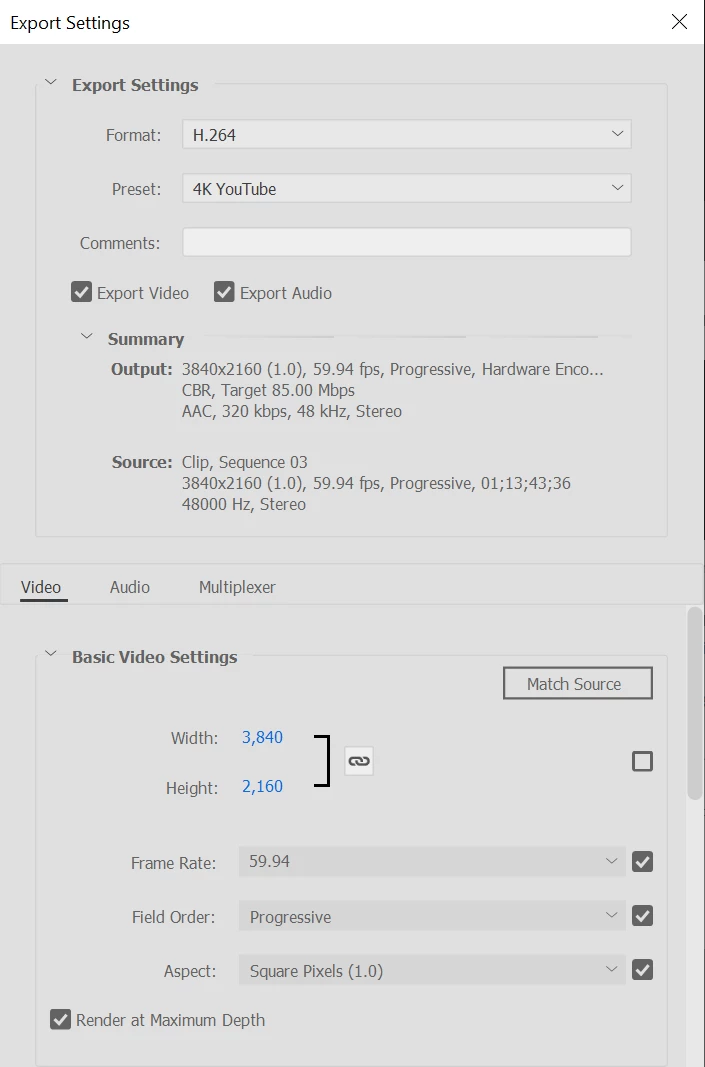
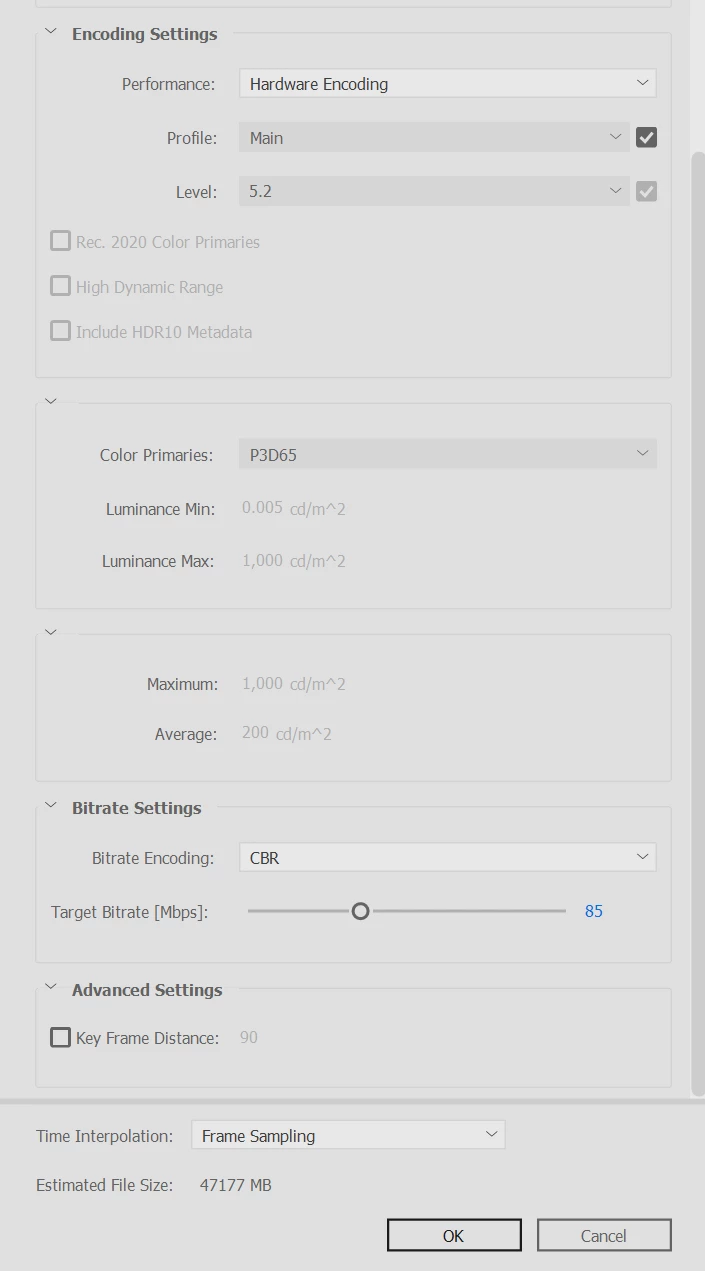
After the render is complete the file size comes out to approx 11GB, which equates to roughly 21Mbps bitrate. The game I am recording has lots of fast action sequences, so the lower bitrate causes the gameplay to look like it's 1080p which is a problem.
Previously I used Premiere Elements 2019 (17.0) and using the exact same settings to render. It would come out to 44GB in size and look perfect. The downside was this version didn't support Hardware Encoding, therefore a 60 minute video would take 5-7 hours to render.
I've tried the premade "4K Ultra HD" render under the "Computer" tab, and I've tried setting the Key Frame Distance to 1, both of which did not work. I changed the Level to 5.1, but this prevents me from doing a 3840x2160 aspect ratio. I've also tried changing the bitrate to 240Mbps, which helped but not completely. It changed the bitrate to approximately 42Mbps, which is still not enough.
Any suggestions? I feel like I've wasted money upgrading to PE 2023.
PC Specs:
CPU: i9 9900k
Motherboard: ASUS Prime Z390-A
RAM: 64GB G.Skill Trident 3200MHz
GPU: Gigabyte RTX 3080 Ti GAMING OC 12GB


 AdChoices