


Participant
July 29, 2019
Question

rendering problems with jpeg files in the exported video

  • July 29, 2019
  • 5 replies
  • 612 views

I have a problem with Premiere Elements. 

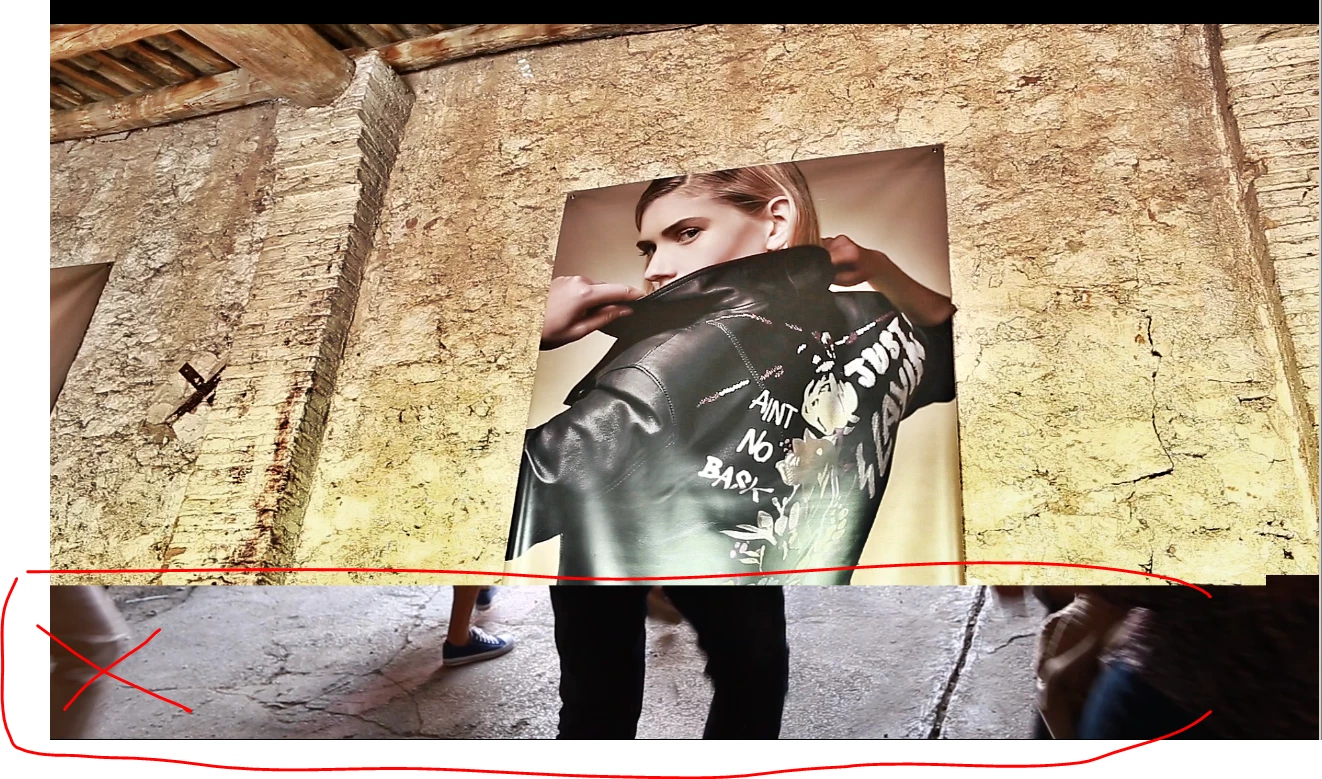
Some pictures in jpeg format are not rendered properly in the exported video.

They have an area on the bottom that shows part of another unrelated image, like on this example :
    This topic has been closed for replies.

    5 replies

    williebegoode
    Participating Frequently
    August 1, 2019

    Galone,

    I've spent more time converting PNG files to JPG files with the assumption that PRE works something like files directly on the Web—they take up less bandwidth. However, PNG files are more robust and have more data that PRE simply uses, and when you render your video, you'll get better results because PRE doesn't have to deal with the compression data in JPG files. PRE uses a reference to the image file; not the image file itself. So using a PNG file may help.

    Legend
    July 31, 2019

    We'd still like to see a screen capture of your project's timeline.

    Participant
    July 31, 2019

    problem remains after deleting media cache and previews

    Ann Bens
    Community Expert
    Community Expert
    July 31, 2019

    Next thing you could try is delete affecting photo's from project.

    Rename on harddrive and import and put those on the timeline.

    Ann Bens
    Community Expert
    Community Expert
    July 29, 2019

    Delete media cache and preview files and try again.

    Community Expert
    July 30, 2019

    Ann,

    I've never deleted the media cache and preview files.  What is the best way to do that?  Thanks.

    Ann Bens
    Community Expert
    Community Expert
    July 30, 2019

    Media cache is found under Edit/Preferences/Media.

    Preview (rendered) files under Timeline.

    Community Expert
    July 29, 2019

    That is highly unusual!  I've never seen it before and have to assume it is not a program fault but something in your workflow or computer set up.

    To try to figure it out, you'll have to give a lot more detail about your project and how you are doing it.

    Legend
    July 29, 2019

    Also it might be helpful if you posted a screen capture of your timeline.