
Participant
March 14, 2023
Answered

Save shapes with text

  • March 14, 2023
  • 1 reply
  • 380 views

Hello all,


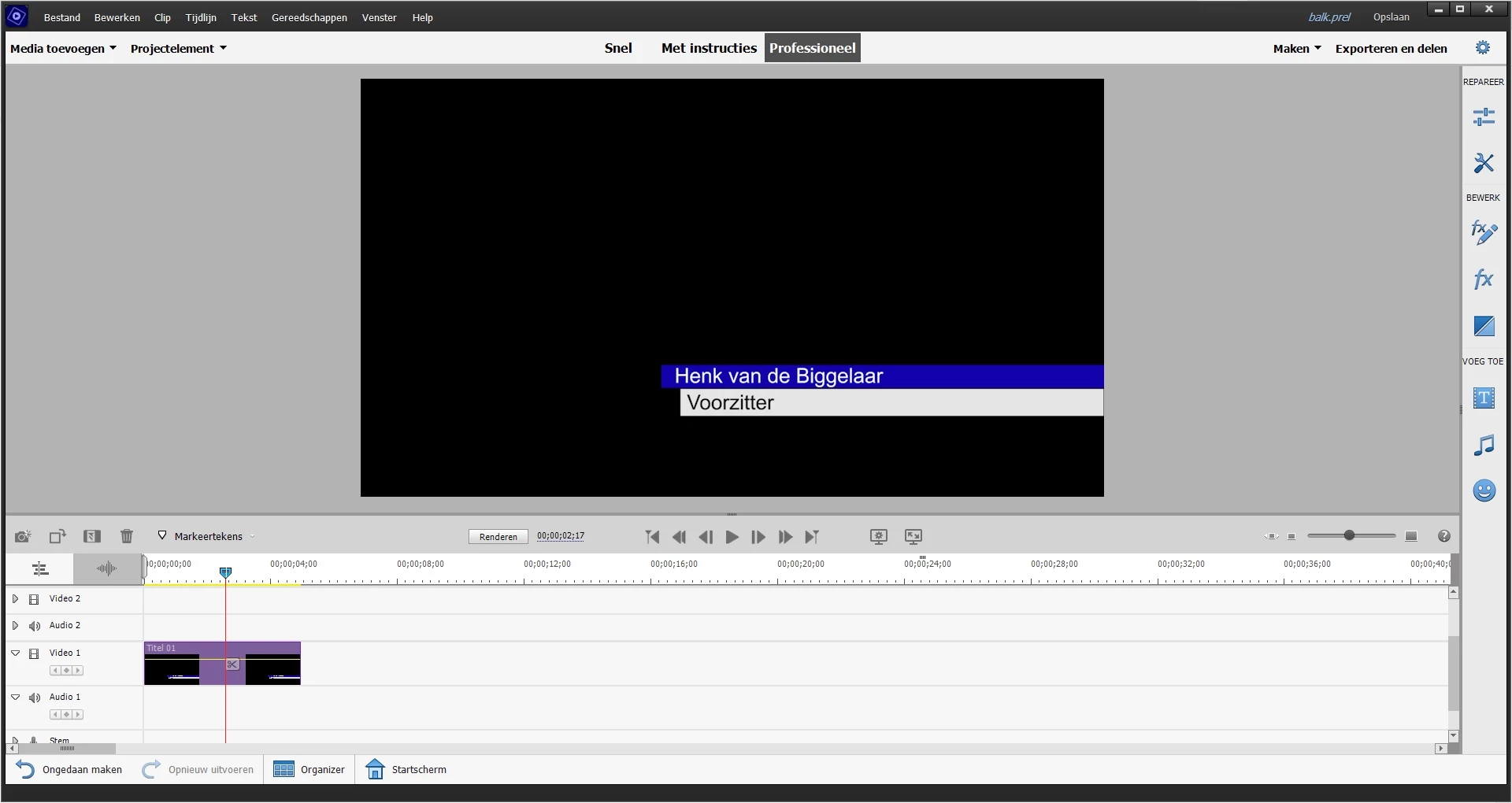
I have made with a new 'standardtext' two shapes with two texts, see my picture. I also made it move in and out with keyframes. Everything works fine but how do I save this now, so that I can use this later on with other projects? 


If I save it as a preset, I need to make a new standard text and when I add my new added preset, my shapes are gone and the new added text interacts it only with the keyframes. 


So in a summery, how do I save this so I can use this 'nametag' thats what I call it, and how can I open it later on again without that I have to edit the shapes, texts and so on? Can I save it as a kind of 'standaline' file? That I don't need to add a new text fields of something.


I watched a lot of Youtube tutorials but nothing seems to cover this problem.


Thanks in advance.

This topic has been closed for replies.
Correct answer Ann Bens

No you cannot change the names as its burned in.

make a seperate project with all the names and export.


1 reply

Ann Bens
Community Expert
Community Expert
March 14, 2023

Elements is very limited, cannot save it as a template.

BTW this is called a lower third.

You can save this as a file with transparency and use it in other projects.

Custom > Advanced settings > Quicktime > Animation codec > 8 + alpha.

Participant
March 14, 2023

Thank you for your reply. I've followed the your steps but if I change it to a full export file, I can't change the names anymore. That's sad I can't make a template. I've worked with Premiere Pro years ago and this problem was never an issue. I think I have to back to Da Vinci unfortunately.

Ann Bens
Community Expert
Ann BensCommunity ExpertCorrect answer
Community Expert
March 14, 2023

No you cannot change the names as its burned in.

make a seperate project with all the names and export.