

Participating Frequently
December 11, 2020
Question

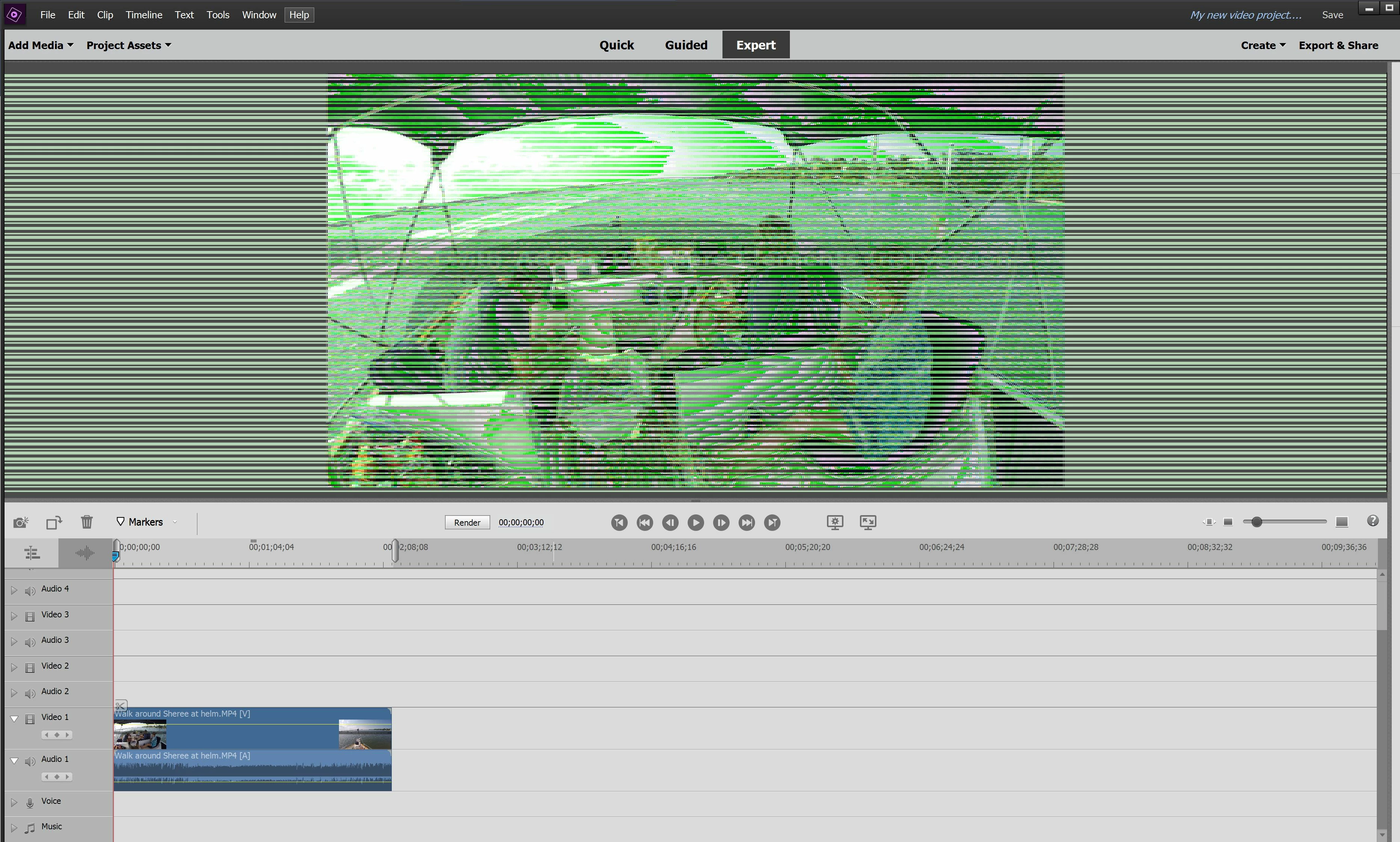
Screen issue on new install

  • December 11, 2020
  • 2 replies
  • 407 views

New Premiere trial install on new Dell XPS 15 laptop.  This is what I get, no idea why.  Any hints, comments appreciated.
This topic has been closed for replies.

2 replies

Community Manager
December 15, 2020

Try to update the Graphics driver version from official site

or

  1. Right-click anywhere on the desktop and choose the NVIDIA control panel.
  2. Click Manage 3D settings.

c. Click Program Settings and add Premiereelementseditor.exe. Change the preferred graphics processor to High-performance NVIDIA processor.

Thanks, Gaurav
Hal0D44Author
Participating Frequently
December 15, 2020

Thanks, Guarav! That worked. You da man....Merry Christmas!

Legend
December 11, 2020

You don't say which graphics card you have but start by updating its driver.

First, ensure you have the latest Windows updates. Then go to the AMD or nVidia site and download the latest drivers directly from the card's manufacturer rather than using the Windows provided driver. nVidia, for instance, just issued a new set of drivers yesterday.

Hal0D44Author
Participating Frequently
December 11, 2020
Thanks. I have the NVIDIA GeForce GTX 1650 Ti with the latest driver
installed or so it tells me.
