


Shortcut for delete without closing gap / ripple
Is there a way to delete clips without causing the other clips to move to close the gap?
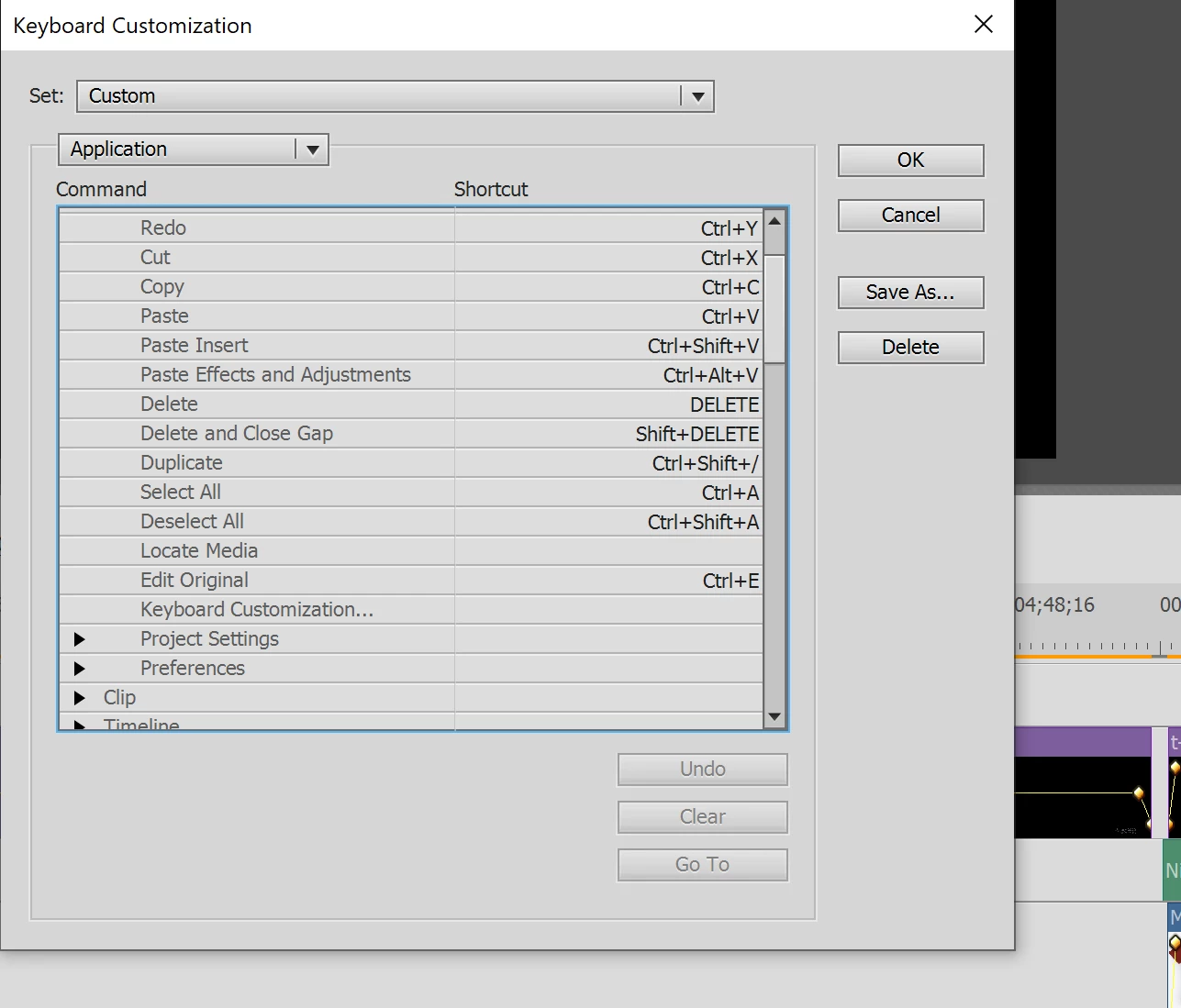
When I just use "delete", all the clips will move to close the gap. I don't want that. I want to keep the gap. So, when I use "shift+delete", I am able to delete a clip without closing gaps. This is good! However, if I go to the keyboard customization settings I see that "delete and close gap" is done by "shift+delete", while when I press "shift+delete" it does not close the gaps. How is this possible? I am a bit confused by these shortcuts and therefore not able to change them the way I want.
I would really like to just press "delete" (and not "shift+delete") to remove clips wihout closing gaps, so without the other clips to move. Could you please help me to set the keyboard setting right?
Thank you very much in advance!
Ps. I tried changing the keyboard settings to:
Delete = shift+delete
Delete and Close Gap = delete
but that didn't change how the program reacted to me using delete or shift+delete. Other keyboard changes did work.
 AdChoices