
Participant
Feb 1, 2021 5:33 PM UTC
Question

Show milliseconds instead of frames premier elements editor

Hello together,


iam doing video cycle time analysis and need to see instead of the frames the milliseconds in the Video. See the picture below at the red square. In the Windows Movie Maker application it was possible. My Company wants to use adobe. Is there a way without any work around to achieve it. That we dont have to recalculate frames to milliseconds? At the moment we are using a test licence and its working under windows 10.
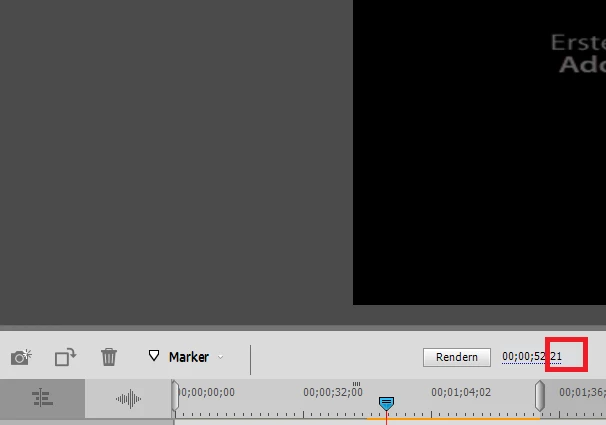
 

Thanks for help


This topic is closed to new replies. Start a new post to keep the conversation going.

6 replies

Ann Bens
Community Expert
Community Expert
Feb 1, 2021 9:08 PM UTC

Although the help says Elements will show milliseconds the feature does not work.


Translate
Community Expert
Feb 1, 2021 6:32 PM UTC
Ann Bens
Community Expert
Community Expert
Feb 1, 2021 9:23 PM UTC

OP is referring to the timecode.

Your link refers to timecode effect which does not exist in Elements.


In Premiere Pro you can set the timecode to either milliseconds or audio samples.

Translate
Community Expert
Feb 1, 2021 9:56 PM UTC

My mistake Ann.  I'll offer the excuse that I was not yet on my second cup of coffee.  

Translate
Legend
Feb 1, 2021 6:16 PM UTC

Not in Premiere Elements.

Translate