

Dwight McCann
Known Participant
Dec 22, 2016 12:52 AM UTC
Question

Since Installation I Get This Error Each Time I Open PE15

Since installing PE15 I get the following error each time I open it:
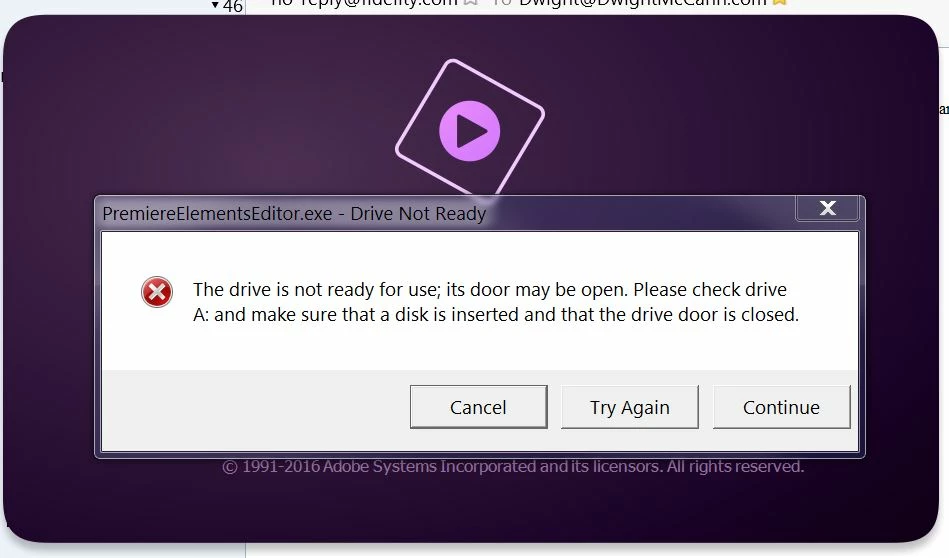
I am running Windows 7. I have no A: drive. The Disk Manager reports no A: drive, although the WE does display the non-existent A: drive.

    This topic is closed to new replies. Start a new post to keep the conversation going.

    2 replies

    aksagarw
    Adobe Employee
    Adobe Employee
    Dec 22, 2016 10:19 AM UTC

    Please check the device manager (Go to Start "control panel/system/hardware tab/device manager ) and see if a floppy disk drive is listed there as an active device even you don't have any floppy drive.

    If so, please disable it via the device manager or via BIOS

    Translate
    Legend
    Dec 22, 2016 1:25 AM UTC

    I would recommend you contact Adobe Customer Service via Chat for this issue.

    Contact Customer Care

    And, when you get a solution, please report it back to this forum -- so we'll know it for future reference.

    Translate