Participating Frequently
December 27, 2018
Answered

Some GoPro Hero7 files get "Add media failure"

  • December 27, 2018
  • 1 reply
  • 777 views

I'm using the trial version (Adobe Premiere Elements 2019 v.17.0) to see if it will work well with my underwater videos.  Most imported, except a handful.  I suspect it's because they were shot using HEVC codec.  Is there anyway to import them?  Thanks in advance for your help!
This topic has been closed for replies.
Correct answer Steve Grisetti

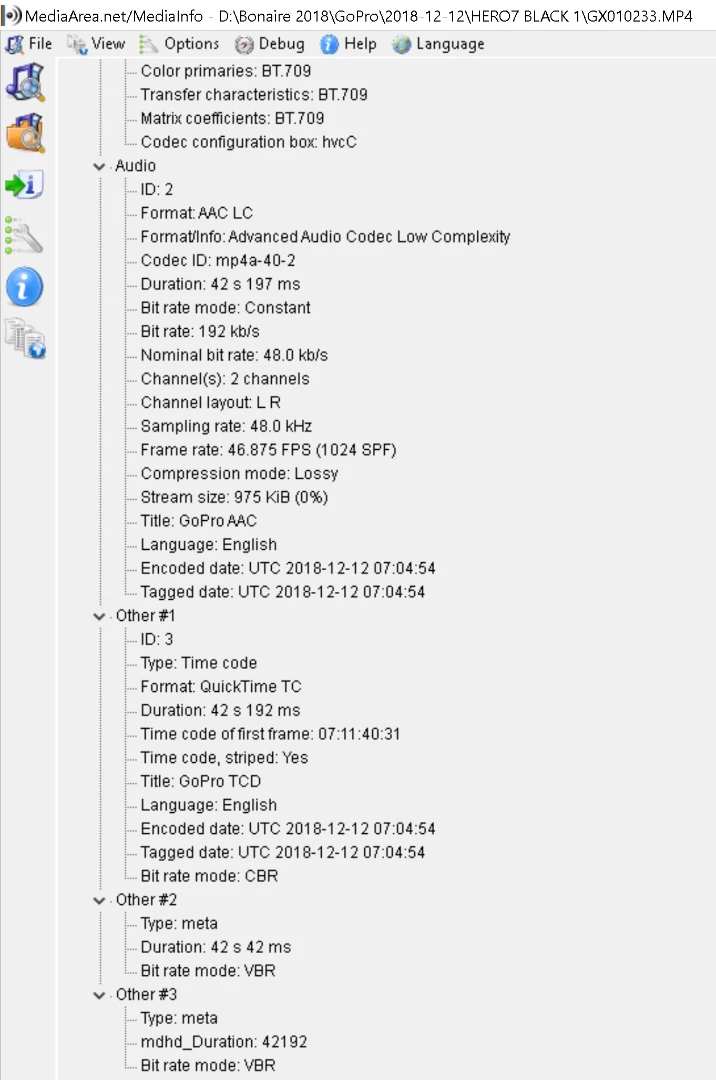
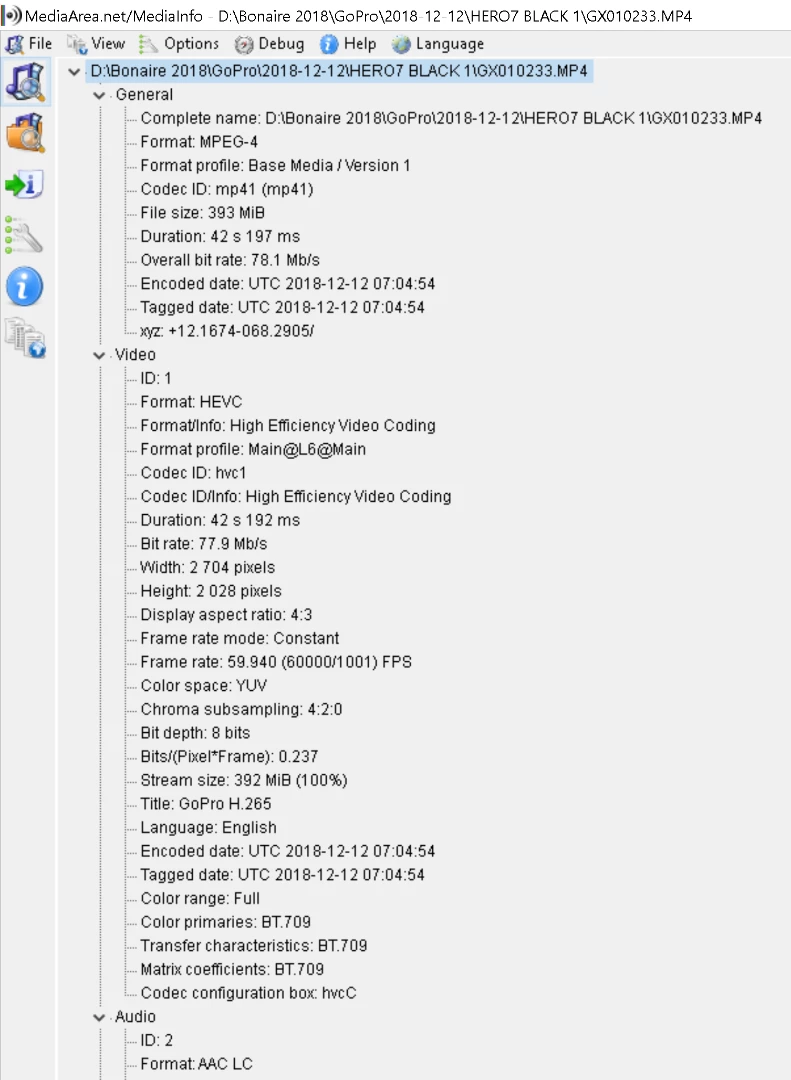
As you suspected, your video uses the HEVC H.265 video codec, which is not well supported by Premiere Elements.

The video is also an unsupported resolution (2704x2028).

You can try converting the video to a 1920x1080 30 fps MP4 using the free download HandBrake -- but because your video has ans aspect ratio 4:3 rather than 16:9, it's going to "float" with black bars on the right and left to fill out the video frame.

In my opinion, you're going to find this video editing software very frustrating to use with this video. I'd consider either test driving Premiere Pro CC (subscription) or CyberLink PowerDirector Ultimate (about the same price as Premiere Elements).

1 reply

Steve GrisettiCorrect answer
Legend
December 27, 2018

As you suspected, your video uses the HEVC H.265 video codec, which is not well supported by Premiere Elements.

The video is also an unsupported resolution (2704x2028).

You can try converting the video to a 1920x1080 30 fps MP4 using the free download HandBrake -- but because your video has ans aspect ratio 4:3 rather than 16:9, it's going to "float" with black bars on the right and left to fill out the video frame.

In my opinion, you're going to find this video editing software very frustrating to use with this video. I'd consider either test driving Premiere Pro CC (subscription) or CyberLink PowerDirector Ultimate (about the same price as Premiere Elements).

myemeraldAuthor
Participating Frequently
December 27, 2018

Thank you very much.  I'll try CyberLink's product!