Participant
February 19, 2017
Answered

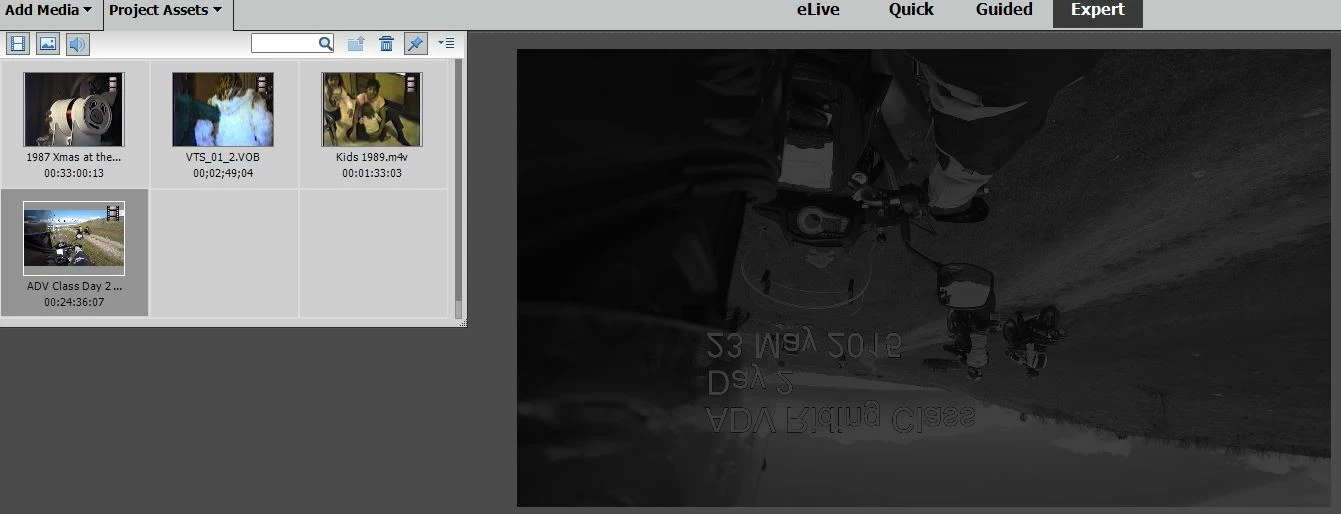
Source/Preview Video Washed Out and Reversed on MP4 & M4V Files AVI Files OK

  • February 19, 2017
  • 1 reply
  • 332 views

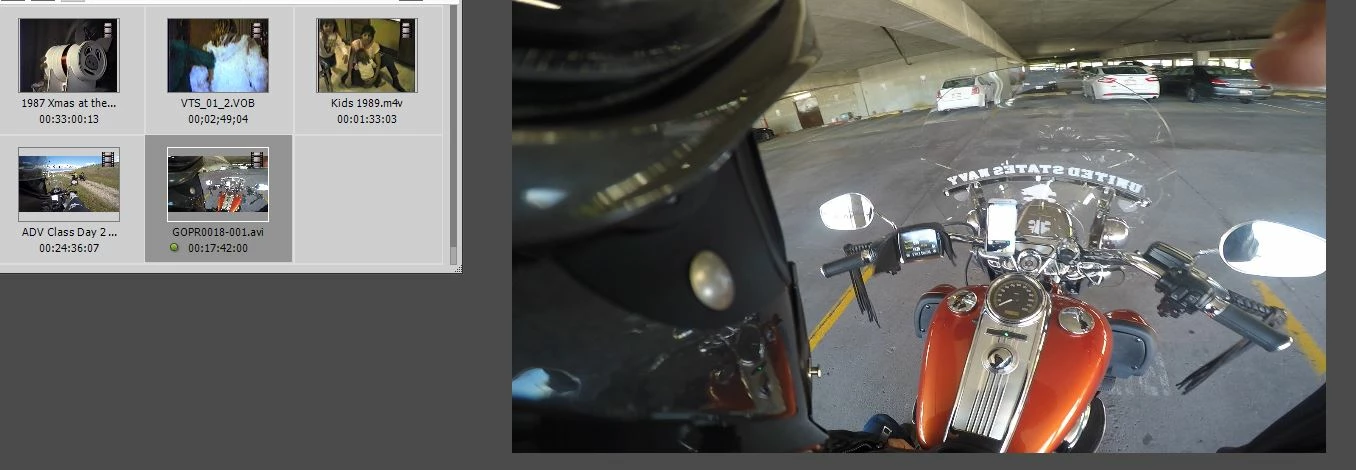
How do I fix the source/preview window from being washed out and reversed? Happens on all M4V and MP4 but not on AVI files. Did a search but didn't find the answer. On Windows 10 running and Adobe Premier Elements 15.

MP4
AVI
This topic has been closed for replies.
Correct answer Steve Grisetti

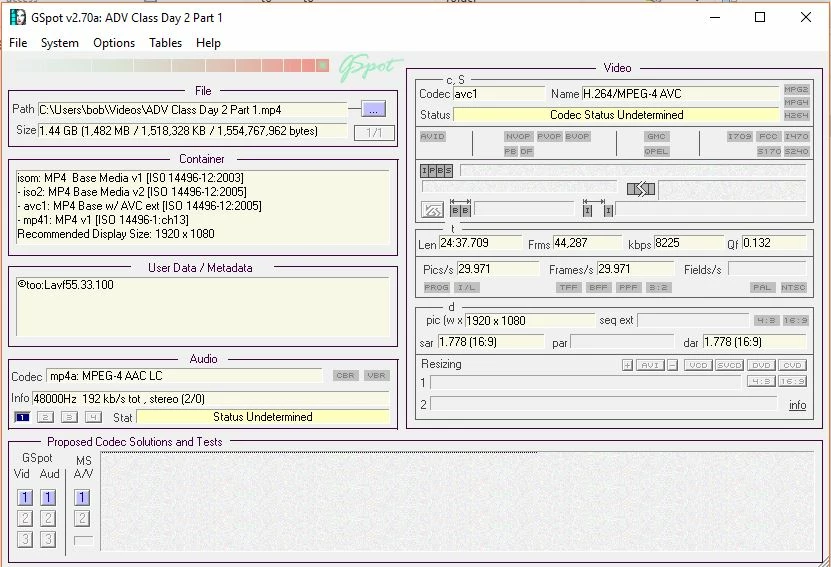
Here's the GSpot information from the file that has the issue from original post.


What graphics card do you have?

Have you manually gone to the nVidia or AMD site and installed the latest version of the drivers for your graphics card? (Don't trust Windows to do it.)

You will likely also need to have Quicktime 7 installed on your computer in order to work with some of the video codecs. You can opt not to install Quicktime Player for security reasons -- but you will need to install the rest of the components to guarantee you have support for all of these codecs.

QuickTime 7.6 for Windows

1 reply

Ann Bens
Community Expert
Community Expert
February 20, 2017

What is the origin of these m4v and mp4?

Participant
February 20, 2017

GoPro camera into GoPro software then out.

Participant
February 20, 2017

I also have the same issue using a JVC DR-MX1SU VHS to DVD recorder. Pulling these videos from the DVD using Handbrake to either MP4 or M4V results in the same washed out and reversed image.