



Answered
Stop closing the gaps!!!
Hi all, I know I can delete a clip without closing the gap (pulling all proceeding clips to the left which is something I don't think I have EVER wanted to happen) by right clicking and choosing Delete instead fo Delete and Close Gap but if you look at the screenshot I want to grab the left end of Cabin Shoot 12 and reduce the length but when I do it pulls everything from the left over. I have to cut the piece in half, right click on the left hand of the resultant clips and choose Delete there. Is there no way to do this that makes more sense? Thanks for any help!
Elements 14, Windows 10.
Phil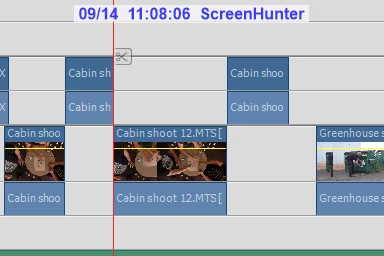
 AdChoices