

Participant
August 4, 2020
Question

stripes in the workspace

  • August 4, 2020
  • 2 replies
  • 952 views

I have updated from Premiere Elements 15 to version 20. 

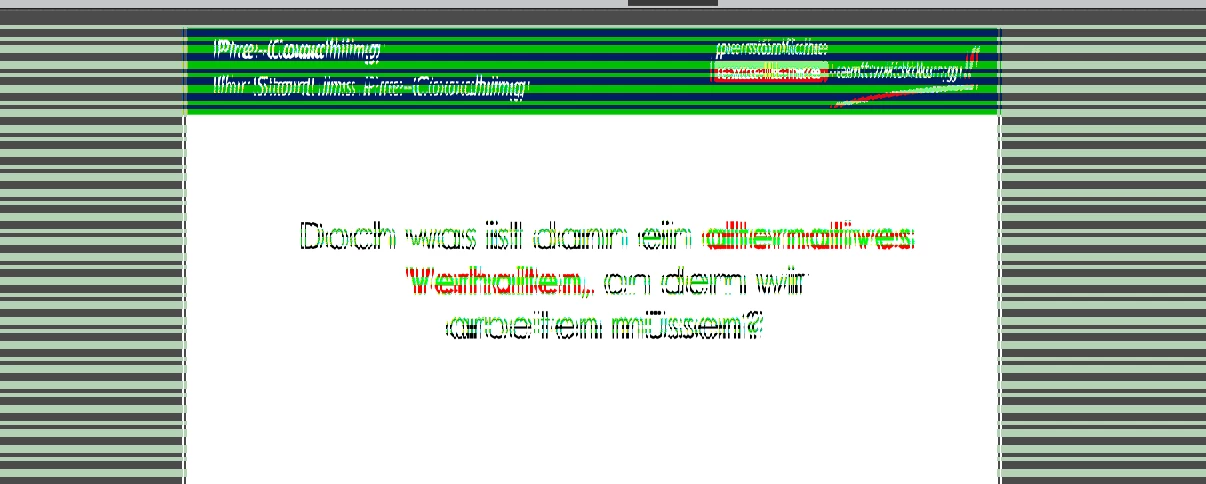
But in version 20, all videos in the Strips workspace will show Strips See screenshot. 

How do I get rid of them?

This topic has been closed for replies.

2 replies

Participating Frequently
August 27, 2020

I updated my graphics card driver and am still getting the green stripes.  Any other suggestions would be greatly appreciated.

Participant
October 3, 2020

I've gotten same problem! 
Last time I used Premiere Element for video editing was in July - without a problem.

Today I tried to start a new project and these green stripes occurred in preview space after importing.

I updated to latest GeForce driver without any change - green stripes are still there...

Participant
October 5, 2020

Okay, after further reading of similar threads I downloaded and installed current version of Intel's graphic adapter driver. Now these green lines/stripes have disappeared and my problem is solved!

Windows' searching of driver updates wasn't correct - you have to visit vendor's support page, search and download from there!

Legend
August 4, 2020

Go to the nVidia, AMD or Intel web site and ensure you have the latest driver for your graphics card. Don't trust Windows to update it for you. Most current drivers are only a few weeks old.

Participant
August 4, 2020

Ok, tanks Steve. It works. 


Legend
August 4, 2020

Please mark the question as correctly answered, bruno.