



Ikrananka
Known Participant
July 17, 2017
Answered

Swing In and then Reverse Transition

  • July 17, 2017
  • 3 replies
  • 1484 views

I'm trying to create an effect where a clipboard swings into view on top of another clip, partially covering it, and then swinging back out in reverse to the way that it swung in.  The clipboard is a PNG image file with a transparent background.

I have successfully created the Swing In effect using the Swing In transition as follows.  The clipboard swings into view as if it were hinged along the right-hand side.
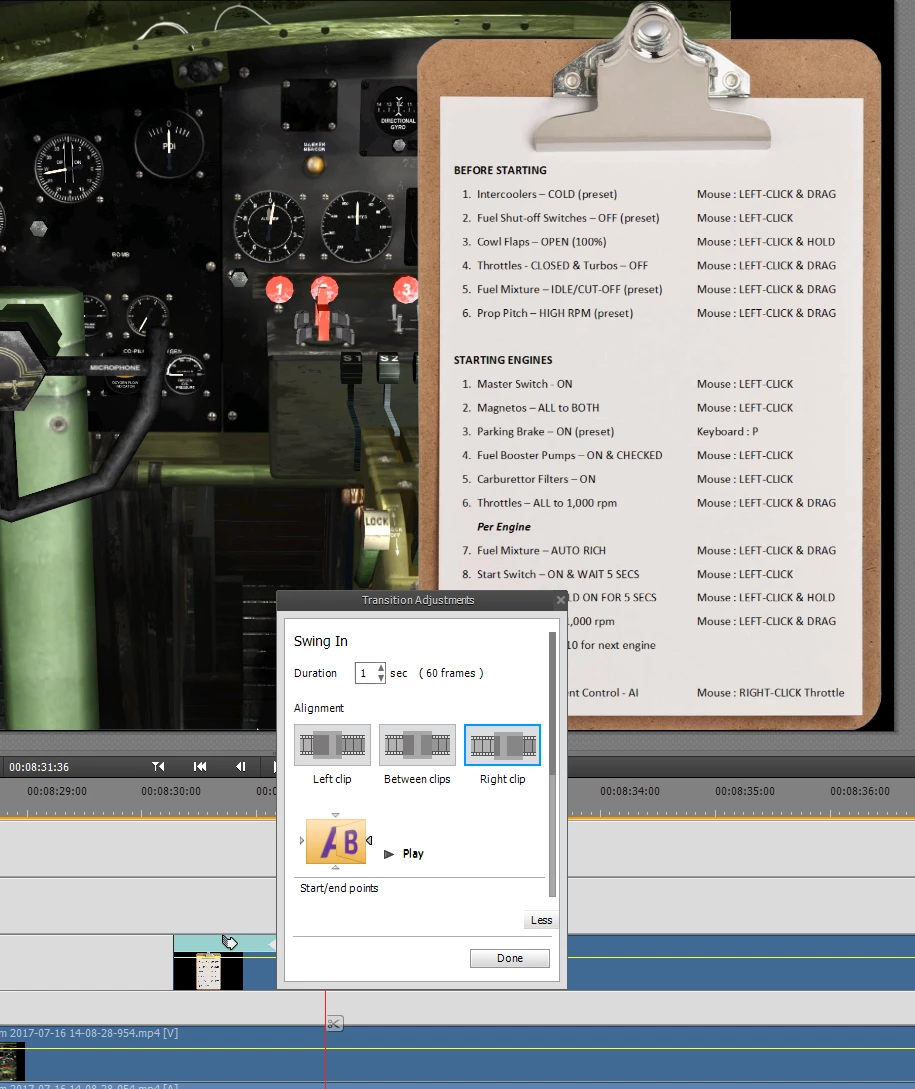
At the end of the Clipboard clip, I want it to swing out in the reverse, again hinging along the right-hand side.  However, I just can't seem to make it work using the Swing In or Swing Out transitions.  Is it possible to do what I'm trying to do?

    This topic has been closed for replies.
    Correct answer Steve Grisetti

    This effect is probably not best achieved with a transition hybrid.

    I'd recommend animating the Camera View or the Basic 3D effect.

    3 replies

    Legend
    July 20, 2017

    This is a terrific video, ikr! And you used that swing-in effect very effectively.

    I can't imagine, however, that, as complicated as that startup is, I'd ever get that plane off the ground!

    Ikrananka
    IkranankaAuthor
    Known Participant
    July 20, 2017

    Thanks Steve - that really means a lot coming from you

    Legend
    July 19, 2017

    I'd also love to see your video of the B-17! Please post it on YouTube and share it with Bill and me.

    Ikrananka
    IkranankaAuthor
    Known Participant
    July 20, 2017

    The video is now live on YouTube - enjoy !!!  If you do have any tips on how I can improve my videos I'd love to hear them.  Thanks

    Steve GrisettiCorrect answer
    Legend
    July 18, 2017

    This effect is probably not best achieved with a transition hybrid.

    I'd recommend animating the Camera View or the Basic 3D effect.

    Ikrananka
    IkranankaAuthor
    Known Participant
    July 18, 2017

    Thanks Steve, I managed to achieve more or less what I was looking for using the Basic 3D effect combined with the Motion (Position) effect.

    Community Expert
    July 18, 2017

    Would you please post a link to the finished video?  I'm a long time pilot and used to fly a twin with big radials for the Navy.