Participant
March 15, 2023
Question

The video preview is perfect, but the export does not match the preview.

  • March 15, 2023
  • 1 reply
  • 486 views

Good day.

I am still a beginner and just can not figure out what I'm doing wrong.
I have created a project Adobe Elements 2023 completely.

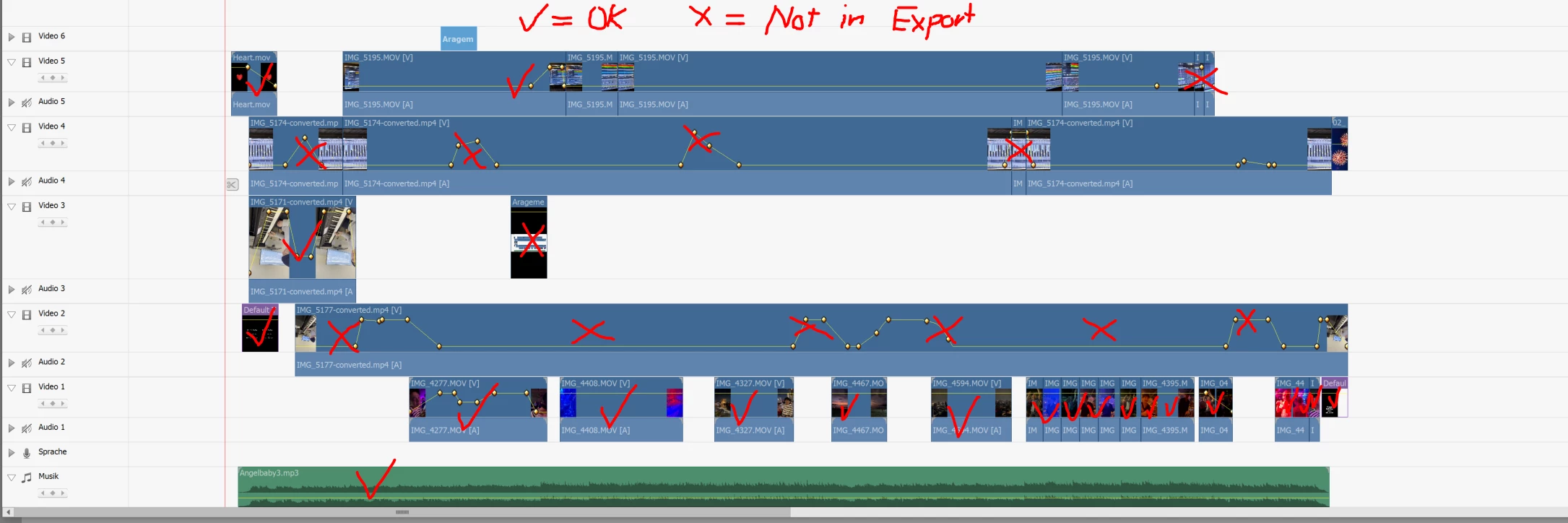
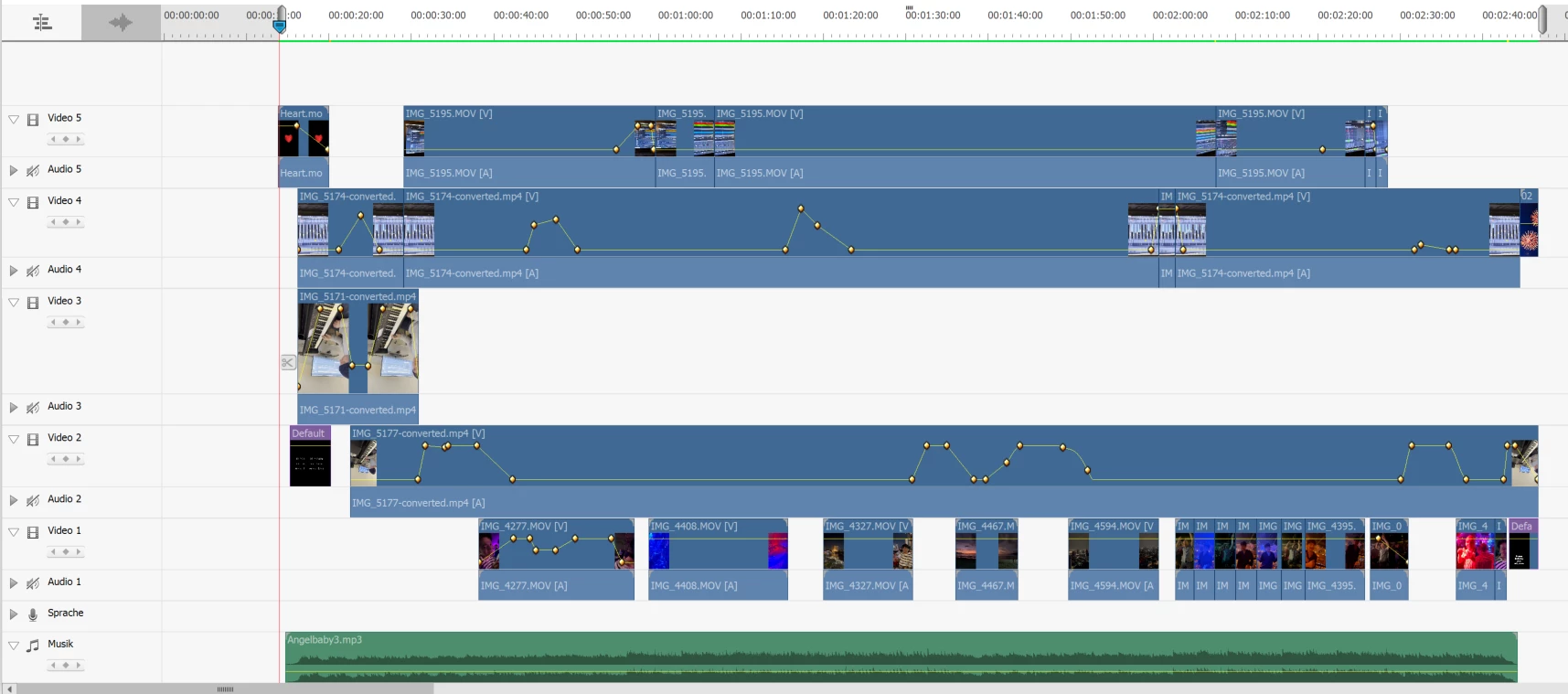
I work with 5 video tracks, all about 2:30 minutes long. In the 5 video tracks I have created a shot from different angles. I play piano and in the background is the Mp3 export from my music software. Now I fade in and out between the different videos with the opacity. (see build)

In the video preview everything is perfect. But as soon as I export (I have used dozens of times different codes) Are many clips just black and are not displayed. The first time in the track it works - after that no more.

Does anyone have an idea? Thanks in advance


My PC: Intel Core i9-9880H @ 2.3 Ghz 64 GBit RAM , SSD 970 Samsung
This topic has been closed for replies.

1 reply

Legend
March 15, 2023

You show your upper video track -- the one you say doesn't show up in your export, set to zero Opacity. Is that actually the case? Zero Opacity means complete transparency -- in other words, the video won't show.


Your keyframing on track 4 also shows fade-ins that immediately fade out. I'm not sure what you're going for there.


Can you post a sample of your resultant video to YouTube and link us to it so we can see what you're getting?

Participant
March 15, 2023

Hi Steve;

Thank You.

Since it is supposed to look like a music video - sometimes it makes sense to just fade in the EQ...

Here is the result I get: https://youtu.be/blSS2gHrmGs


Again the preview looks perfect, the export just turns to black where actually always a video should run 100%.

Regards Ivo

Legend
March 15, 2023

I'm not sure what's up, Ivo. If you can attach your .prel file to your next post, I can see what results I get. (Don't worry about including the media files that link to it.)