



Question
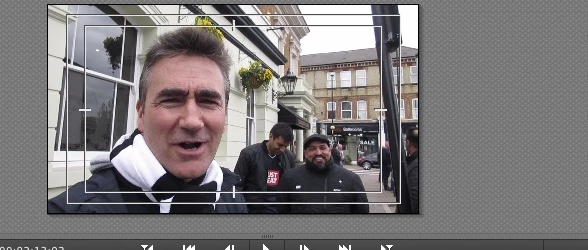
These boxes appeared on my screen in Premier Elements and I have no idea how to get rid
Hi
Im new to this forum. I opened my Premier Elements programme and my previewer had these boxes in it. I have no idea how to get rid and I would have searched FAQ except i didn't know what to search for.
Im sure there is a really simple solution but I cant work out what it is
Help please
ta
 AdChoices