October 5, 2020
Answered

timeline says video is 7 hours when it should only be 2 minutes

  • October 5, 2020
  • 3 replies
  • 943 views

i'm making a small video that's only 2 minutes ling, but my timeline is 7 hours long. this is my first time ever using premiere, so i'm really confused. i looked for stray frames a couple dozen times, didn't find anything. help 😞

This topic has been closed for replies.
Correct answer AnubhavJain

yea, i did use a few long clips.


i moved the WAB to where i wanted it to be, but when i go to the export window it still says 7hrs.
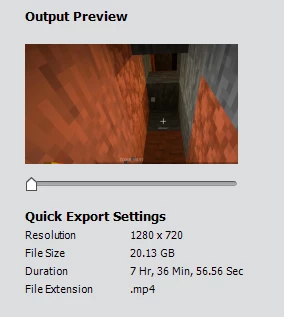
 

thank you so much for helping me.


Try a different export setting from devices and check the "Share Workarea Bar Only" checkbox:
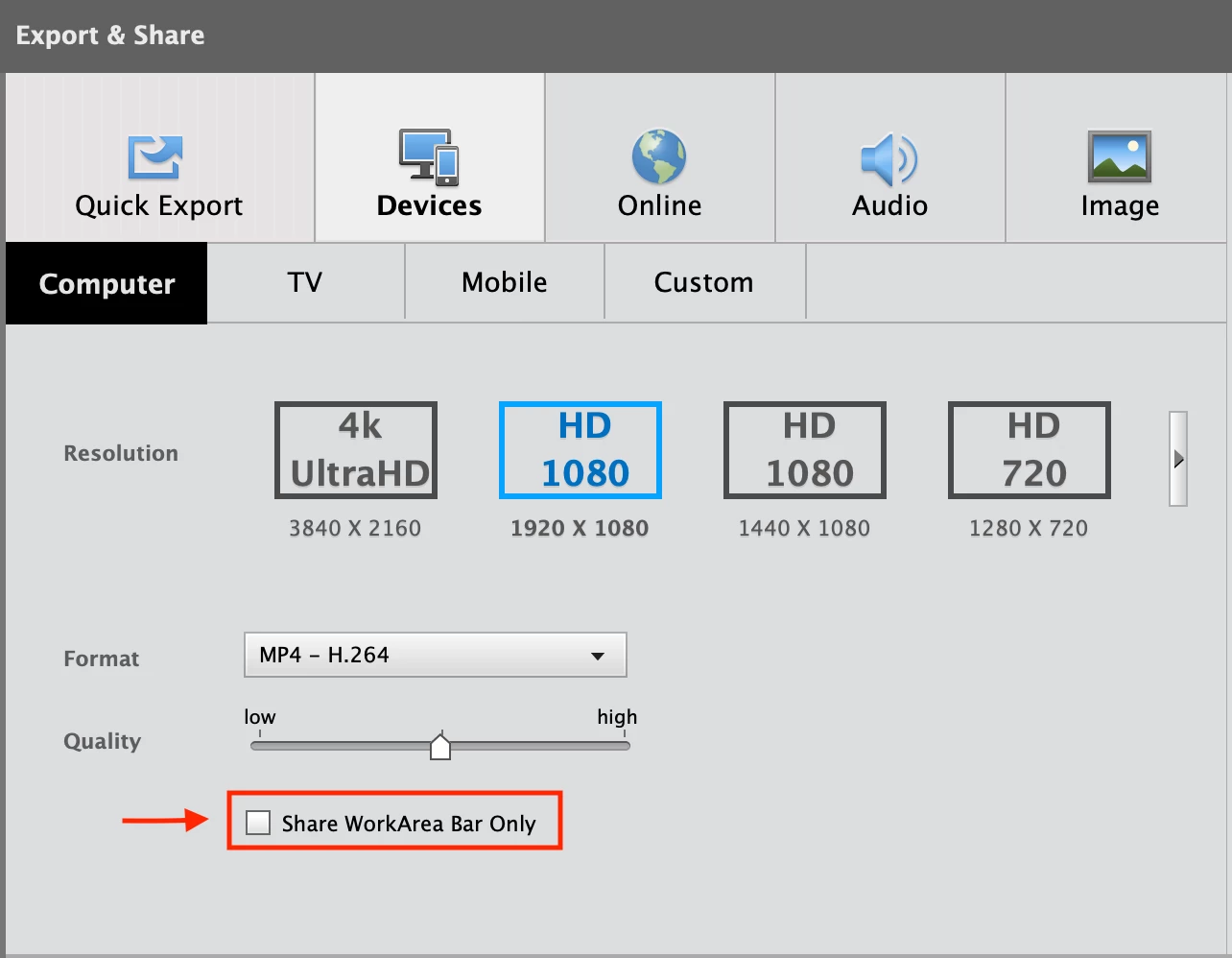
This will help you export only a small portion of the clip.


Also, regarding the original issue why timeline is appearing as 7 hrs, please check other tracks as well and make sure no other media is present on Track 4 or Track 5. Sometimes, the media is not directly visible on the timeline but scrolling on different tracks give us a clearer picture.


Thanks,

Anubhav

3 replies

Adobe Employee
October 6, 2020

Hello,
Please share the screenshot of the timeline. Also, try to change the workarea bar to change the timeline duration. This will help you re-adjust the timeline duration. Let me know if this was helpful.


Thanks,

Anubhav

October 6, 2020

here's the timeline:

i dont know what the work area bar is 😮

Ann Bens
Community Expert
Community Expert
October 6, 2020

Might have dropped multiple long clips in the timeline which expands the timeline.


It says 7 hours but you actually timeline is between the two vertical in and out point on the far left.


I have grumbled before about the color schema Elements uses.

In between WAB should be a dark color so it stands out and the rest a lighter color.


The work area bar determines what part of the timeline you want to export: also should be check in the export settings.

Ann Bens
Community Expert
Community Expert
October 5, 2020

If Steve tutorial does not shed a light on the mystery post screenshot of timeline.


Are you sure you are reading 7 hours.

00.00.00.00 means hours, minutes, seconds, frames.

October 6, 2020

yes i'm pretty sure, the number is 07:30:00:00

Legend
October 5, 2020

What happens if you press the backslash \ key (above the Enter key on your keyboard) to display your entire movie on your timeline? Do you see a 2 minute timeline or a 7 hour timeline?

October 5, 2020

i see the 7 hour timeline

Legend
October 5, 2020

You have stray frames out there, whether you can see them or not.


This tutorial shows you how to remedy this situation.

