


Participant
December 5, 2020
Question

Trouble with Photoshop Premier

  • December 5, 2020
  • 3 replies
  • 219 views

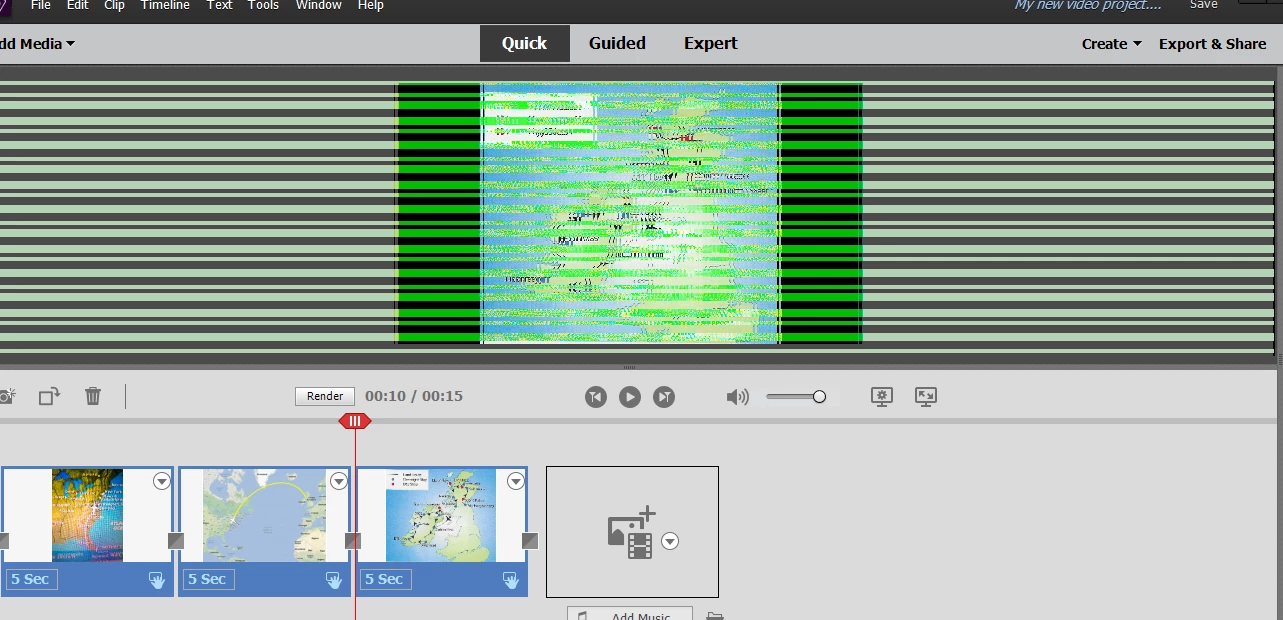
Trying to make a movie and when I opened the program today I have green and black lines going across the entire screen. Can someone help? I have deleted the movie and uninstalled the program and reinstalled. Still have the lines.
 

This topic has been closed for replies.

3 replies

Community Manager
December 6, 2020

As mentioned by John try updating the driver version from official site of Graphics card provider. If that doen't help then If you have Nvidia GPU card on your machine then you can try force settings. Steps given below:

1. Right-click on desktop -> Nvidia control panel

2. In Preferred graphics processor, Choose High performance NVIDIA processor

3. Click apply

Thanks, Gaurav
Community Expert
December 6, 2020

If it was working reliably in the past, it is likely that an automated update, maybe Windows itself, installed a new video driver.   A 'roll back' may be necessary.  If it is a current edition, Adobe techs can connect to your computer during an online chat and fix it.  From the Help menu, select Online Support and inniate the 'chat' session.

John T Smith
Community Expert
Community Expert
December 5, 2020