


Inspiring
September 17, 2025
Question

Unable to load projects - lost sources?

  • September 17, 2025
  • 2 replies
  • 109 views

Help!


I have been creating videos for a few months and now have come to make some edits, they are not opening properly... im thinking maybe i have tried to tidy the folder structure.... moved things around and now it kind find the sources... but im really not sure!


Vidoes are showing like this....
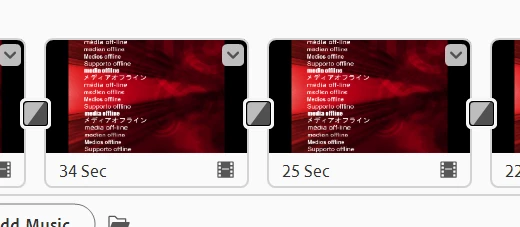
 

Help appreciated! 


2 replies

Inspiring
September 18, 2025

Thanks for both comments.


I have renamed folders and moved folders

in their entirety.... however it was only 2 videos  that impacted all of my created videos.... so in retrospect I don't think it was me moving folders (as I've said I sensibly moved them in their entirety).


Premier Elements helpfully informed which "absent" files were needed; very useful in resolving this issue. So all is good now.


thanks for the input 


Inspiring
September 17, 2025

ok, im piecing it together now as it does ask "where is file x" and then im searching to find the file.... so it's achievable to get bacl to where i was....

but it looks like ive got files all over the place...

any suggestions on how i can restructure all my files without encountering errors?

thanks

John T Smith
Community Expert
Community Expert
September 18, 2025

You messed up by moving files from where they were to a new location in the middle of a project


How many and what size drives do you have?


I have all of my DATA files on my D drive (I have C + D + F three physical drives... I built my computer)

When I start a new video project I put ALL video/picture/sound files for that project in the same folder on D and I NEVER move those files