
Participant
May 19, 2022
Question

Upgraded from the trial version, now Premiere Elements won't work
  • May 19, 2022
  • 2 replies
  • 175 views

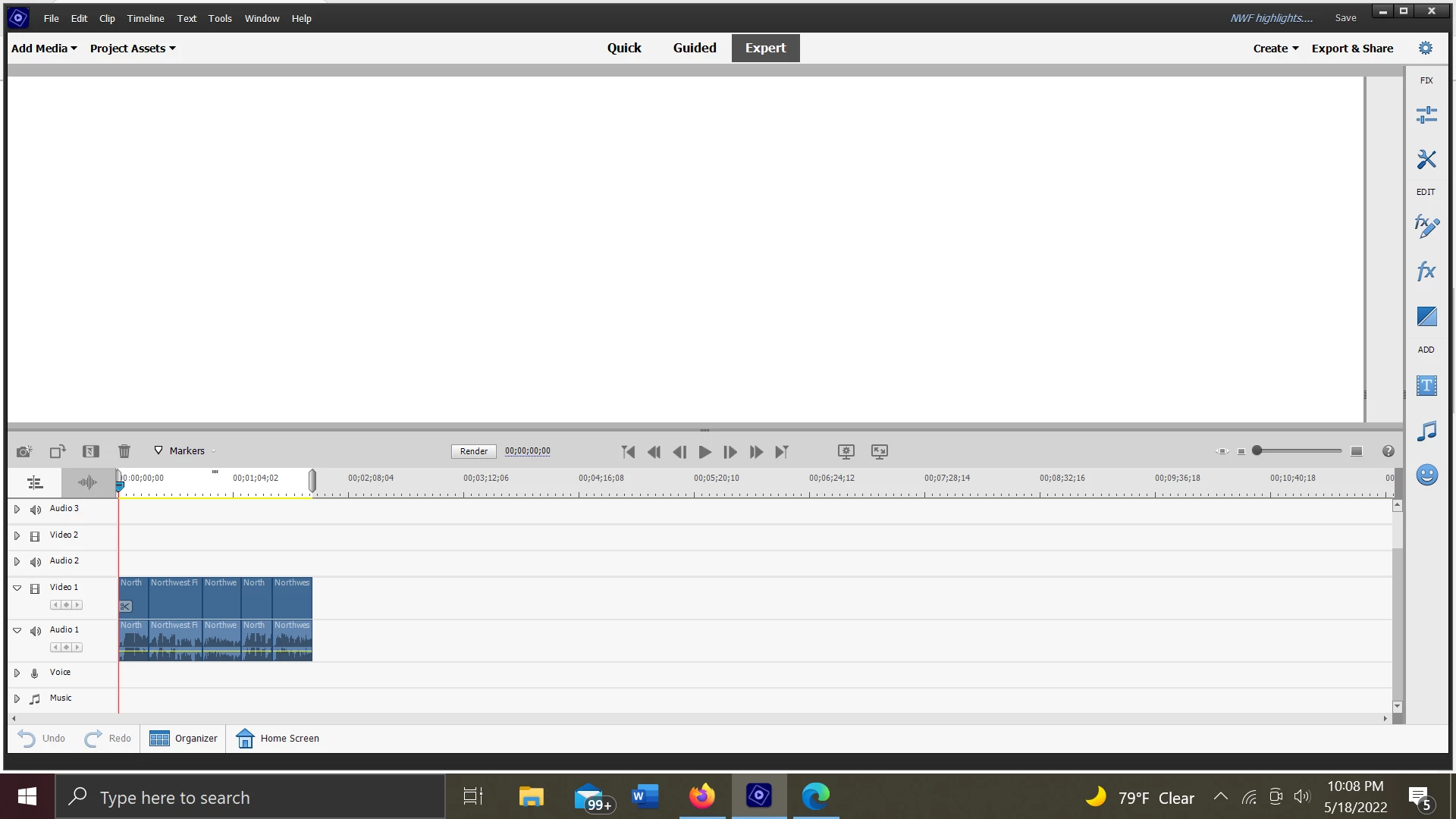
I had worked on some projects with the trial version of Premiere Elements 22 and when I purchased the full version I can no longer access them, nor can I use Elements really at all. Anytime I load in an old project or upload media, my screen goes black and when it comes back on I'm left with what you see here. No ability to edit, view, or export my stuff.

This topic has been closed for replies.

2 replies

John T Smith
Community Expert
Community Expert
May 20, 2022

>Intel HD 630 Graphics (6Gigs) and Radeon RX Vega M GL Graphics (4 Gigs)


I have an Intel i9 which has the same built in graphis process

I also have MSI GeForce GTX 1650 128 Bit Graphics 4Gig

In MY system (ASUS-Prime-Z490-P motherboard) the Intel 630 graphics is automatically turned OFF when I put in the MSI card... so there is no confusion

If you have both graphic processes active you MAY be having a problem of video confusion


John T Smith
Community Expert
Community Expert
May 19, 2022

You need to provide details for anyone to help
Mac or Windows and exact version of the operating system
CPU brand and model and clock speed
Amount of computer memory (RAM)
Video adapter brand and model and driver version and amount of video ram


Do not count on Windows to be fully up to date when it comes to device drivers
Go to the vendor site to be sure you have an updated driver for your graphic adapter
nVidia Driver Downloads https://www.nvidia.com/Download/index.aspx?lang=en-us
-for Premiere Pro (and MAYBE Premiere Elements) use the STUDIO driver, not the GAMING driver
If you have a laptop you MAY also need to check for a laptop specific nVidia driver
AMD/ATI Driver https://www.amd.com/en/support
Intel https://downloadcenter.intel.com/product/211969/Intel-HD-Graphics-Family
There are also intermittent reports that the newest driver is not always the best driver due to driver bugs or compatibility issues, so you MAY need to try an earlier driver version

Participant
May 20, 2022

Thank you for the response.


I have a I7-8705G CPU 3.10 GhZ; 32 G Ram; Win 10 Pro V21H1; Intel HD 630 Graphics (6Gigs) and Radeon RX Vega M GL Graphics (4 Gigs).  Everything is updated and running smoothly.


Please let me know what you need to help me rectify this problem.

Thanks