


Inspiring
December 16, 2016
Answered

Using Audio Mixer Tool

  • December 16, 2016
  • 1 reply
  • 505 views

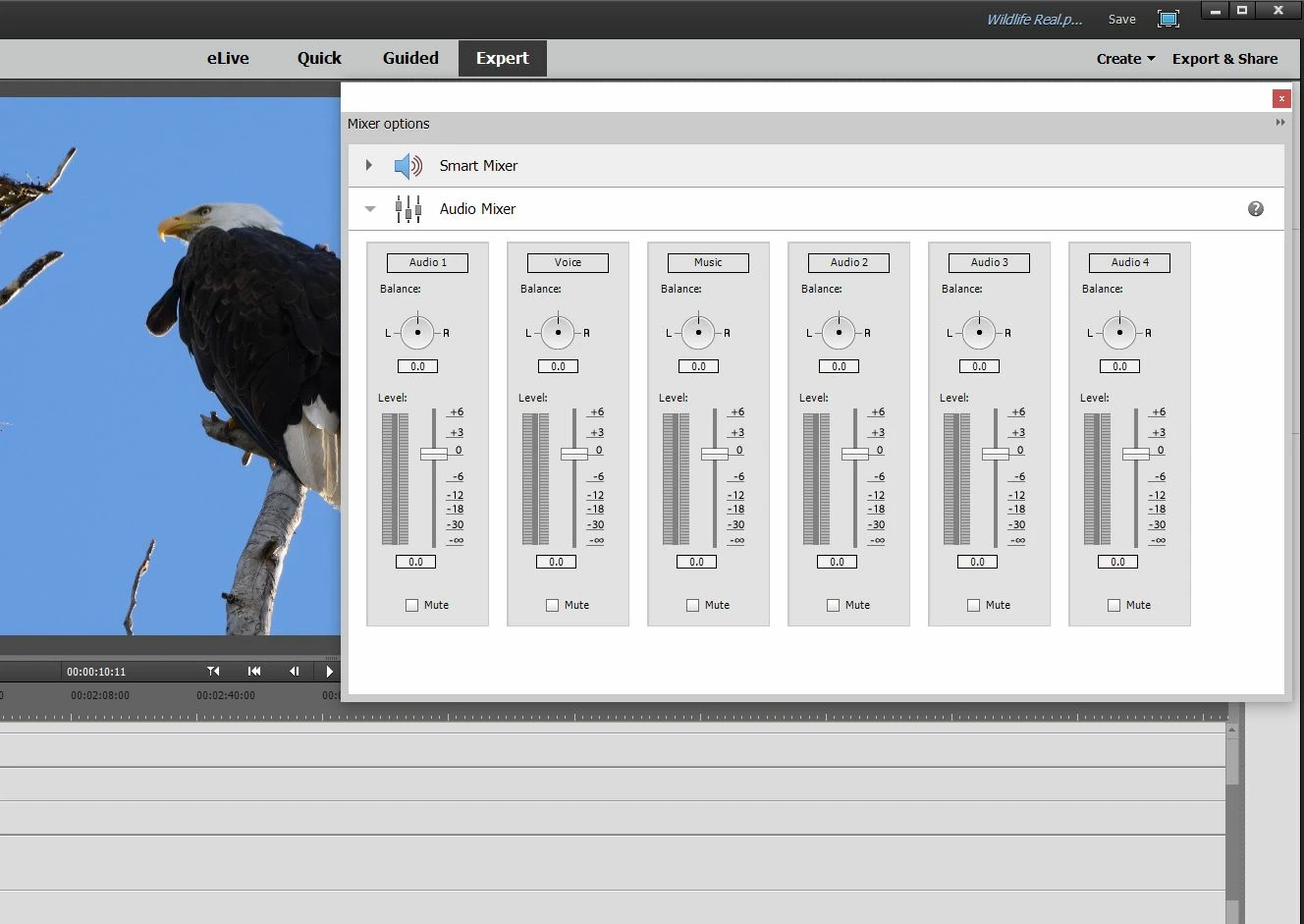
This seems to be limited to mixing the Audio 1, Voice and Music tracks. Suppose I want to mix Audio 1, Audio 2 and Audio 3, can you do that?

I notice that you can click on the name of the track in the tool and change it. If I try to change the tool for Voice to "Audio 2" (with a space between Audio and 2) it doesn't allow that and just reverts back to Voice. If I try to change it "Audio2" with no space, it allows this but just changes the name of the Voice track on the timeline to Audio2. So it doesn't allow modification of the Audio 2 track.

Can you mix audio for arbitrary tracks?

Thanks.
    This topic has been closed for replies.
    Correct answer Bill Sprague

    Grab the left edge and slide it out.  You get a few more tracks.

    1 reply

    Bill SpragueCommunity ExpertCorrect answer
    Community Expert
    December 16, 2016

    Grab the left edge and slide it out.  You get a few more tracks.

    Inspiring
    December 16, 2016

    Well that was easy but I don't know how anybody would be expected to know that. Thanks.

    Community Expert
    December 16, 2016

    pixel_a_ted wrote:

    Well that was easy but I don't know how anybody would be expected to know that. Thanks.

    You are right!  In fact it was a guess based on knowing that most, if not all, of the windows in PrE will expand by grabbing the edges. 

    Thank you for  marking my answer as "Correct".  I get points and someday, if I get enough, I may qualify for a free CC subscription!

    Bill