February 26, 2018
Answered

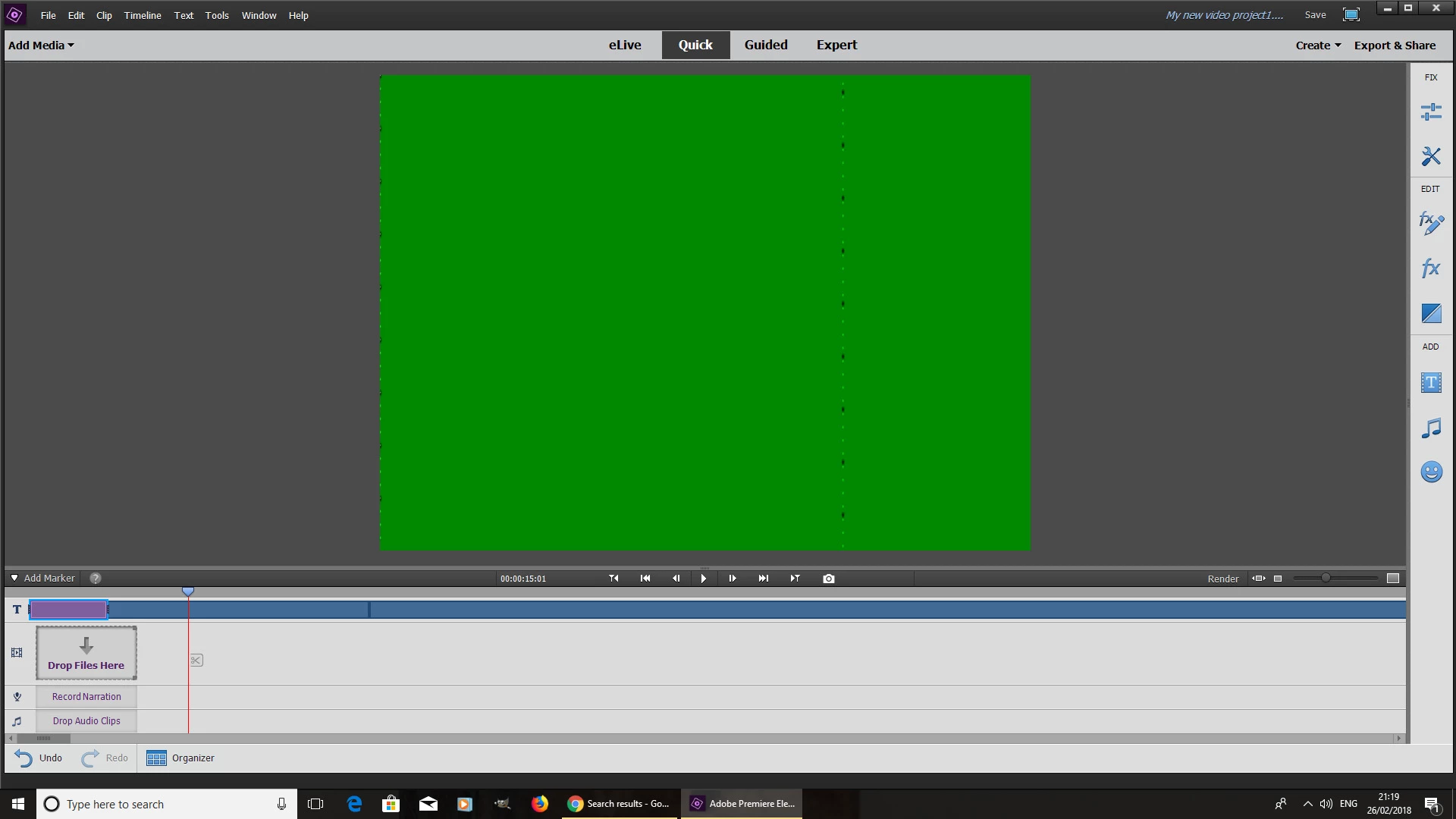
Video playback goes green

  • February 26, 2018
  • 2 replies
  • 879 views

I have recently invested in Premiere elements 2018. Now in trying to playback video within the timeline, it works briefly sometimes and then sometimes the display goes green. This is a problem as I was expecting the software to work flawlessly. Below are the system specifications. How do I fix this?

Operating System: Windows 10 Pro 64-bit

CPU: Intel Core 2 Duo E8400 @ 3.00GHz Wolfdale 45nm Technology

RAM: 8.00GB Dual-Channel DDR2 @ 332MHz (5-5-5-15)

Motherboard: Dell Inc. 0G214D (CPU)

Graphics: S240HL (1920x1080@60Hz) 1024MB ATI Radeon HD 5450 (XFX Pine Group)
    This topic has been closed for replies.
    Correct answer Dhananjay Sati

    Hi abhishek,

    Thank you for posting in Adobe Forum.

    It seems like you are facing issue with this green screen that you have mentioned in a screenshot.

    There are chances that the camera you are using is quite old or the video format is not flexible enough to work with Adobe Premiere Elements 2018 .

    You should download & install “Handbrake” in your machine. This software is available for free. You need to install it & convert your video file to .mp4 .After converting your file to .mp4 you can use it or test it in Adobe Premiere Elements & it should work because the success rate is very high.

    You can download it by clicking here.

    Hope this helps

    Thanks

    Reagards

    Dhananjay

    2 replies

    Dhananjay Sati
    Dhananjay SatiCorrect answer
    Participating Frequently
    February 27, 2018

    Hi abhishek,

    Thank you for posting in Adobe Forum.

    It seems like you are facing issue with this green screen that you have mentioned in a screenshot.

    There are chances that the camera you are using is quite old or the video format is not flexible enough to work with Adobe Premiere Elements 2018 .

    You should download & install “Handbrake” in your machine. This software is available for free. You need to install it & convert your video file to .mp4 .After converting your file to .mp4 you can use it or test it in Adobe Premiere Elements & it should work because the success rate is very high.

    You can download it by clicking here.

    Hope this helps

    Thanks

    Reagards

    Dhananjay

    Community Expert
    February 26, 2018

    Video editing is one of the hardest things for a computer to do and your CPU is not that strong relative to what most use for editing.

    That said there are a couple things to try.  In Edit > Preferences there is a choice for Hardware Acceleration.  Change it to whatever it is not now.  There is also a choice for Timeline Render Quality.  Try changing that too.

    Then, are the project setting matching the source video?

    If those don't work, it may be the video clips.  What camera did you use to take them and what are the qualities (settings) in the camera?

    If that doesn't get it fixed there is more to look at.

    February 27, 2018

    Format of video files are .MOD. These were taken with a basic camcorder few years back.