


Answered
Video preview controls cut off
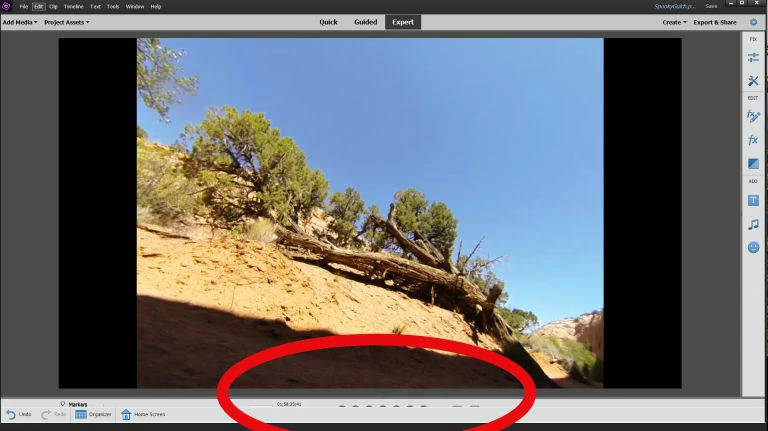
This is probably a dumb question, but new to PE 2019 (formerly used PE 2018). When I try to preview a video, the bottom of video screen, with the video controls (Previous Edit, Rewind, Step Back, Play/Pause, etc) are blocked by a wide horizontal bar that has "Undo", "Redo", "Organizer" and "Home Screen." Each has an icon. (Screenshot below)
How do I get rid of the bottom bar that's blocking access to the video preview controls? Never had this problem with PE 2018, so I suspect it's a setting somewhere, but where? I've resized the preview window from "fit" to smaller and smaller magnifications to no effect. Help! 🙂
 AdChoices