Participant
April 8, 2021
Question

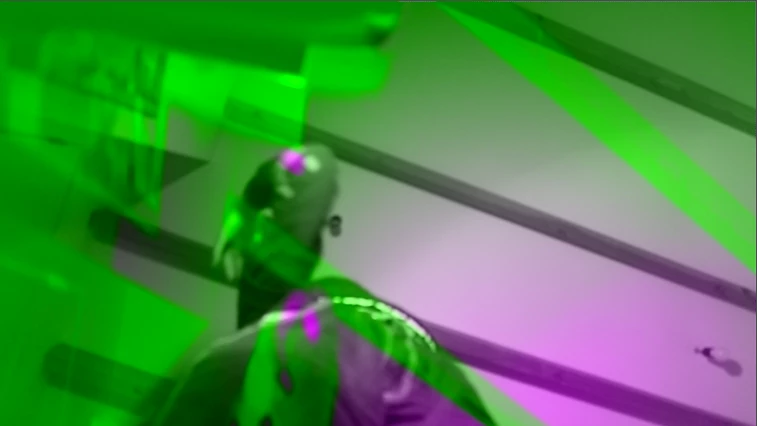
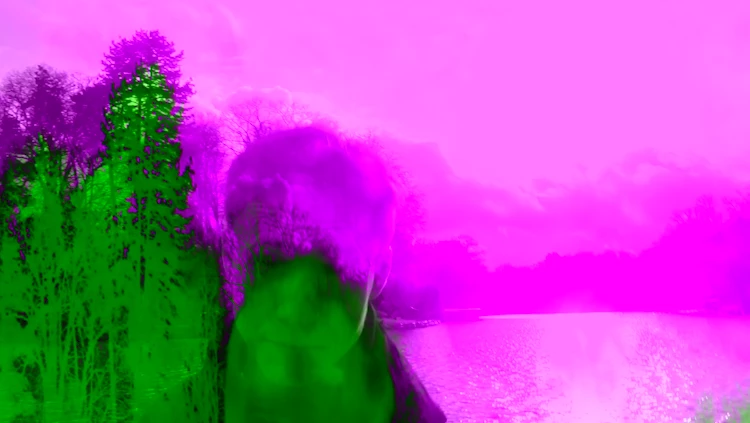
Weird effect on my imported videos

  • April 8, 2021
  • 1 reply
  • 149 views

Hello, 

I am a new user of Premiere Elements 2021 and I am experiencing some troubles with importing my videos. Whenever I upload them, there is automatically a weird filter on it... There is no layer that I can delete and I have it with every video I import. 

It is really weird, because I have tried the trial version and did not have that problem while using that version.

Anyone else having this issue? Or knows how to help me? 


Thank you!
Kaat 

This topic has been closed for replies.

1 reply

John T Smith
Community Expert
Community Expert
April 8, 2021

Do not count on Windows to be fully up to date when it comes to device drivers
Go to the vendor site to be sure you have an updated driver for your graphic adapter
•nVidia Driver Downloads http://www.nvidia.com/Download/index.aspx?lang=en-us
••for Premiere Pro and MAYBE Premiere Elements use the STUDIO driver, not the GAMING driver
•••such as (MAY not be the latest) https://www.nvidia.com/en-us/drivers/results/170344/
•ATI Driver https://www.amd.com/en/support
There are also intermittent reports that the newest driver is not always the best driver due to driver bugs or compatibility issues, so you MAY need to try an earlier driver version