
Known Participant
November 1, 2020
Question

Wie Bildausschnitt erstellen?

  • November 1, 2020
  • 6 replies
  • 1323 views

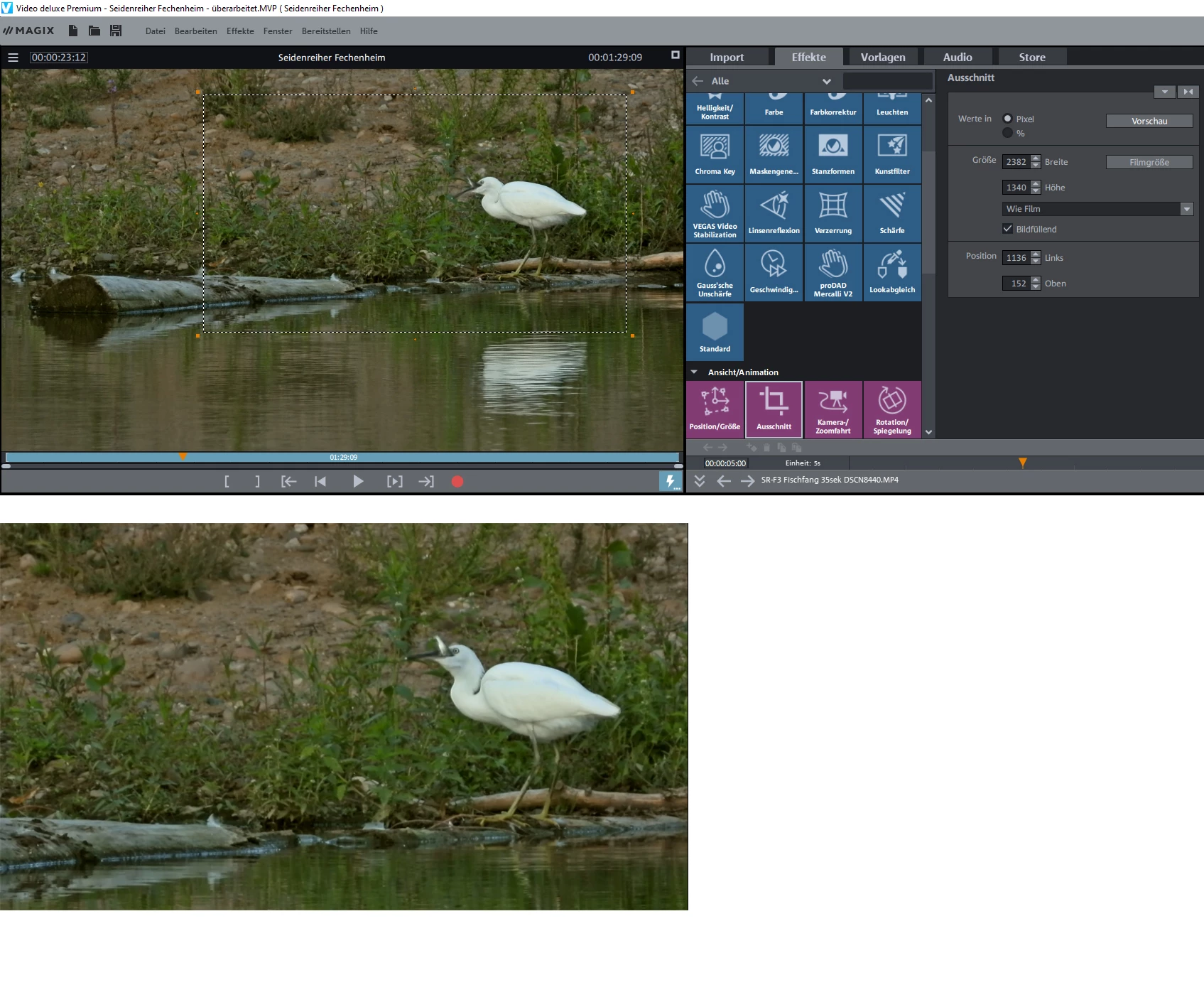
Hallo, für das Video möchte ich nicht das gesamte Bild, sondern nur einen Teil verwenden. Gibt es in Premiere Elements dafür ein Werkzeug wie "Ausschnitt" in Magix Video deluxe Premium (VDL)? Auch nach langem Suchen im Benutzerhandbuch von Premiere Elements und im Internet habe ich nichts Passendes gefunden.

Im VDL kann ich mithilfe der acht Anfasser den im Monitor angezeigten Rahmen proportional verkleinern (also im Seitenverhältnis 16:9 wie der Film) und an die gewünschte Position verschieben; mit "Bildfüllend" wird der Ausschnitt dann auf Bildschirmgröße herangezoomt, sodasss kein schwarzer Rand entsteht. Das beigefügte Bild zeigt oben das Bearbeitungsfenster von VDL und unten das Ergebnis.

Wer kann mir hier weiterhelfen?

Gruß Wolfgang
This topic has been closed for replies.

6 replies

Participant
December 27, 2022

Hello

I search cutting one clip, do not understand that kind of working. If I do that, then is the first part or the last part deleted,

but I want only cut out in the mittle. How can I do it.


Many thanks and please excuse me bad english.

Known Participant
December 28, 2022

Hallo,

Ihre Frage hat nichts mit dem Thema "Bildausschnitt", also dem Freistellen eines Teils eines Bildes zu tun. Es wäre von Ihnen also ein neues Thema zu erstellen.

Community Expert
November 8, 2020

Maybe a link to one you can see better will help.....


https://vimeo.com/476725092

Participant
November 8, 2020

That was a helpful hint - thank you!

"Crop" is an effect you need to apply (... and first find in the effects area...).

I expected it be automatically available in the "applied effects" area when you select a clip.

Community Expert
November 7, 2020

I made a screen capture video.  Hope it helps.  

Known Participant
November 8, 2020

When I click the video window it stays small. How can I enlarge it?

Community Expert
November 7, 2020

Once you have applied the "Crop" effect, you get controls.  Note the check box.    But, again and if I understand your question, did you try pulling the grab handles past the preview screen?


Known Participant
November 8, 2020

Now I understand and it works. Thank You for the helpful instructions. But when I click "Export and Share" the window crashes: I think that's another problem.

Community Expert
November 5, 2020

If I understand the question, I would grab the 'handles' and pull them beyond the preview frame.  Then, to position the new framing, right click and hold in the middle of the preview image and slide it where you want.  


Legend
November 1, 2020

In Premiere Elements, if you select the clip on your timeline, you can click and drag on the handles that appear around the picture in the Monitor panel and resize and position the video as needed.

Participant
November 2, 2020

When I select one of the handles I can only resize the entire video - but I cannot "zoom in" / crop (using Premiere Elements 14); regardless of pressing ALT / CTL/SHIFT while moving the handles.

Is there a way of zooming in / cropping?

Legend
November 2, 2020

Yes. By applying and keyframing the Crop effect.