

Known Participant
November 8, 2020
Question

Window crashes while exporting

  • November 8, 2020
  • 2 replies
  • 219 views

The export worked in the test version. But now, after installing the purchased version, the window crashes every time I click "Export and Share". Prmiere Elements 2020, Windows 10, 64-bit.
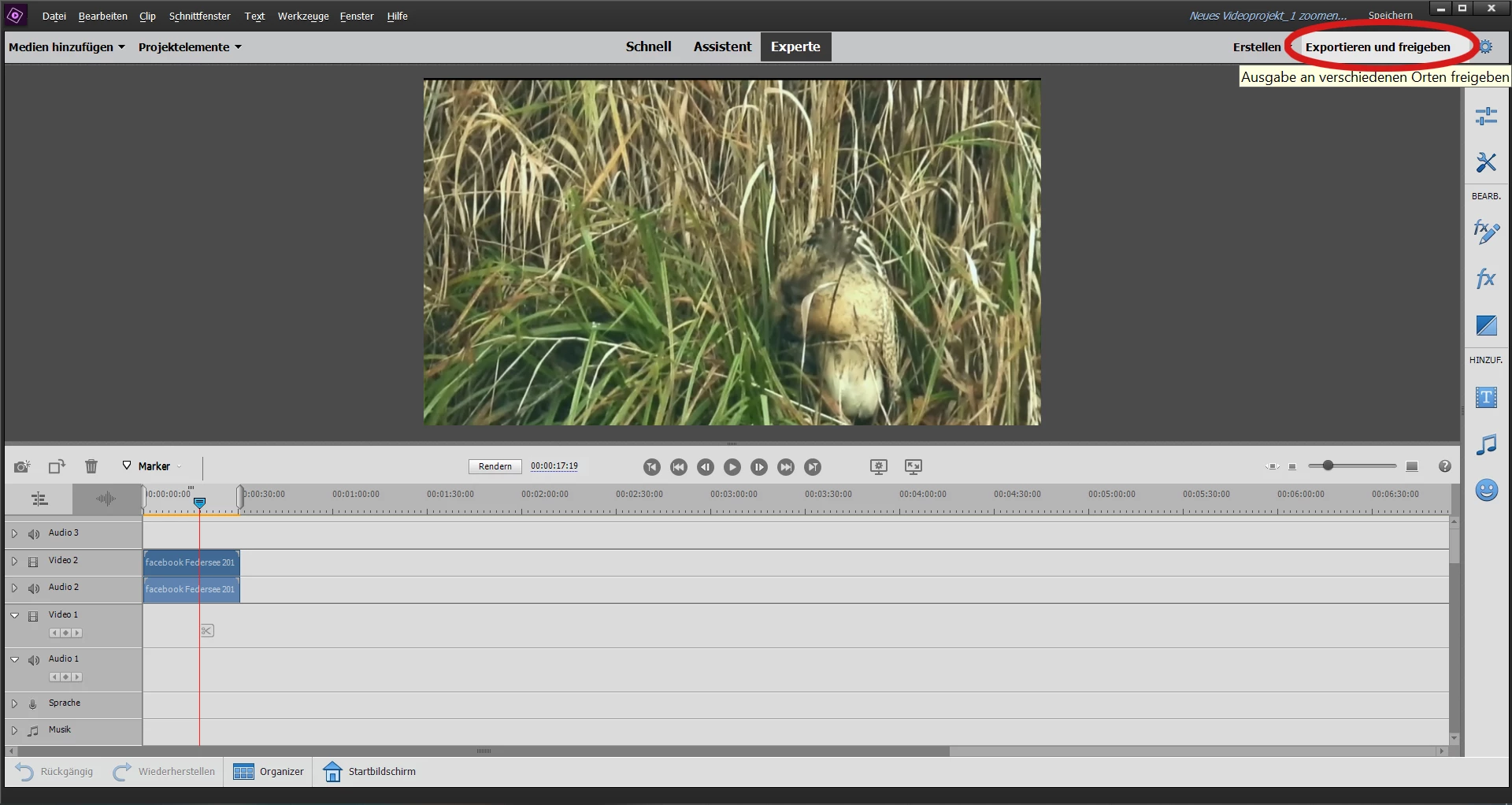
What should I do?

This topic has been closed for replies.

2 replies

Adobe Employee
November 9, 2020

Can you share the graphic card details as well, along with project settings and media information (as already asked by Steve)?

Also, can you try turning off Hardware Acceleration from preferences and share the behavior whether you are seeing any difference?

To turn off the Hardware Acceleration:
1. Go to Edit.

2. Select Preferences >> General.

3. Uncheck the check box "Use hardwae acceleration..."


Thanks,

Anubhav

Known Participant
November 9, 2020

Thanks for the letters. Yesterday, Premiere Elements crashed while trying to export this video, even after restarting the PC. Today I tried again: The export worked perfectly. I don't understand that, but there is no longer a problem with it.

Legend
November 9, 2020

What is the video on your timeline? Where did it come from? What format is the file?


What is its resolution and frame rate? It looks like the program is having trouble matching a project setting to it.