Participant
November 19, 2025
Answered

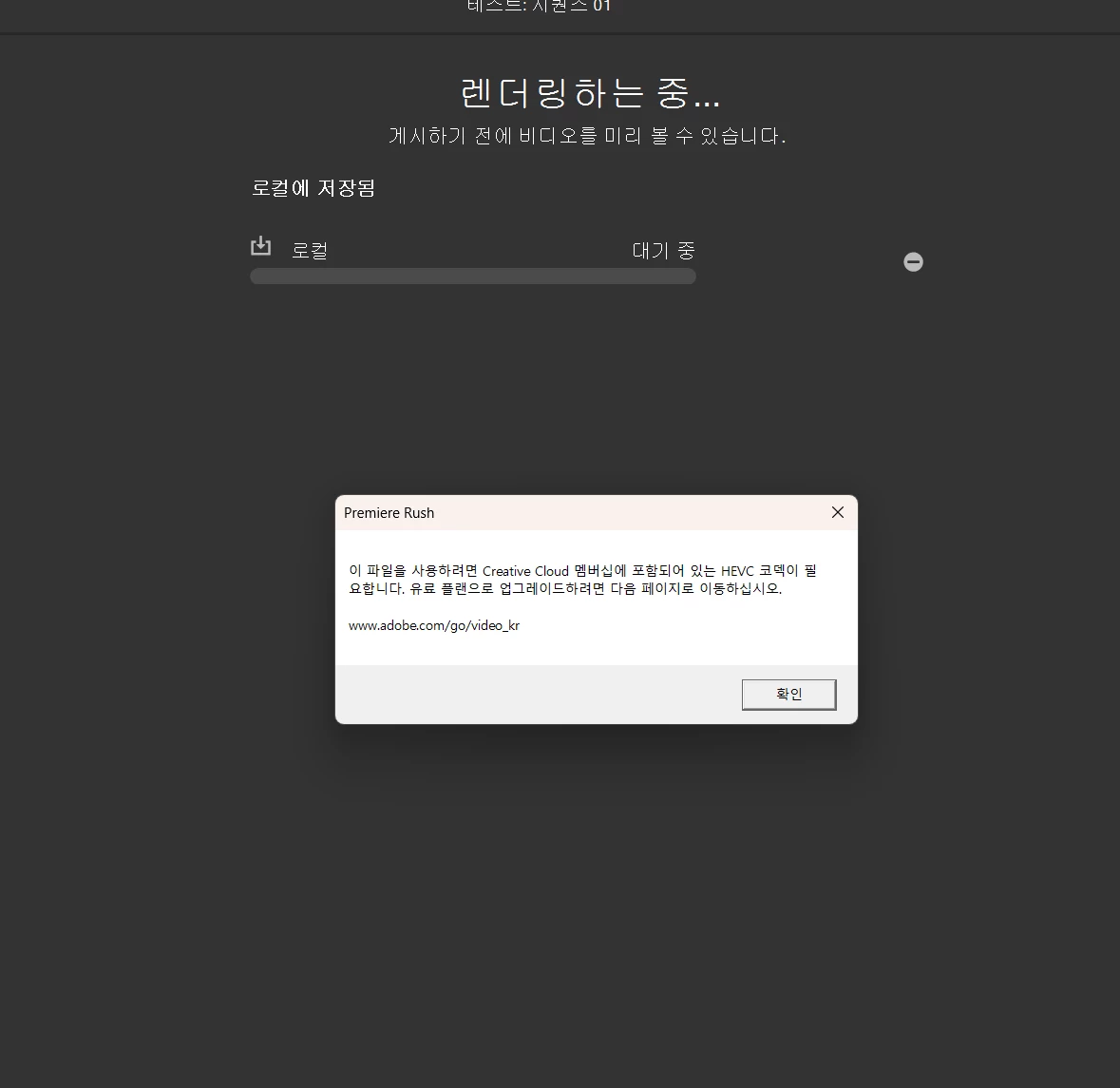
랜더링 오류

  • November 19, 2025
  • 1 reply
  • 45 views


로컬에 내보내기 할 때 랜더링 완료가 되지 않고 계속 멈추며 오류가 나는데 코덱 문제인가요?

영상 편집에 활용된 일부 모바일 촬영 영상은 다 mp4 파일인데 어떤걸 확인해 봐야되는걸까요

Correct answer Kevin-Monahan

Hi there,

Sorry for the trouble. Yes, one of the mobile video clips could be causing the export to stop. Keep in mind that MP4 is only the container; the video inside may use different codecs or recording formats.

If the export stops at approximately the same percentage each time, check the clips, transitions, or effects around that point in your timeline. As a test, you can also convert the suspected mobile clip to H.264 using HandBrake or Shutter Encoder, replace it in the project, and try exporting again.

Premiere Rush is now at end of life and won't be receiving additional codec or compatibility updates.

More information:
https://helpx.adobe.com/premiere-rush/desktop/kb/end-of-life.html

Thanks,
Kevin

1 reply

Kevin-MonahanCommunity ManagerCorrect answer
Community Manager
September 3, 2026

Hi there,

Sorry for the trouble. Yes, one of the mobile video clips could be causing the export to stop. Keep in mind that MP4 is only the container; the video inside may use different codecs or recording formats.

If the export stops at approximately the same percentage each time, check the clips, transitions, or effects around that point in your timeline. As a test, you can also convert the suspected mobile clip to H.264 using HandBrake or Shutter Encoder, replace it in the project, and try exporting again.

Premiere Rush is now at end of life and won't be receiving additional codec or compatibility updates.

More information:
https://helpx.adobe.com/premiere-rush/desktop/kb/end-of-life.html

Thanks,
Kevin