


Participant
October 15, 2019
Question

adobe premiere rush

  • October 15, 2019
  • 3 replies
  • 339 views

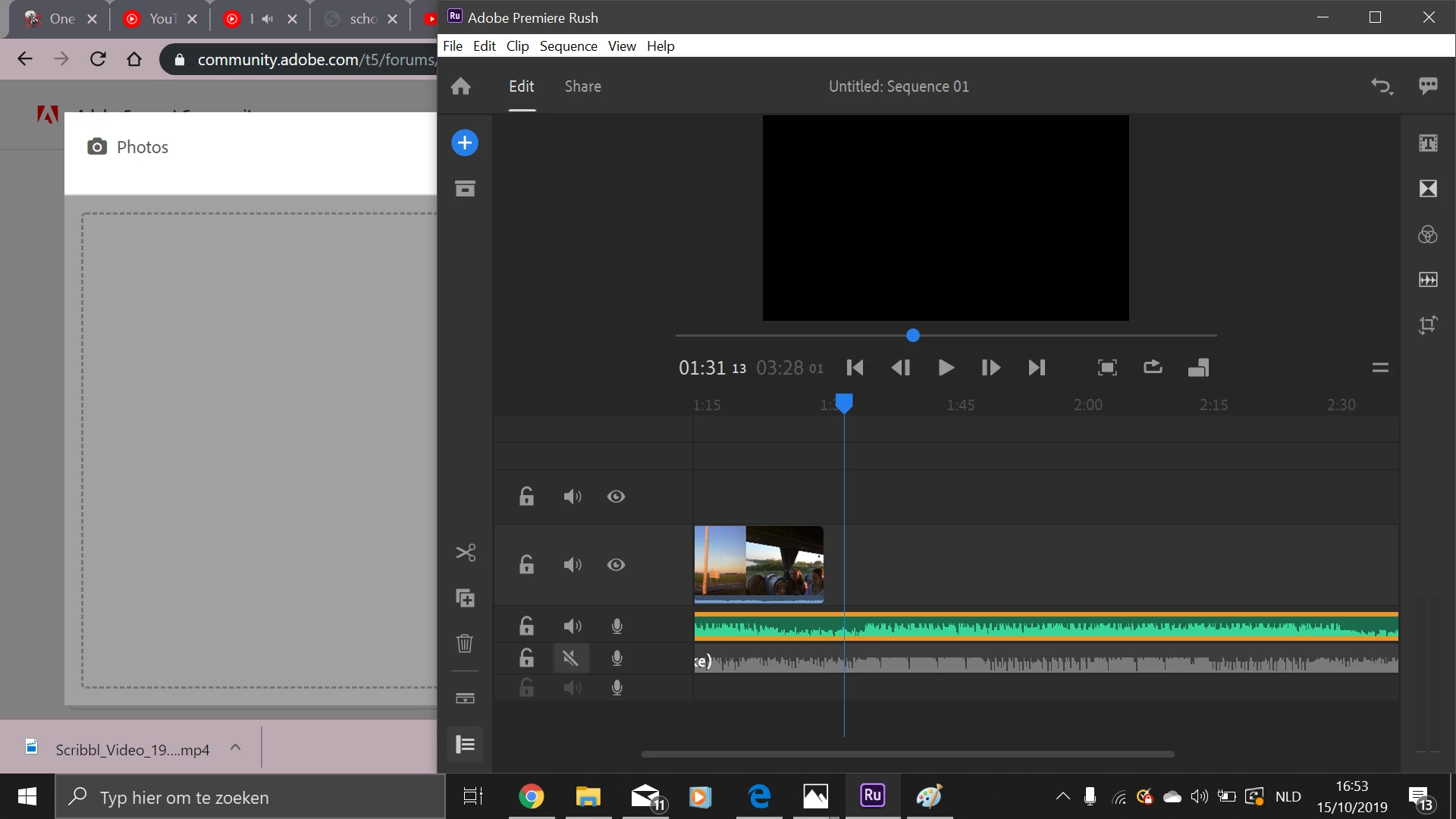
hey, i want to speed up a video of mine but sadly there is not en speed control button of something like that. can someone help me, please? 😞
 

[Moved from generic Start/Help forum to the specific Program forum... Mod]
[To find a forum for your program please start at https://community.adobe.com/]


    This topic has been closed for replies.

    3 replies

    petergaraway
    Participating Frequently
    October 15, 2019

    Glad it was a simple as that 🙂 I hope you enjoy the latest version of Rush. 


    Using the Creative Cloud app, Rush should update to the most recent version for you.  


    Best, 


    Peter

    petergaraway
    Participating Frequently
    October 15, 2019

    Hi Toxicchoco,


    That's odd! Can you tell us the exact version of Premiere Rush you have installed? The Speed feature was introduced in version 1.2. 


    How's how to find the version:

    When in Rush, click on the Help menu at the top and select About Premiere Rush. You'll see a pop-up window that lists the Premiere Rush version and build number at the top.


    Thanks, 


    Peter

    Participant
    October 15, 2019

    i have the first version thats the problem wow haha thx very much! so now do i need to install version 2?


    Legend
    October 15, 2019

    Speed controls are located under the Speed button in the upper right of the program.

    I show it to you briefly in part 3 of my 5 part Basic Training series.

    https://www.youtube.com/watch?v=DZKjz4-7yF8&t=6s

    Participant
    October 15, 2019
    yes but as you can see on my picture there is not a speed button