
October 23, 2024
Question

Adobe Premiere Rush not responding and crashes after startup

  • October 23, 2024
  • 1 reply
  • 395 views

Hi, 

after running Primiere Rush and opening catalog where video clip is located, the app frezzes and crashes. I can't open the clip anymore. There is no error code, nothing, the application just close. I have looking solutions of this problem in Internet and many persons have the same problem in Windows 11. My system and my drivers are up to date. I had reset my preferences in Rush, but it didn't help. I also tried too uninstall the Rush, nothing.


I have Acer Swift GO 14 laptop:

OS Name: Microsoft Windows 11 Home
OS Version: 10.0.22631 N/A Build 22631

Acer
System Model: Swift SFG14-73

Processor: Intel Core Ultra 7 155H

Graphics: Intel Arc Graphics

RAM: 16GB 6400 MHz
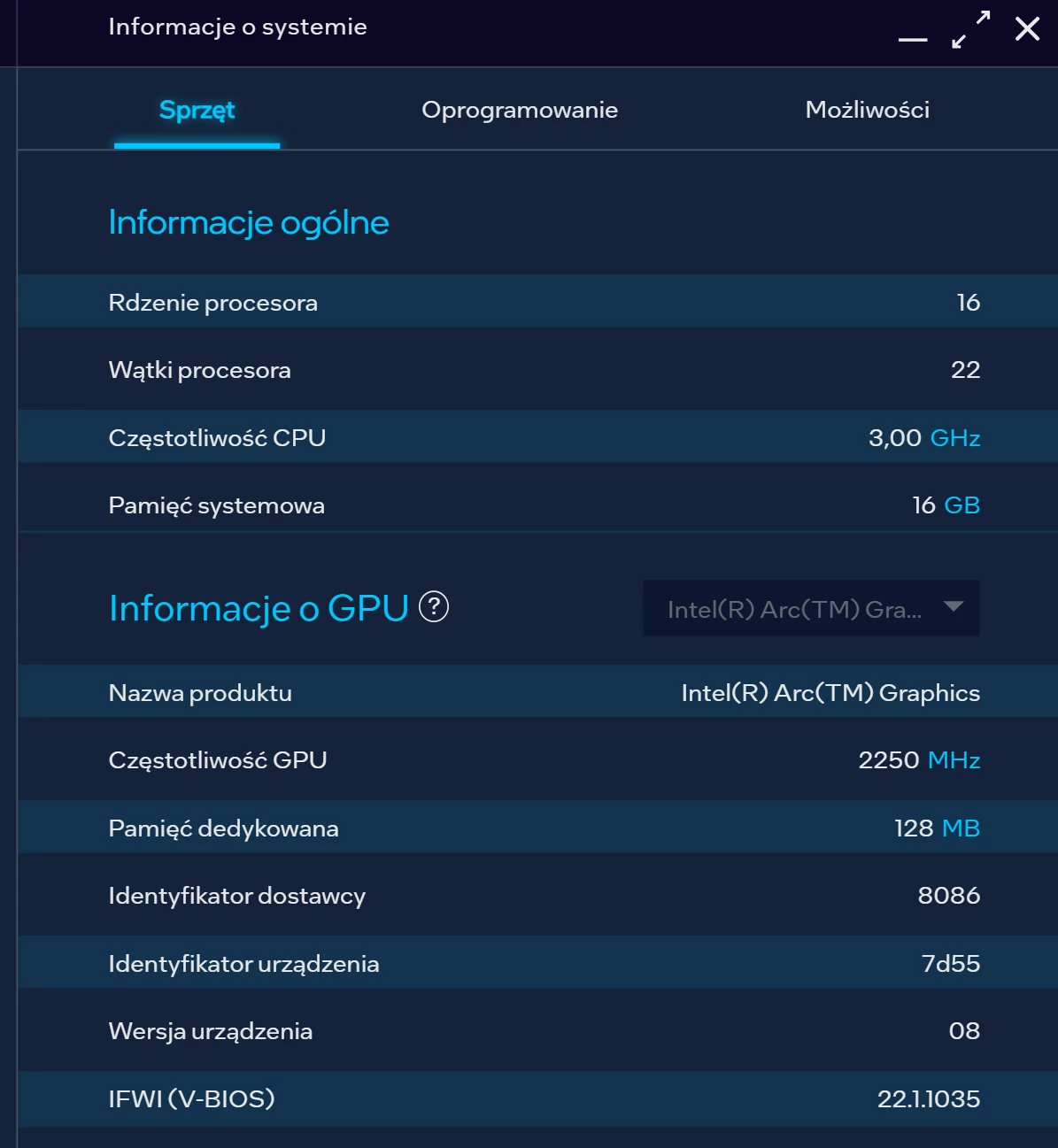


If you have some information how to fix that problem, please, help. I also attached videoclip with the problem.


Regards 

This topic has been closed for replies.

1 reply

Kevin-Monahan
Community Manager
Community Manager
October 23, 2024

Hi @40566661,

Thanks for writing in. That's a weird problem. It sounds system-oriented. Can you try adjusting folder permissions? That may help a lot. See this article. https://helpx.adobe.com/x-productkb/multi/preferences-folder-read-only-error.html.


I hope it works!


Thanks,
Kevin

Kevin Monahan - Sr. Community and Engagement Strategist – Adobe Pro Video and Audio
October 30, 2024

Hi,

I checked my account permissions, I have Allowed permissions for all things. Unfortunately the problem still is - it didn't work, it's the same as before. Do you know any more reasons/solutions of that problem? 

Thanks

Kevin-Monahan
Community Manager
Community Manager
October 30, 2024

See what our agents say. Contact us here. Ask for the video queue.


Thanks,
Kevin


Kevin Monahan - Sr. Community and Engagement Strategist – Adobe Pro Video and Audio