
Participant
March 24, 2022
Question

Adobe Rush - Cannot duplicate project in panel

  • March 24, 2022
  • 1 reply
  • 138 views

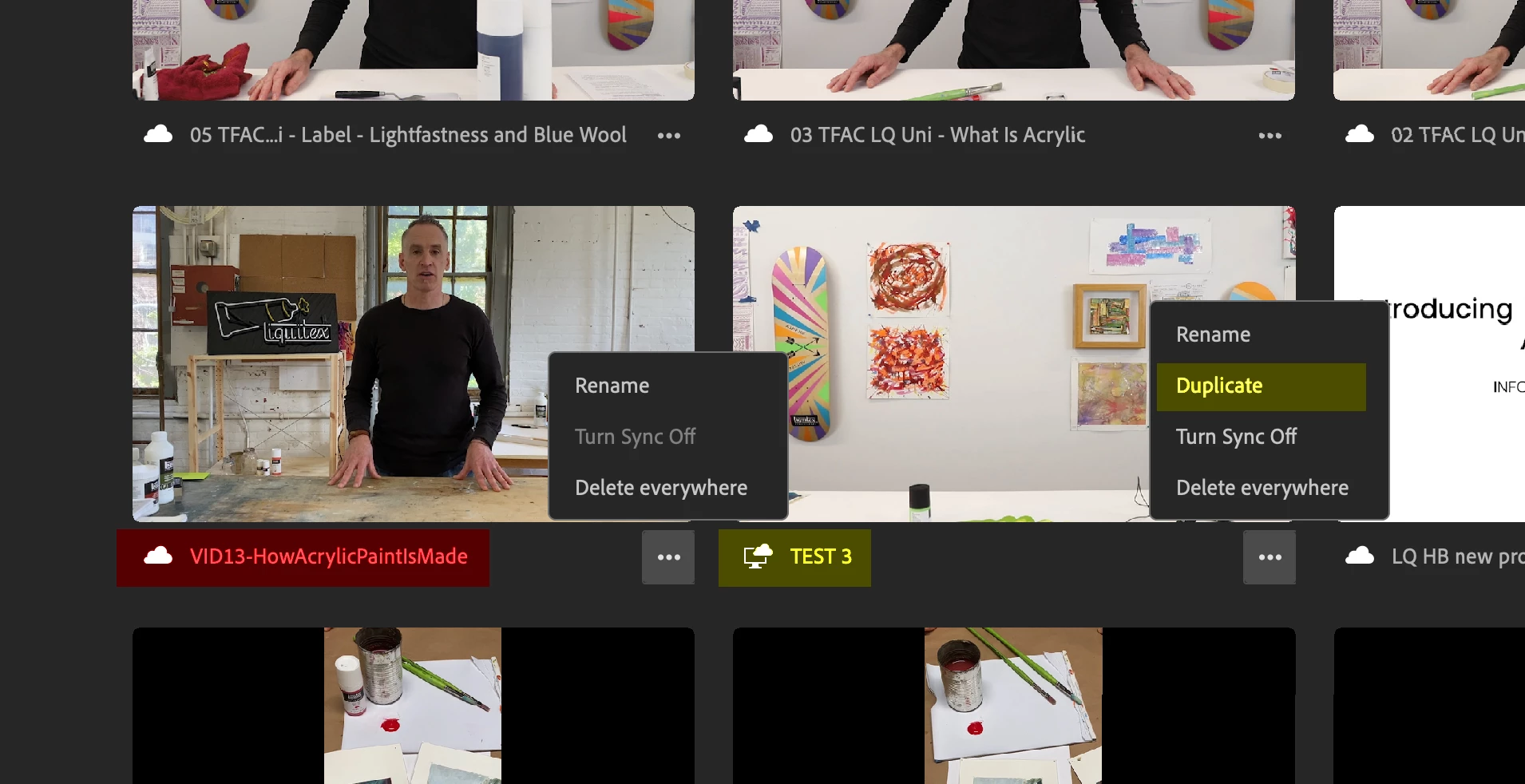
I edited a few projects at home using the Rush desktop app (Mac), which synced to my online account. When I open Rush at work, some projects in my panel do not show the option to "duplicate" when I click on the ellipses (...). See attached image. I do not want to go into the original edit, since these NEED to be duplicated and saved in a different size/orientation.
 

This topic has been closed for replies.

1 reply

Kartika Rawat
Community Manager
Community Manager
March 30, 2022

Hi there!

Thanks for sharing the screenshot. Is your project synced to Creative Cloud? I can see the Desktop and Cloud icon on one project. However, the other project is only showing the Cloud icon. Could you try syncing your project again? If this doesn't help, you can sign in and out from the Creative Cloud account.


Let us know how it goes.

Kartika