
Participant
December 12, 2019
Answered

Adobe Rush won't load upon opening program on Windows

  • December 12, 2019
  • 5 replies
  • 9818 views

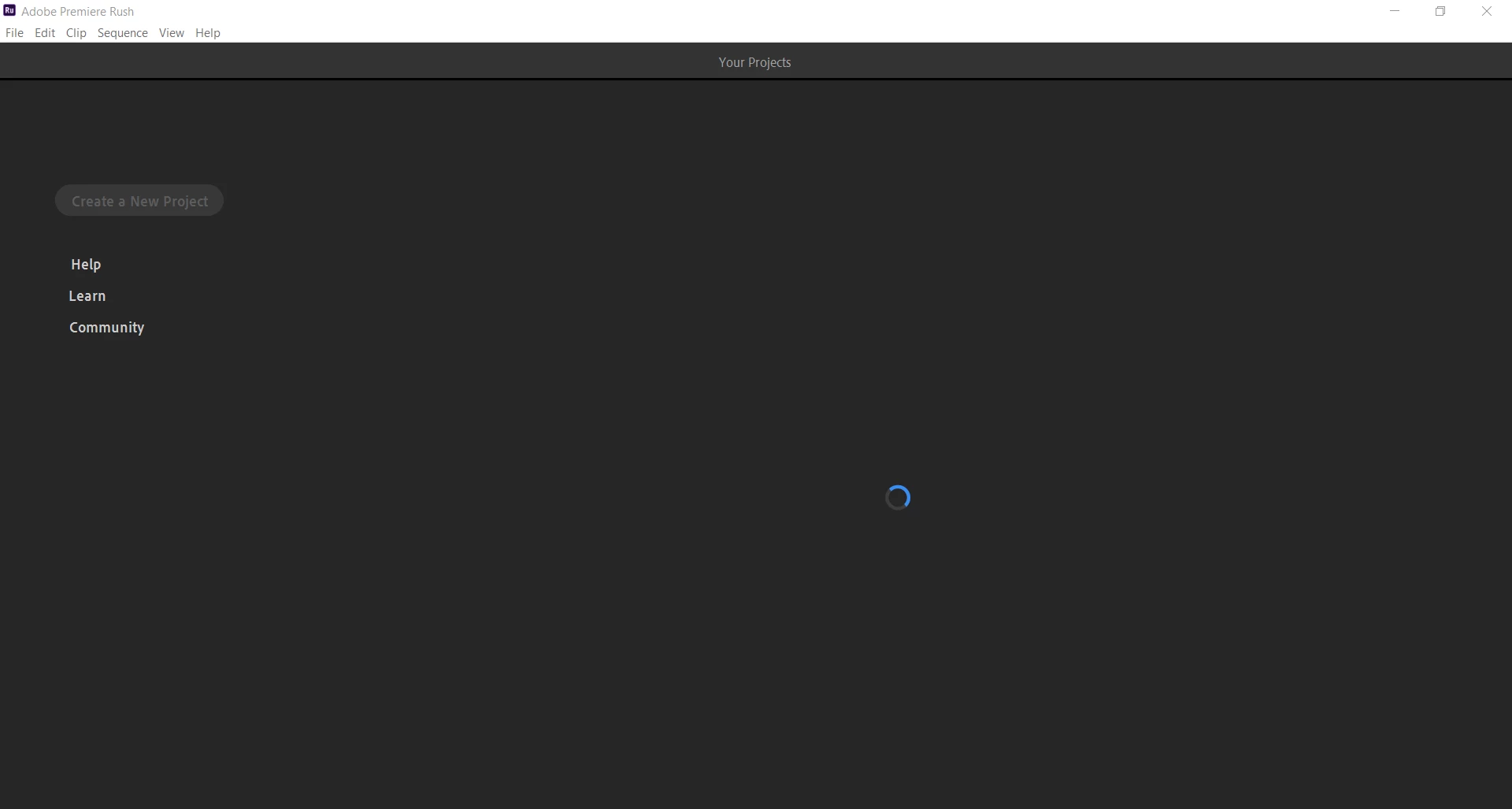
Rush works fine on my phone. But, when I try to use it on my pc it won't load at all when I open the program. It just hangs out with a blue thinking circle and won't progress past this point. See image below.


I've double checked that it is up to date in creative cloud. It is. I've restarted my computer. I've logged out of cc and back in then tried to open rush again. I've double checked that I have enough available space for the program to work. I've closed all other programs to give it more working space. None of the normal things seem to work.


Thanks for the help.

Mindy

Title edited by mod
 

This topic has been closed for replies.
Correct answer petergaraway

Hi all, 


Sorry to anyone that encountered this issue. We released Rush build 1.5.62 that should have fixed this issue. Please download the latest build.  If you still experience this problem please let us know. 


Thanks for all your feedback. All the best, 


Peter 

5 replies

Known Participant
May 28, 2023

I'm having a similar problem on Premiere Rush on my iPhone.

I worked long editing a project, then tried exporting the video several times, in different formats, and each time, after the progress bar almost got to 100%, it would give error message saying unable to export.


I then thought to close/quit Rush, then restart, and see if that helped, so I began that process by clicking the home icon (thinking that would put it through the proper saving of the project, but when I clicked the home icon, it got stuck on rotating circle screen.


I left that blue circle spinning for the last 8 hours, and still no better.


The app won't allow me to click anything on it.

I have iOS 16.5.


I'm worried to just close/quit Rush and relaunch it, as I'm afraid I'll lose all my work.

What do I do?


Thanks!

Ted

petergaraway
Adobe Employee
petergarawayCorrect answer
Adobe Employee
June 10, 2021

Hi all, 


Sorry to anyone that encountered this issue. We released Rush build 1.5.62 that should have fixed this issue. Please download the latest build.  If you still experience this problem please let us know. 


Thanks for all your feedback. All the best, 


Peter 

Participant
August 20, 2021

In my experience, the project loading issue arose when Windows 10 (21H1; OS build 19043.1165) crashed in the middle of an editing session. Upon restarting and re-launching Rush, other recent projects open fine. But the most recent project I've been working on (when Windows crashed) will not load. Regardless of whether "Sync" is turned on or off. It's just a black screen with limited menu options and no edit window. I've downloaded the latest build of Rush (1.5.62) and this does not resolve the issue. Logging out of Creative Cloud and logging back in does not work either. Neither does uninstalling and re-installing Rush. Obviously, I've also restarted the computer multiple times after each re-install. I've also tried holding down the ALT key when starting Rush and resetting preferences. But nothing fixes the issue.

Participating Frequently
November 11, 2021

were you able to get a solution to your issue. i have the same issue now and its been 4 days nothing is working

Participant
May 3, 2021

I am having exactly the same problem and nothing in this thread has fixed it.

petergaraway
Adobe Employee
Adobe Employee
May 5, 2021

Hi all! 


I'm very sorry you're experiencing this issue. We're actively investigating what may be causing it. If you could please follow these steps and provide these log files, we would greatly appreciate it for anyone on a windows system. 


  1. Quit Rush 
  2. Go to C:\Users\<username>\AppData\Roaming\Adobe\Premiere Rush\1.5
  3. Place the attached files into the 1.5 folder 
  4. Launch Rush 
  5. After Rush is in a bad state, quit Rush 
  6. Go to C:\Users\<username>\AppData\Roaming\Adobe\Premiere Rush\1.5\logs 
  7. Share the log files with us 


Hopefully, these logs will give us a better idea of what's going wrong. I'm working on getting similar steps for Mac users. 


Thank you! 

Participant
May 12, 2021

Nothing gets logged out after changing those files. The log folder is empty.

Participant
April 14, 2021

Hello there,

I'm also facing the same exact problem. I have everything updated, yes my mac update and PR update today. I even restarted the computer to see if it's because I have too many things opened at once, and like many others commenting here I'm still not getting any response from PR. Any suggestions for someone working with PR on Macbook Pro?

petergaraway
Adobe Employee
Adobe Employee
April 14, 2021

@Rubear Sorry for the trouble. 


Can you give these specific steps a try?

  1. Launch Rush, go to the Help menu > Select Sign out
  2. Quit Rush
  3. Relaunch Rush, and sign in from there 


If this does not help please let me know. It would be helpful to get a screengrab or recording of this issue if possible. 


Thanks!


Peter

Participant
April 14, 2021


Hi Peter,

I have followed the instructions and unfortunately experiencing the same issue. I'm currently signed out, I tried quitting and relaunching the app, however, it's still loading for a very long time.


Kartika Rawat
Community Manager
Community Manager
December 13, 2019

Hi Mindy!

Thank you for reaching out. As per your issue, I understand that Rush won't load up on your Windows machine.

You may try these steps: Right-click on Rush app shortcut > Run as administrator.

Let us know if it helps.


Best,

Kartika


Participant
July 5, 2020

Hi Kartika or anyone who can help,


I am having this same problem and have tried all of the following to no avail. 

1. Log Out and Log Back Into Creative Cloud

2. Start/Restart Program and Creative Cloud

3. Cleared all Premiere Rush Cache Files

4. Uninstalled and reinstalled the program and restarted computer multiple times. 

5. Clicked Desktop App Shortcut and chose Run as Administrator


None of these have worked. Can anyone help? 

I wonder if it is an issue with my Adobe account - when I login to the account on Adobe.com, it shows three plans - I assume that there should only be one plan? Or maybe 2 if my work computer has Adobe Programs and my home computer has Adobe programs? 


Any help is greatly appreciated - I am so frustrated that this program won't open and have tried everything I can think of. 

Participant
July 6, 2020

Same problem here... Nothing works