
Participant
June 20, 2023
Question

Artefact in the project and in the exported video

  • June 20, 2023
  • 1 reply
  • 378 views

Hello,

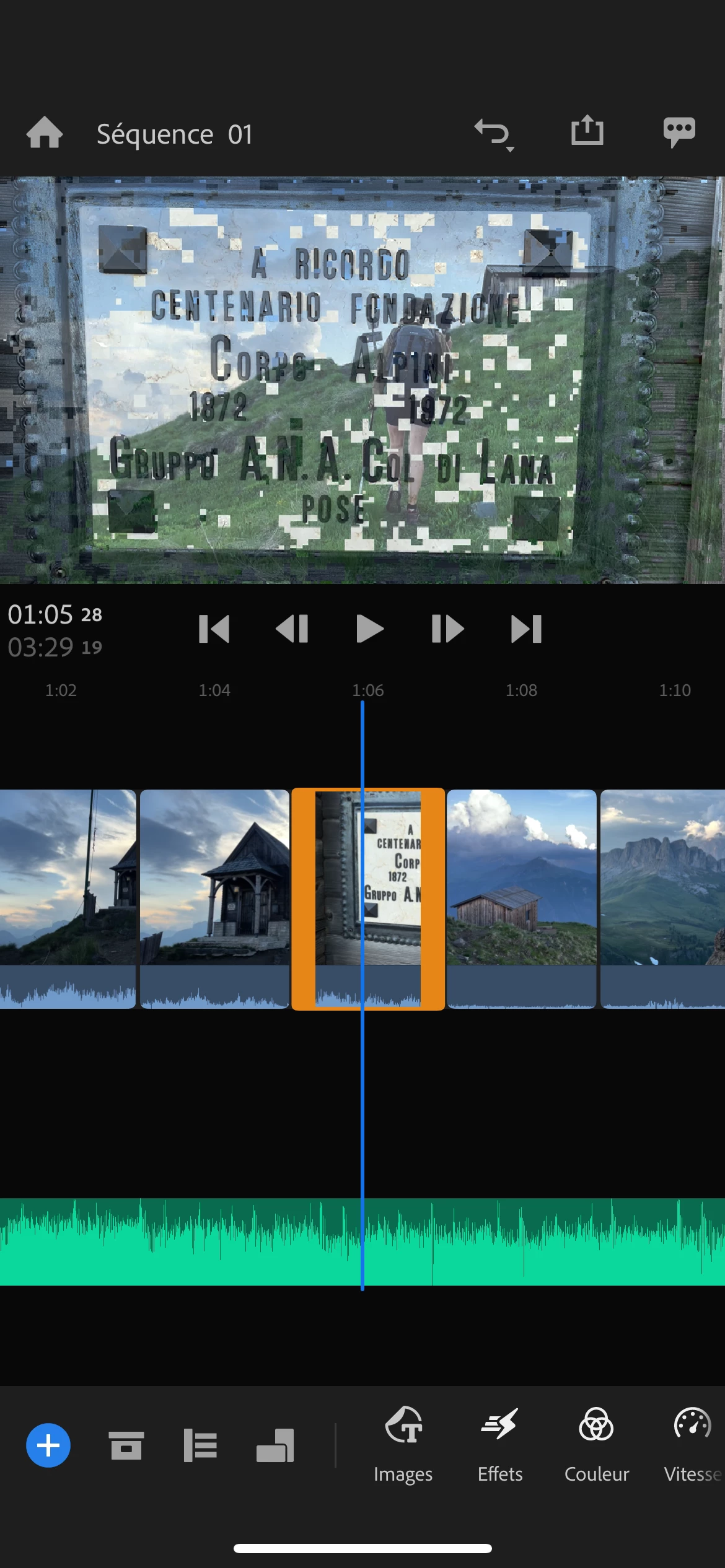
On iPhone 13 (iOS 16.5 and premier rush v2.6.1) , every time I use the Premier Rush app to do a minimalist edited footage (only cutting rushes and adding a song), some artefacts appears in the project and in the exported video. The artefacts are huge square from a footage A overlaying a footage B. 
I can't find any workaround so far. Removing the "contaminated" rush will just make the artefact appeared on another part of the sequence. 
Kindly regards, 

This topic has been closed for replies.

1 reply

Kevin J. Monahan Jr.
Community Manager
Community Manager
June 20, 2023

Hi @NoName30615,

Is the media you are using shot on the iPhone? Is it HD or 4K? Is it ProRes, H.264, or HEVC? Do you know? Where did you get the text overlay? Let us know more info.


Thanks,
Kevin

Kevin Monahan - Sr. Community and Engagement Strategist – Adobe Pro Video and Audio
Participant
June 20, 2023

All the media are shoot with the same iPhone used for editing: 1080p30ips, HEVC format. 
it is not text overlay, it is two footage overlaying each other. 
see pictures in attachment. 

Kevin J. Monahan Jr.
Community Manager
Community Manager
June 20, 2023

Can you try shooting in H.264 or ProRes instead as a test?


Thanks,
Kevin

Kevin Monahan - Sr. Community and Engagement Strategist – Adobe Pro Video and Audio