


Participant
April 6, 2020
Question

Audio Does not Import Correctly Premiere Rush

  • April 6, 2020
  • 2 replies
  • 1541 views

Hello! 


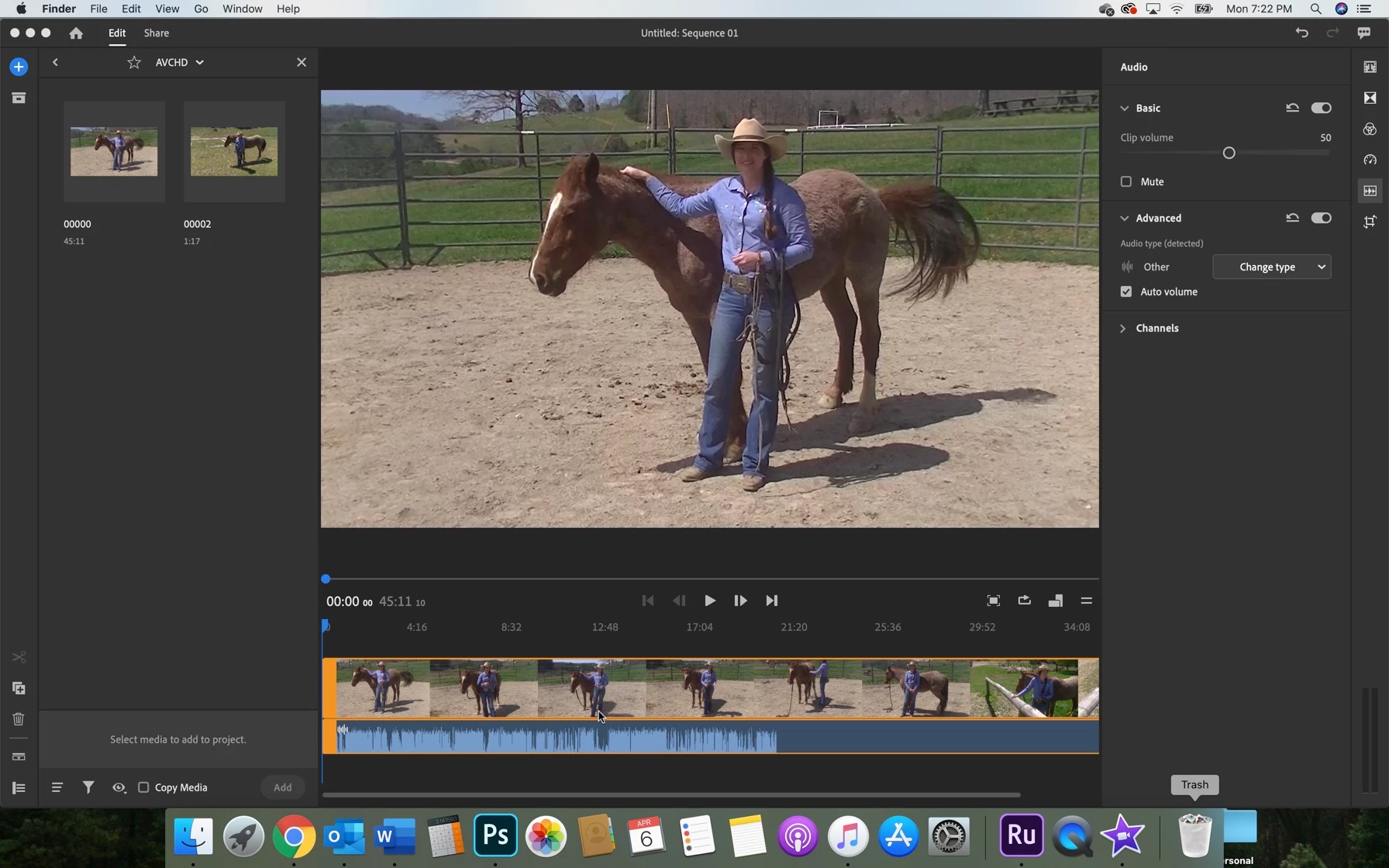
When I try to import my AVCHD file into Rush, only parts of the audio import and it is all jumbled.  When I play the same video in Quicktime or open it in iMovie for editing, everything is as it should be.  I am attaching a screen shot so you can see how the audio cuts out at the end.  The audio is also all mixed up in the beginning when I play the clip.  I am running version 1.5.2 and it is up to date.


Thanks so much in advance for any help you are able to provide!
This topic has been closed for replies.

2 replies

Participant
May 26, 2022

Horrible. I can't edit my audio with video propely...


Please help me. 


Participant
May 26, 2022

I mis exactly the half of the green audio part. If I listen the mixtape trough VLC media player is working good, and on my mobile phone. It looks that the program Adobe Premier Rush crop the audio file. 

Legend
April 7, 2020

This appears to be a pretty long video and it looks like you didn't let it fully conform before you started editing.


Remove the video from your project and rename the video and move it to another directory on your computer. This should trick the program into think it is seeing it for the first time. Add this file to your project and wait until it fully conforms before you start editing.

Participant
April 7, 2020

Thank you so much for your answer.  I did try your suggestion, but for some reason it still did not work.