
Participant
May 29, 2024
Question

Black stains on exported Adobe Rush videos

  • May 29, 2024
  • 1 reply
  • 251 views

Hi. 

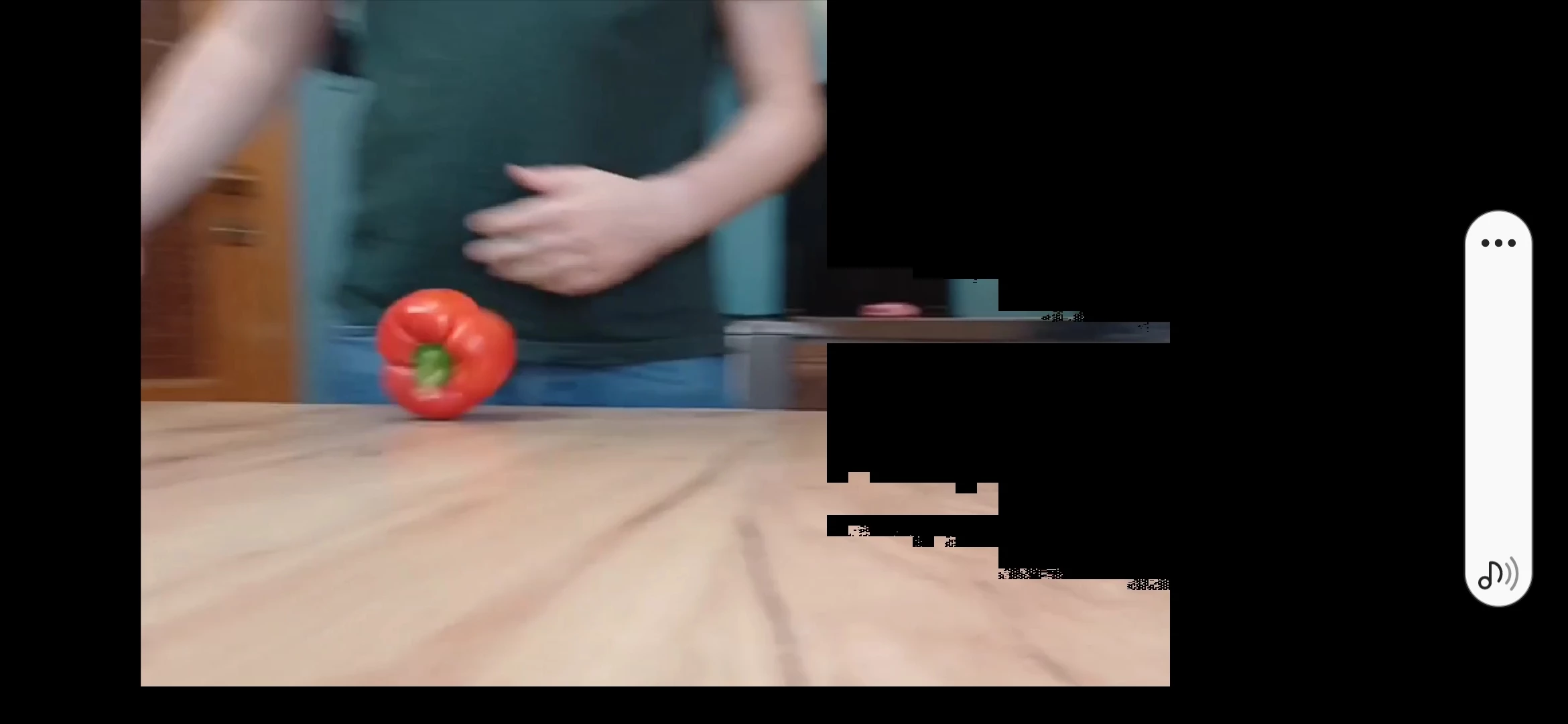
Could anyone help me please solve my problem with my Adobe Rush videoes... everytime I export a project there are some Black stains showing up for a couple of miliseconds at different place of the video - each of them totally ruins the video... i'm using Samsung a34 for shooting. Please help me. 
1 reply

Kevin-Monahan
Community Manager
Community Manager
May 30, 2024

Hello @Kamil377062436uwf,

Sorry for the issue. To solve it, please give us full details of your device or computer and the media you are editing with. Ensure your device is on the list of supported devices in system requirements. Taking a quick look, it doesn't appear that it is listed, so that could be the issue.


Let us know the details so we can help.


Thanks,
Kevin

Kevin Monahan - Sr. Community & Engagement Strategist – Pro Video and Audio
Participant
January 22, 2025

Hi! I'm having the exact same issue. I am using a new MacBook Pro (M4 Pro chip, plenty of memory), running Sequoia 15.2 and I filmed the footage on a Sony camera that imported as an mp4. I have no issues playing the raw footage just in preview, but as soon as I import it into Rush, these black glitches appear every few seconds, on all the video files I imported.

Kevin-Monahan
Community Manager
Community Manager
January 23, 2025

As a test, try transcoding the footage to another codec, like ProRes LT. Let us know if it works, @christine_1782.


Thanks,
Kevin


Kevin Monahan - Sr. Community & Engagement Strategist – Pro Video and Audio