
Brief Window of Artifacting
Hey Party People,
I'm trialing Premiere Rush on an iPad Pro and am getting some serious artifacting in one of my edits. This is at a key point that the video cannot live without. Any ways to mitigate this issue? The clip is one minute long, and the artifacting occurs over a brief period of a few seconds, not long after where two clips are stitched together. The clips are two different files written during one continuous shot of my camera, so editing out content is not an option.
Attached is some debug info. I decided to opt for a subscription for a month to see what the experience is like being able to export in 4K, but if I can't get a one-minute clip out of this software, I will have to try other products.
iPadOS 15.0
Premiere Rush 2.0.1
The clips are HVEC at 4k / 59.94 fps
Example of what this looks like: 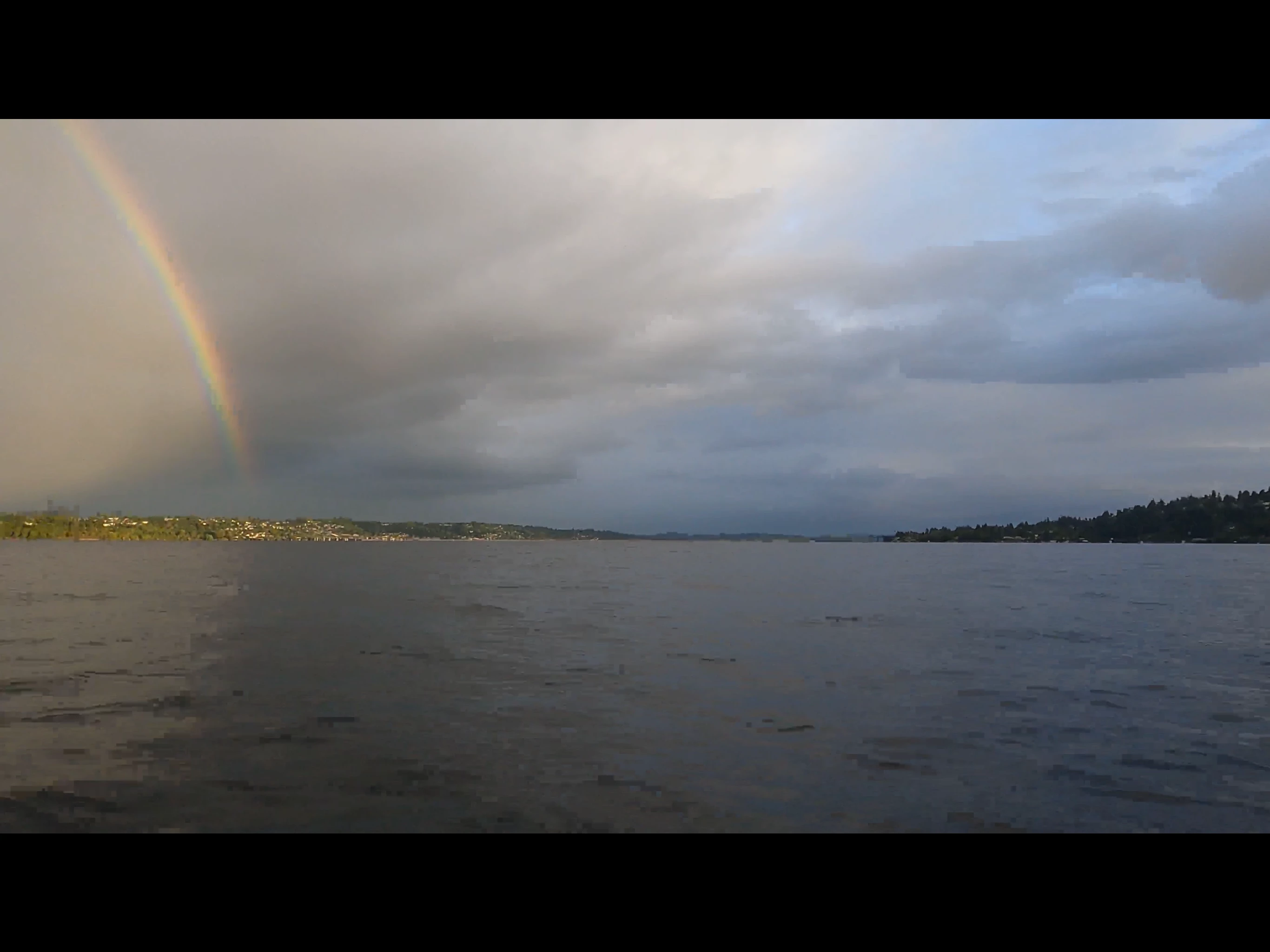


 AdChoices