
Participant
November 28, 2023
Question

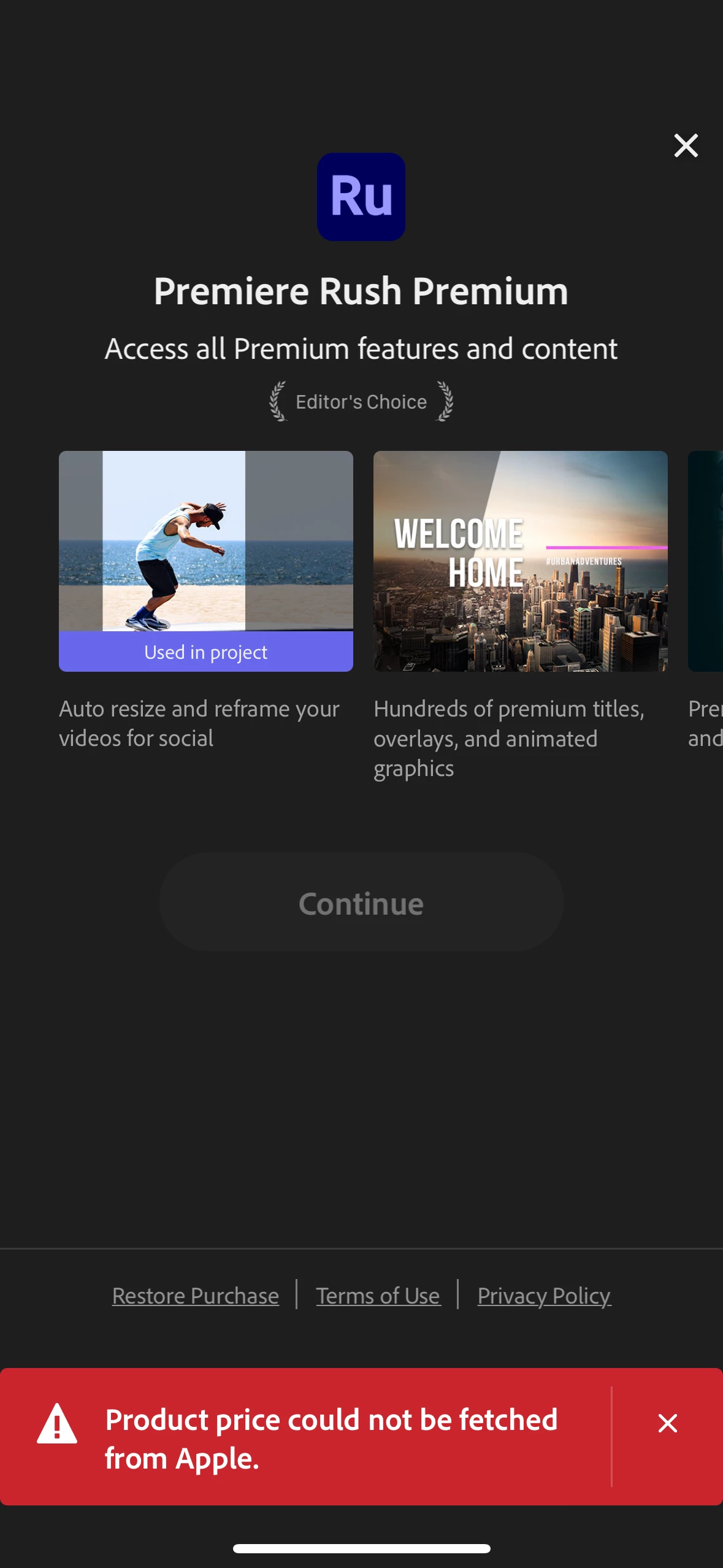
Can not update to Premium from app
  • November 28, 2023
  • 1 reply
  • 314 views

I love the Auto Reframe but can't export using it because whenever I try to upgrade to Premium, I get this message and there is no way to Continue. After pressing x on the notification, the Continue button is still grayed out and cannot be clicked on.


I'm on an iPhone 14 Pro with iOS 17.1.1 if this makes any difference.

This topic has been closed for replies.

1 reply

Kevin J. Monahan Jr.
Community Manager
Community Manager
November 29, 2023

Hi @beckyfrass,

I got your message. I apologize that the that the community was unable to solve your issue. Please contact assisted support for continued assistance with this issue.


To contact Adobe Customer Service, do the following: 

  1. Make sure to sign into your Adobe account. Allow popups and cookies on your browser. You may not be able to see the chat window if using a VPN. 
  2. Click here: https://helpx.adobe.com/contact.html?rghtup=autoOpen. This will automatically open the chat window. 
  3. Type "Agent" in the chat box to be connected to a live agent. 
  4. When you get an agent, ask to be connected to the video queue. These are agents that are specially trained to handle issues related to digital video and audio.


I hope they can help you. Let us know what they say so that the community can stay informed and help others having trouble with the same situation.


Thanks,
Kevin

Kevin Monahan - Sr. Community and Engagement Strategist – Adobe Pro Video and Audio
Participant
November 29, 2023

Thank you Kevin! I pay for a Creative Cloud account so it seems like I should have access to Premium features without needing to pay to upgrade. Frustrated that this feature isn't working, will reach out to Adobe Customer Service.