Participant
January 23, 2020
Answered

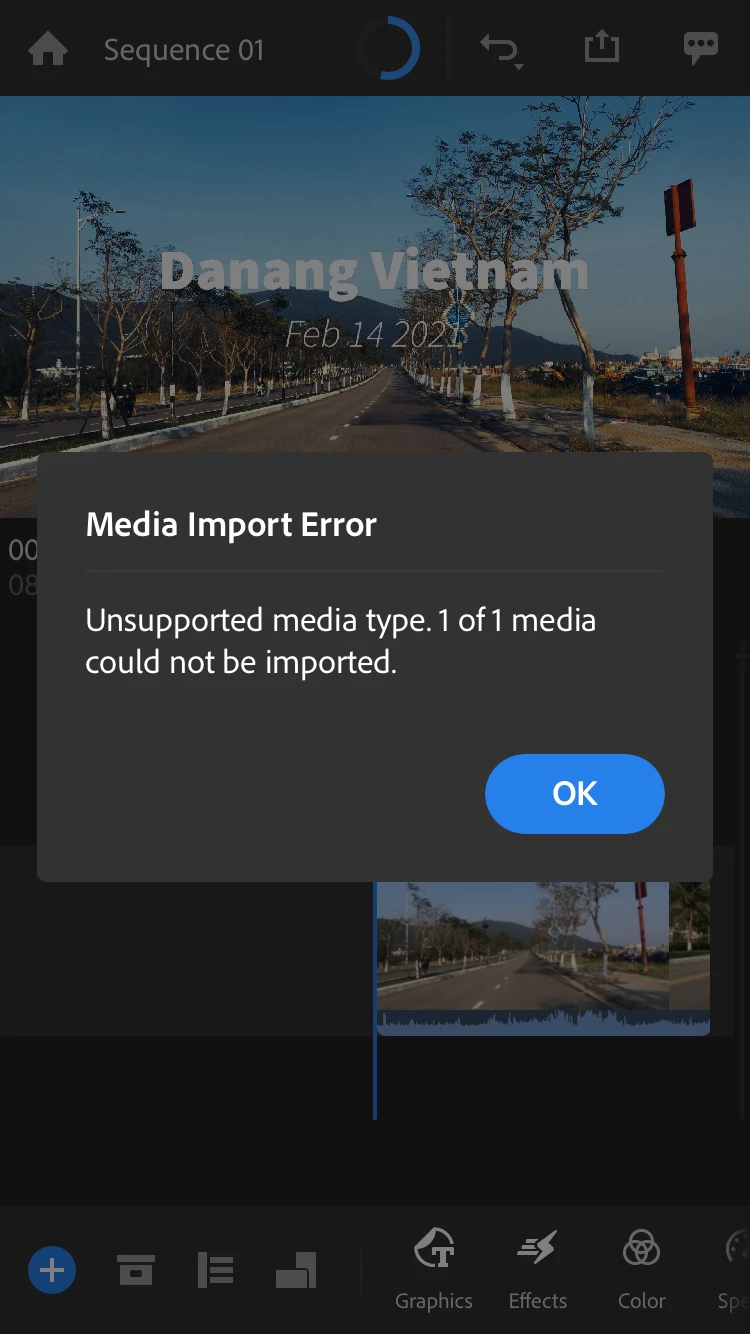
Can’t import png to Premiere Rush App iOS 13.3

  • January 23, 2020
  • 1 reply
  • 5247 views

I'm using the updated version on PR and my iPhone is updated to 13.3. On my desktop...I can use my png files as overlays. I uploaded them to my CC folder and when I import it to a project on my phone, it says it's unsupported. It's the same file I use from my CC folder on my computer. Please help! Thank you. 

This topic has been closed for replies.
Correct answer petergaraway

 I attached the png and the capture of issue here. Please help me deal with this. Thank you.


Thanks for sending the png file. The reason the file did not import is that it exceeds Rush's size limit for still files. Sorry, it's not a helpful error dialog. 


Your png is almost 5k pixels. If you make it smaller, 4k or lower, the file will import successfully. 


I'll share this experience with the rest of the team. 


Thanks, 


Peter 

1 reply

petergaraway
Adobe Employee
Adobe Employee
January 23, 2020

Hi Alexander,


Can you confirm that you have Rush 1.2.21 installed? Also, did these .png work on Rush iOS in previous versions? I'm able to import .png files without issue on my end. Would you be able to share one of your files with me so I can see if I can reproduce and determine the cause?


Thanks, 


Peter


Participant
August 29, 2020

Hello!


I am experiencing the same thing, there's an error when I upload a png file