Participant
November 6, 2018
Answered

Exporting video in square format

  • November 6, 2018
  • 2 replies
  • 1762 views

Hi there,

I am considering buying a license for Premiere Rush but I can't figure out how to export my video in square and tall format.

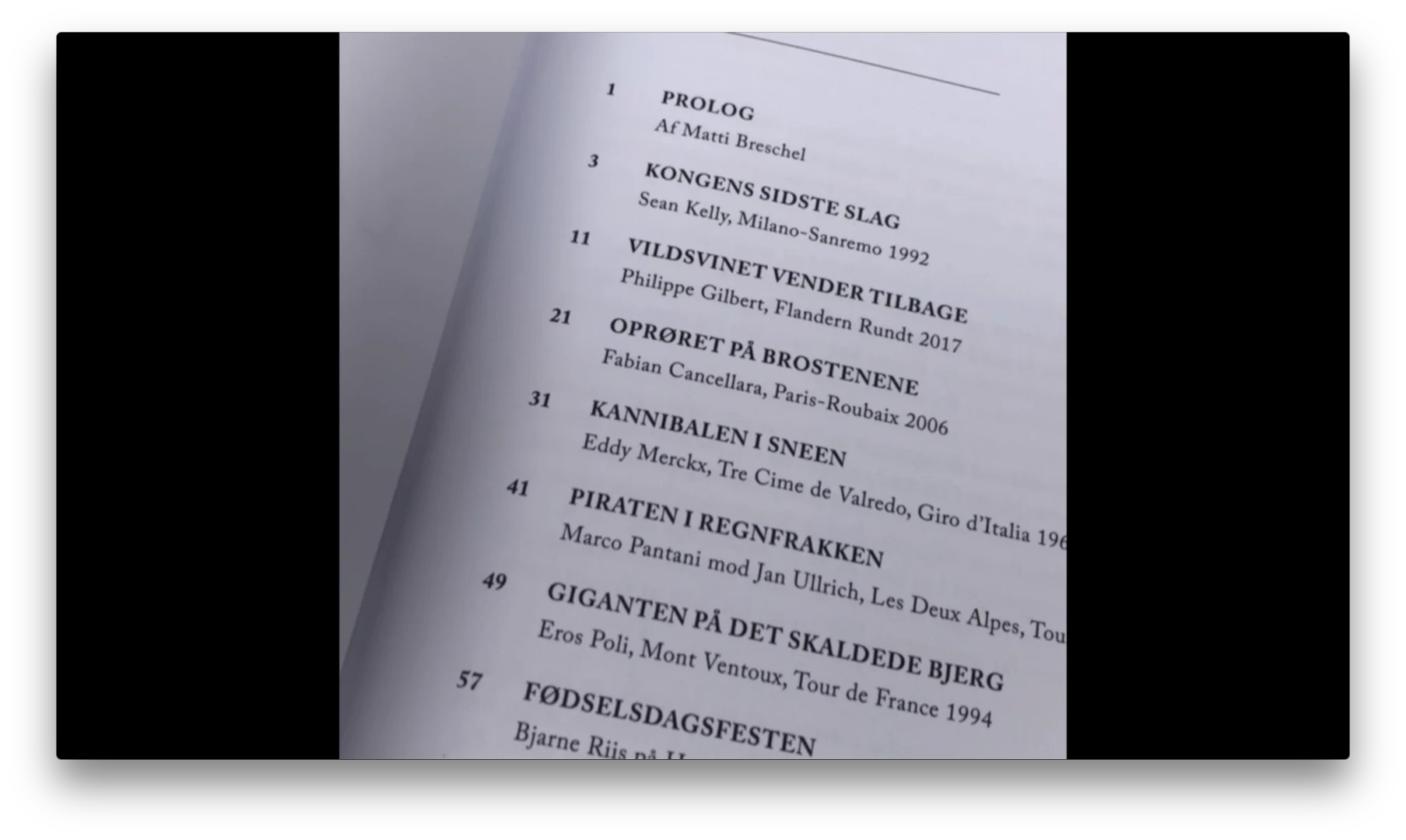
I have made a video and edited it in square orientation. But once I export it, I get two black blocks on each side of my square. So it is really just a traditional wide format. I can't seem to find anywhere where it is explained how to export the movie in 1:1.

Can you help me?

Jakob
    This topic has been closed for replies.
    Correct answer Meg The Dog

    Is this on the desktop version of Rush or the IOS version?

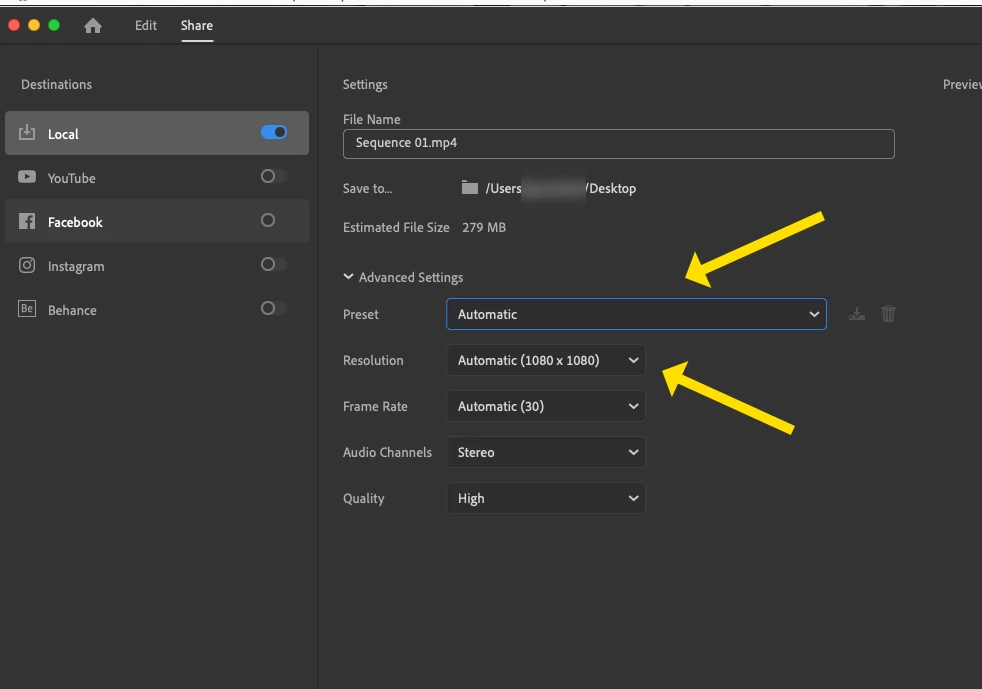
    In order to output a square version of a project on my Rush Desktop software, after I set the Orientation to Square,  I had to go to  Share and make sure the Advance Setting Preset was set to Automatic:

    Two more things, that may or may not affect this - I was having trouble with this until the Project had updated on the Cloud, and I also made sure "Prepare for Playback" was complete.

    MtD

    2 replies

    SSP
    Known Participant
    March 20, 2020

    This needs to be fixed as I have been wondering why my videos were all widescreen. I had changed the resolution to 720p in order to reduce the file size, but it didn't warn me anywhere that the video export would then be widescreen. This post helped me fix the problem, however, the UX needs to be adjusted to make this problem more obvious

    Meg The DogCorrect answer
    Inspiring
    November 6, 2018

    Is this on the desktop version of Rush or the IOS version?

    In order to output a square version of a project on my Rush Desktop software, after I set the Orientation to Square,  I had to go to  Share and make sure the Advance Setting Preset was set to Automatic:

    Two more things, that may or may not affect this - I was having trouble with this until the Project had updated on the Cloud, and I also made sure "Prepare for Playback" was complete.

    MtD

    Participant
    November 7, 2018

    Thanks a lot Meg, this really helped. // Jakob