




michaelhenry13
Adobe Employee
Adobe Employee
May 24, 2019
Question

Finding the Premiere Rush Version Number

  • May 24, 2019
  • 7 replies
  • 23456 views

Here’s how to find the version number for Premiere Rush on each respective platform.
Knowing your version number is handy for diagnosing bugs and issues.

   iOS & Android

  1. Launch the Rush App on your iPad, iPhone or Android device.
  2. If you aren’t logged in, sign in with your Adobe ID
  3. Tap the Gear Icon (⚙️) in the top left corner of Rush. This icon is displayed on the page that displays all of your projects
  4. Tap About Rush
  5. Towards the top, you’ll see Version _._._ (___)
  6. Those numbers following Version are your version number! Be to share those numbers and include the decimal points


  ️ Mac

  1. Launch Adobe Premiere Rush on your Mac
  2. On the top menu bar, click Premiere Rush (next to File)
  3. Select About Premiere Rush
  4. Your version and build number will be listed toward the top of the pop up box (see below)
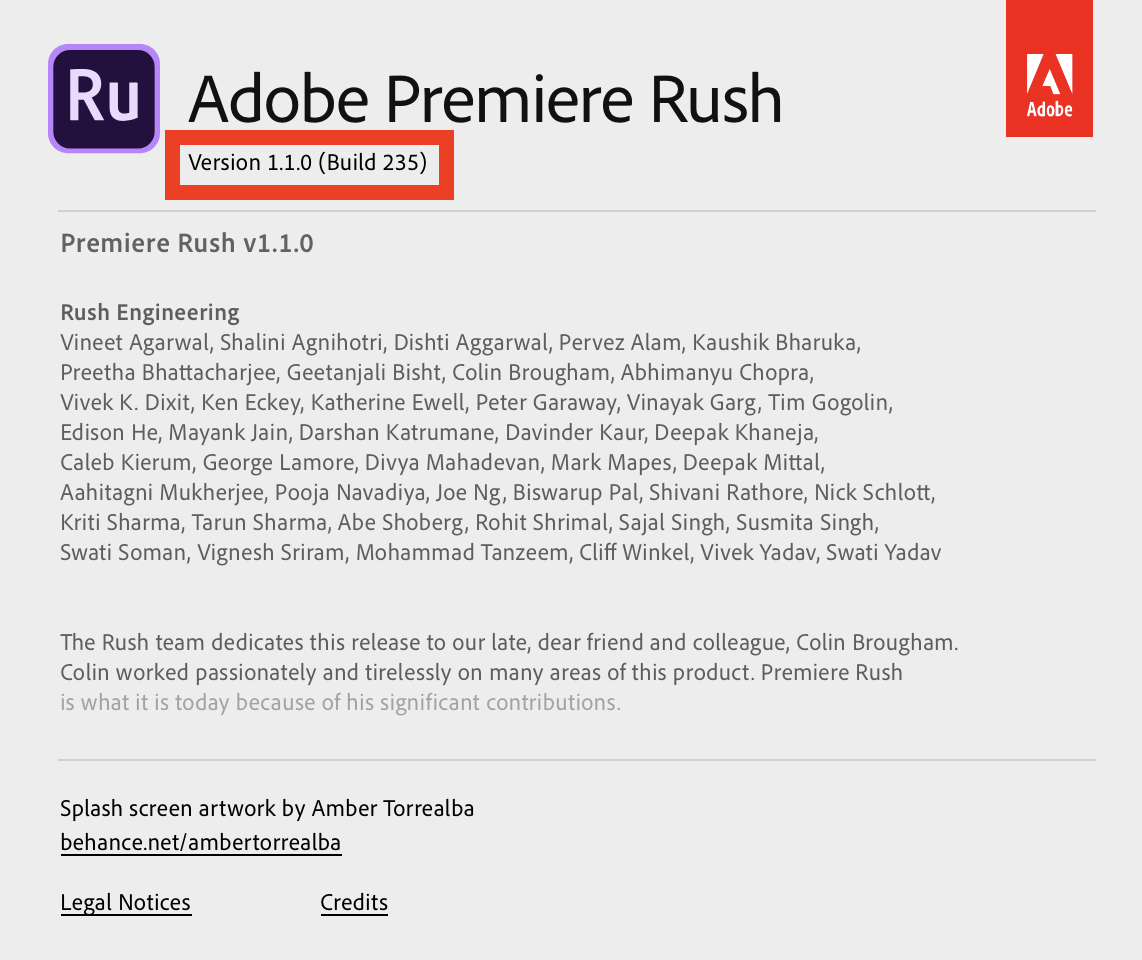
  ️ Windows

  1. Launch Adobe Premiere Rush on your Windows computer
  2. On the top menu bar, click Help
  3. Select About Premiere Rush
  4. Your version and build number will be listed toward the top of the pop up box (see below)


This topic has been closed for replies.

7 replies

OxfordPress
Participating Frequently
September 20, 2024

I started having issue with Adobe Rush last week. It will not import video only audio. I use it on an adroid phone and not often usually when I need to capture and post on the fly. It has been working fine until last week. I uninstalled and reinstalled the app, I'm inporting MP4. Have absolutly know idea why it stopped working. 

Kevin-Monahan
Community Manager
Community Manager
September 23, 2024

Hi @OxfordPress,

Audio-only files are not currently supported.


Thanks,
Kevin

Kevin Monahan - Sr. Community & Engagement Strategist – Pro Video and Audio
SnoxLuv4
Participating Frequently
March 14, 2023

IOS is the best. 

Participant
April 29, 2022

Olá


Não consigo usar minha mídia. Preciso de solução.


Minha versão atual é    5.7.0.1307


Obrigado


Alessandro


Participant
January 19, 2021

Version 1.5.44 (Build 69)

I am not able to move my media once I attache it. I want to have my logo show through the entire video and it is now not allowing me to do that. 

Participant
January 19, 2021

Version number 1.5.46.1086

Participant
June 29, 2020

version 1.5.16 compilación 564

Participant
March 1, 2020

I am facing the problem of rendering or exporting sequence. My premiere rush version is 1.5.2.3262.