


Carize
Participant
December 1, 2018
Answered

GIF lost it's Transparency in RUSH

  • December 1, 2018
  • 1 reply
  • 1546 views

Hello Forum! Having a tough time figuring out this issue.

I have been working in RUSH for quick video posts and it has been fabulous.

(sample of last video)

https://twitter.com/CarizeHunter/status/1066414945737293824

All of a sudden my GIF animation has lost it's transparency.
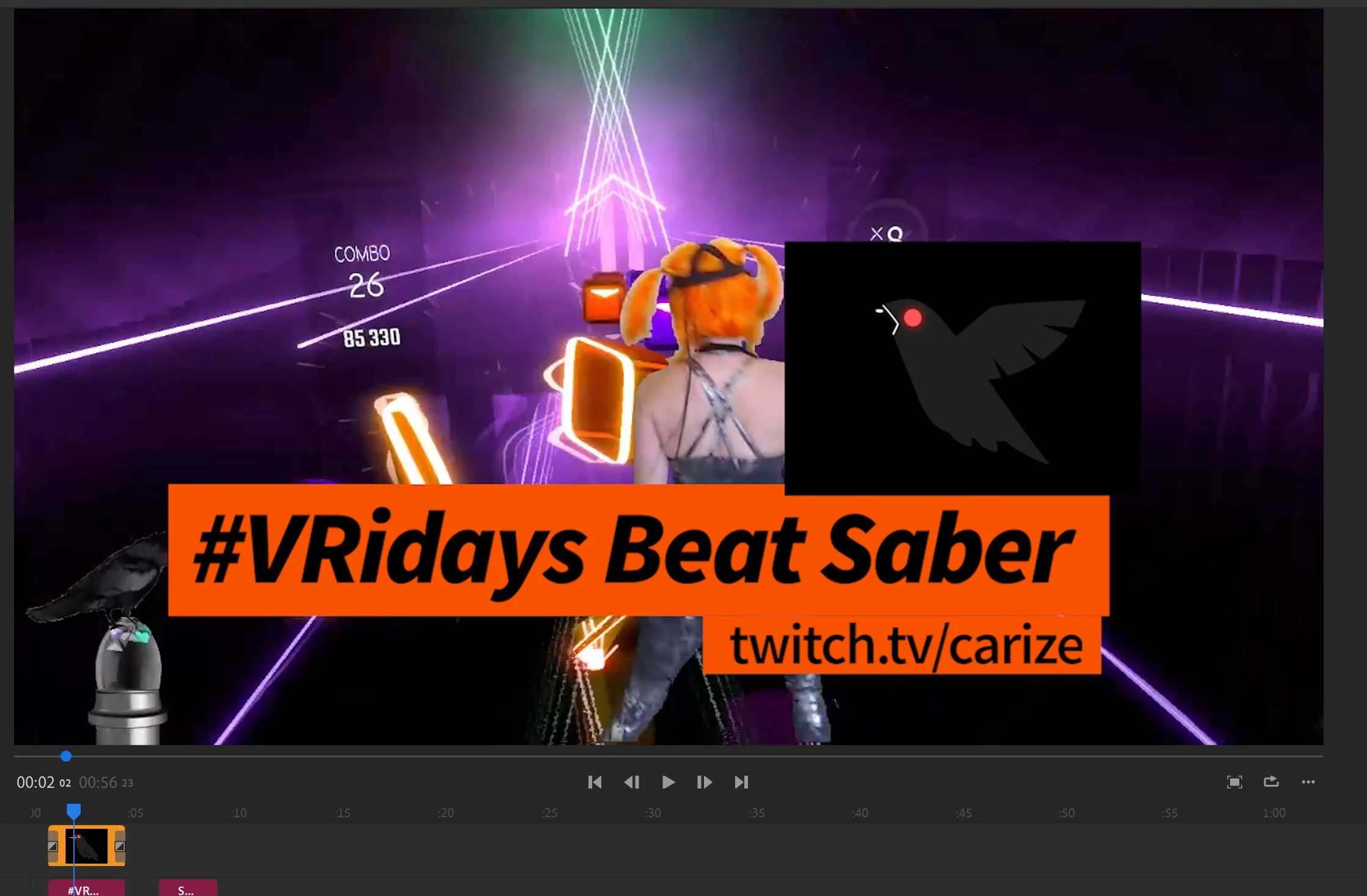
Any advice? Again this was working perfectly the last two weeks, I have made no changes with the exception of adding new video footage.

    This topic has been closed for replies.
    Correct answer petergaraway

    Hi carize

    First off, nice video in the link! Good use of the transitions

    As for the gifs losing the transparency, is this a synced project? If so, open your project, go to View menu > Uncheck 'Use Optimized Clips'.

    Let us know if that helps. Optimized Clips do not support alpha channels.

    Hope this helps!

    PG 

    1 reply

    petergaraway
    Adobe Employee
    petergarawayCorrect answer
    Adobe Employee
    December 4, 2018

    Hi carize

    First off, nice video in the link! Good use of the transitions

    As for the gifs losing the transparency, is this a synced project? If so, open your project, go to View menu > Uncheck 'Use Optimized Clips'.

    Let us know if that helps. Optimized Clips do not support alpha channels.

    Hope this helps!

    PG 

    Carize
    CarizeAuthor
    Participant
    December 8, 2018

    It was that absolutely! You are wonderful. Thank you!