missya1815
Participant
August 26, 2020
Question

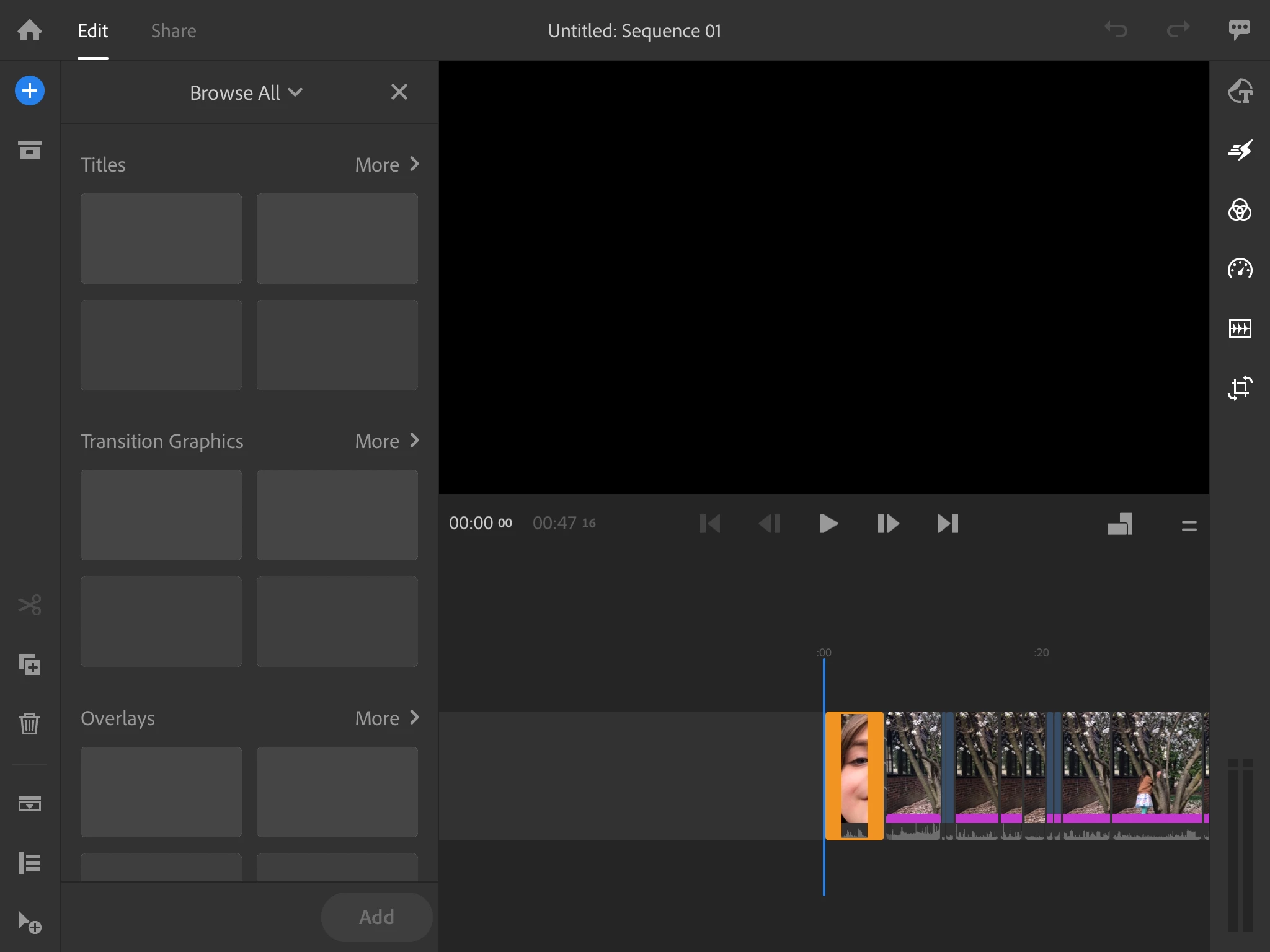
Graphics menu not loading!

  • August 26, 2020
  • 14 replies
  • 8053 views

Please help!  The graphics menu in Rush is not loading for myself or my students!  We are seeing a blank preview screen.  Check out the attached screenshot.

This topic has been closed for replies.

14 replies

petergaraway
Adobe Employee
Adobe Employee
November 25, 2020

Hello! 


Sorry for the trouble. Can you please try 

  1. Close Rush and all Adobe apps
  2. Open the Creative Cloud Desktop app and sign out
  3. Sign back into the Creative Cloud Desktop app and re-launch Rush


Can you also confirm what account type you have? Education or Individual? 


Thanks and Happy Thanksgiving! 


Peter 

Participant
November 25, 2020

Hey Peter,


Also have this issue and tried your solutions. The only work around was to install version 1.5.34. So there is currently something wrong with the update.


Thanks


-Dan 

petergaraway
Adobe Employee
Adobe Employee
November 25, 2020

Thanks for the update. There are two different things you can try. 


1. With build 1.5.38, a workaround would be to turn off WiFi and go to the Saved section of the browser. At this point, you can see all bundled graphics/titles and add what you want - then you can go back online.


2. Install a Rush beta build. Open the Creative Cloud app, click the Beta Tab on the left, and install the “Premiere Rush (Beta)"


Apologies for the frustration. We're working trying to resolve these issues with specific accounts. 


Appreciate your understanding. 


Peter

petergaraway
Adobe Employee
Adobe Employee
September 10, 2020
Hello All,
 
We appreciate your patience over the past few weeks. I wanted to let you know that we came up with a solution for accounts that do not have Stock licensing included. This update is now available in the App Store. 
 
Please check the App Store for Rush 1.5.29. If you have any trouble please let us know. 
 
All the best,
 
Peter 
Participating Frequently
November 19, 2020

I just upgraded to 1.5.38 and this is now happening to me on WINDOWS 10. How can i fix this

Participant
November 20, 2020

Happening for me too. It works fine on my ipad and iphone, but once I'm in the desktopp app it just looks like it's loading and that's it 😞

petergaraway
Adobe Employee
Adobe Employee
August 26, 2020

This is a known issue. Please refer to this post and follow up it for updates. Thanks!

 
Participant
August 26, 2020

Adobe has known about this for at least a couple of weeks and has done nothing to remedy that I can tell. It worked a few weeks ago just fine, but I think an update on Apple's or Adobe's side created this bug.

Participating Frequently
November 19, 2020

I'm having the same issues and cant get the feature to work. Very upsetting to pay for tools and software that doesnt work!