
Participant
February 19, 2023
Answered

Graphics not working in Rush or Premiere Pro

  • February 19, 2023
  • 1 reply
  • 955 views

I'm a bit desperate as I have a deadline tonight and no matter what I do, I cannot get graphics to show up in my project.

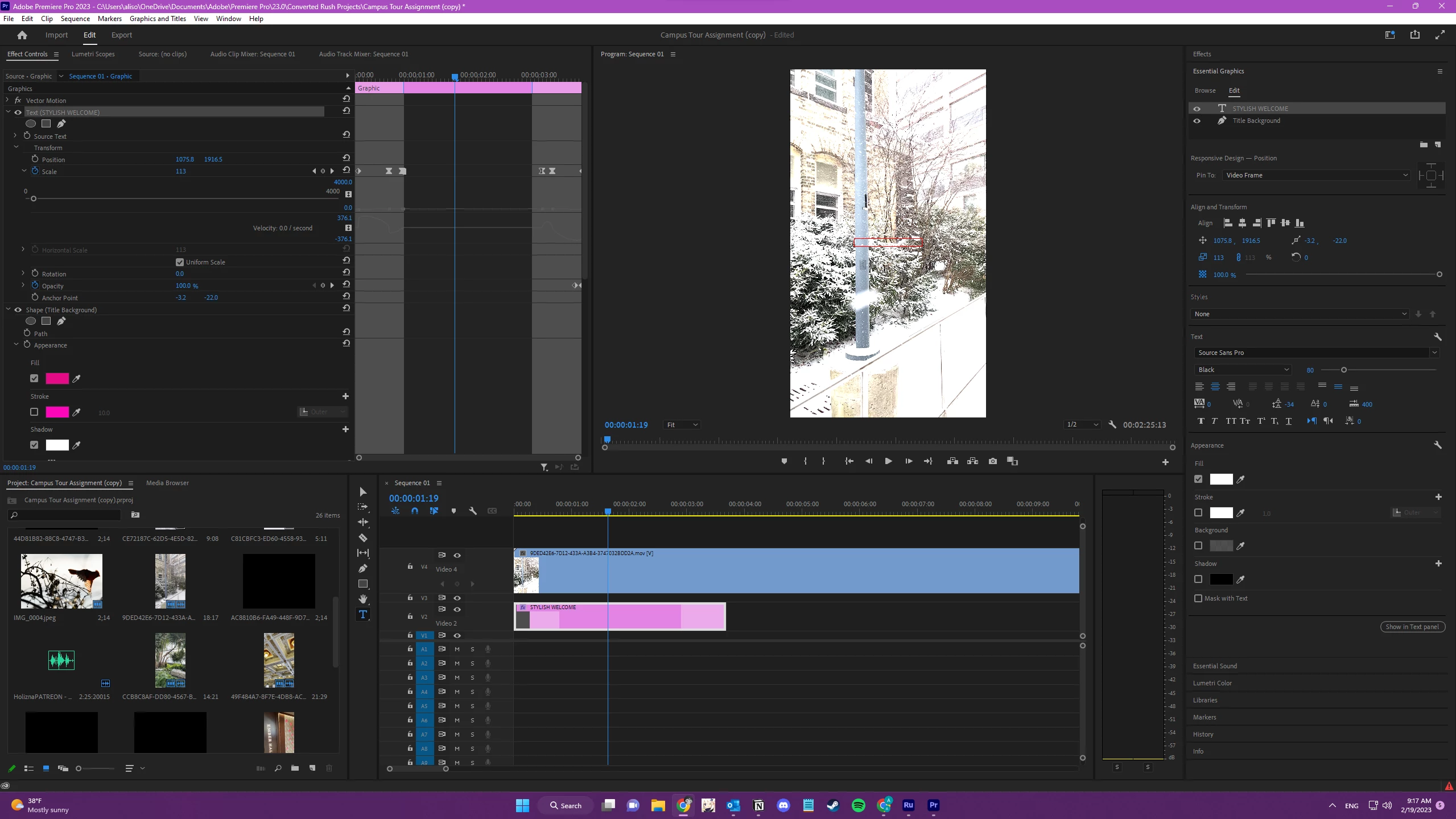
I am able to get the graphics to the timeline but nothing shows up on the media as an overlay. I am having the same issue transferring the Rush project into Premiere Pro.

I have been scouring the internet for solutions, and it seems like this has been an issue for many people, but I can't find any definitive solutions. I've also never had this problem before.

I'm adding an image of what I currently see in Premiere Pro.


This topic has been closed for replies.
Correct answer Myra Ferguson

Based on the screenshot, it appears that the graphic is below the video, so it's getting hidden. Drag the STYLISH WELCOME graphic above the video, and then you should be able to see it. 🙂

1 reply

Myra Ferguson
Community Expert
Myra FergusonCommunity ExpertCorrect answer
Community Expert
February 19, 2023

Based on the screenshot, it appears that the graphic is below the video, so it's getting hidden. Drag the STYLISH WELCOME graphic above the video, and then you should be able to see it. 🙂

aluedkeAuthor
Participant
February 19, 2023

Thank you 😳 I was confused because I wasn't able to add any more tracks, but I just moved things around and got it on top. I appreciate it!

Myra Ferguson
Community Expert
Community Expert
February 19, 2023

I'm so glad that helped. 🙂