


Participant
December 18, 2020
Question

Having trouble importing my own templates into Premiere Rush

  • December 18, 2020
  • 2 replies
  • 516 views

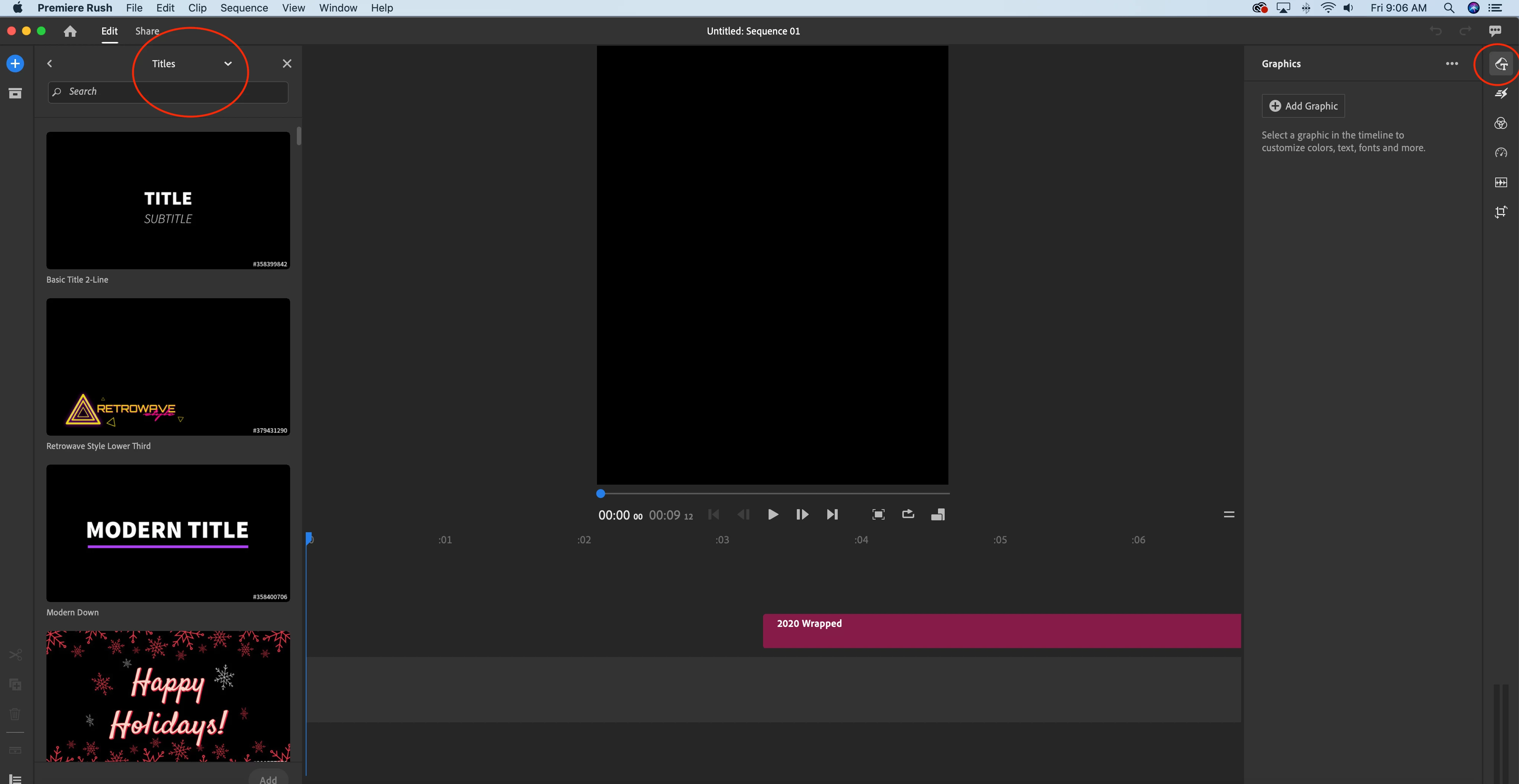
In all of the graphics and videos I've watched it says that there should be an "Install Template" button in the Title panel but I either can't locate it or I'm missing it. I also can't get into adobe stock. I'm signed into my creative cloud account and have closed/opened and redownloaded the app to no avail.


attached is a screenshot of what I see:
This topic has been closed for replies.

2 replies

anissa_thompson
Community Expert
Community Expert
January 20, 2021

You may need to confirm that the template you want is COMPATIBLE with BOTH Premiere Pro AND Rush. Visit stock.adobe.com, and search for "Rush" under the Templates category:

 If it ONLY says Premiere Pro under it, it isn't designed to work in Rush. 


* If you feel really adventurous, you can make your own Rush-compatible templates in After Effects; there are a lot of videos on YouTube, if you have the time - https://www.youtube.com/results?search_query=make+templates+for+adobe+rush+in+adobe+after+effects

Hope this helps! Make sure to press "✔ Correct Answer" on this post if this answers your question. Happy Creating!Anissa • @anissat
Participant
January 20, 2021

I am experiencing the same problem, no adobe stock button.