Participant
February 15, 2024
Answered

How to find media when moving project? (or have moved the media)

  • February 15, 2024
  • 5 replies
  • 558 views
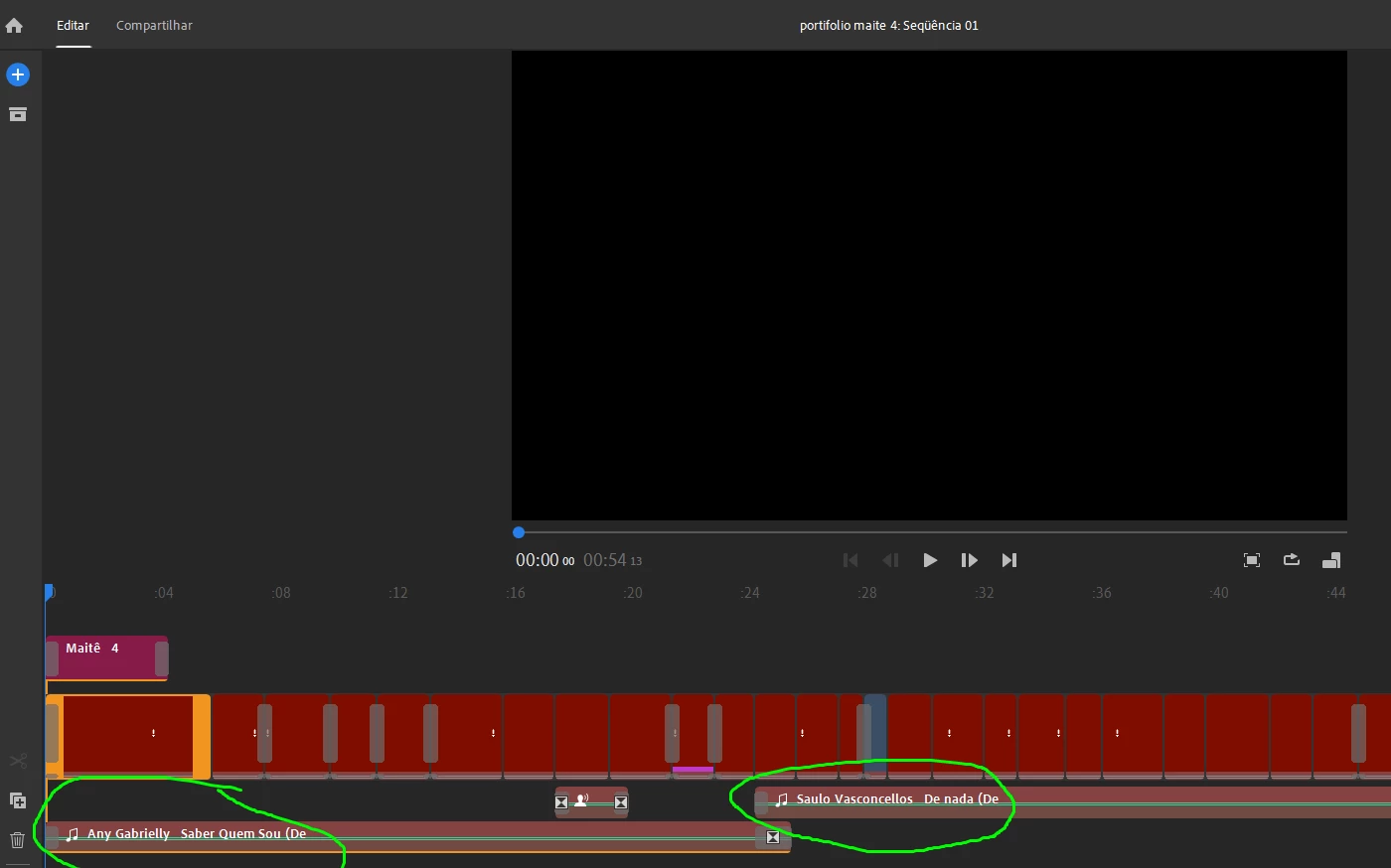
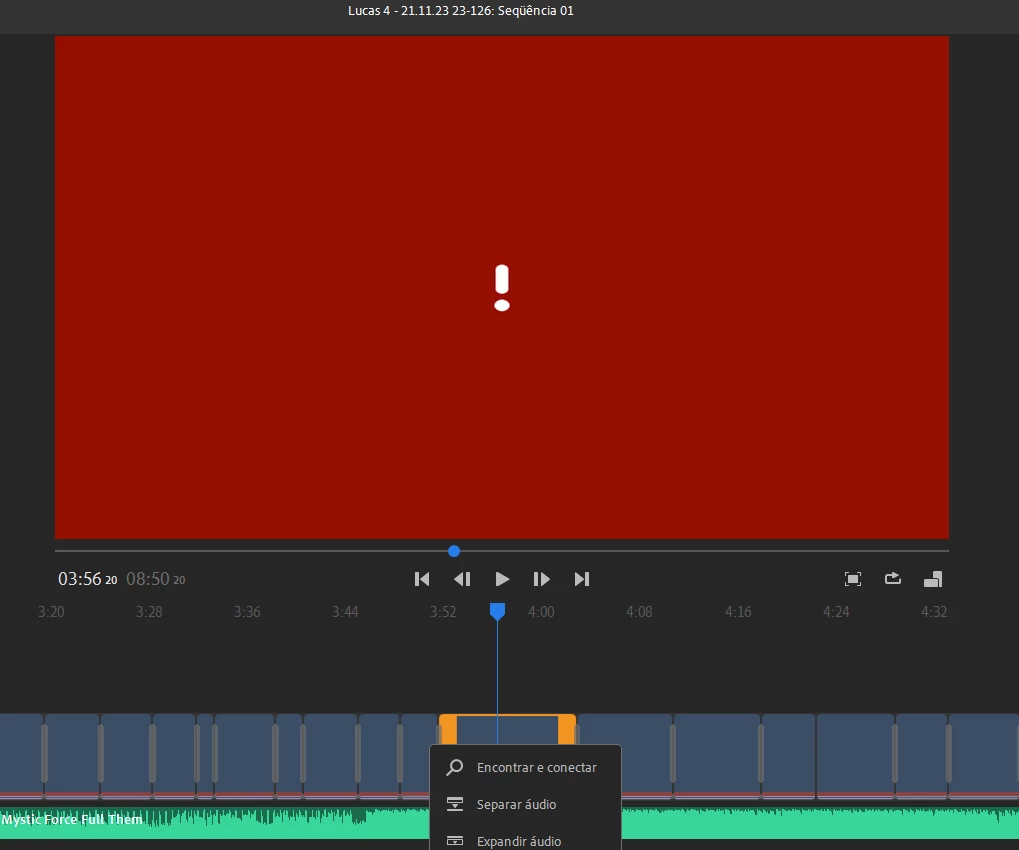
When identifying media and clicking on it, there is no option to find out what it is. Only the ones with names like music files. Apparently I can only do one at a time. Anybody know? Attached screens
This topic is closed to new replies. Start a new post to keep the conversation going.
Correct answer Kevin J. Monahan Jr.

Hi @Wanderson27249258qigs,

I read your notes. I agree that reconnecting media is not very fun in Rush. One at a time reconnection is painful, as I experience the same with my projects. To reconnect, I look at the top of my Finder window for the file's name. Then, I copy and paste the name into the search bar to find the file. I can then reconnect the file. I apologize that this is sometimes a necessary step after moving media around. Please return with any questions you have.


Take Care,

Kevin

5 replies

Kevin J. Monahan Jr.
Kevin J. Monahan Jr.Correct answer
Legend
February 15, 2024

Hi @Wanderson27249258qigs,

I read your notes. I agree that reconnecting media is not very fun in Rush. One at a time reconnection is painful, as I experience the same with my projects. To reconnect, I look at the top of my Finder window for the file's name. Then, I copy and paste the name into the search bar to find the file. I can then reconnect the file. I apologize that this is sometimes a necessary step after moving media around. Please return with any questions you have.


Take Care,

Kevin

Kevin Monahan - Sr. Community and Engagement Strategist – Adobe Pro Video and Audio

Participant
February 15, 2024

Thank you very much! In Premiere it identifies everything at once, right?

Kevin J. Monahan Jr.
Legend
February 15, 2024

Yes, @Wanderson27249258qigs. Reconnecting is much easier in Premiere Pro in that it automatically connects with other files for reconnection.


Thanks,
Kevin

Kevin Monahan - Sr. Community and Engagement Strategist – Adobe Pro Video and Audio