Catherine Coker Fitness
Inspiring
January 23, 2024
解決済み

How to Remove Green Screen in Premiere Rush

  • January 23, 2024
  • 返信数 2.
  • 12042 ビュー

Hi,


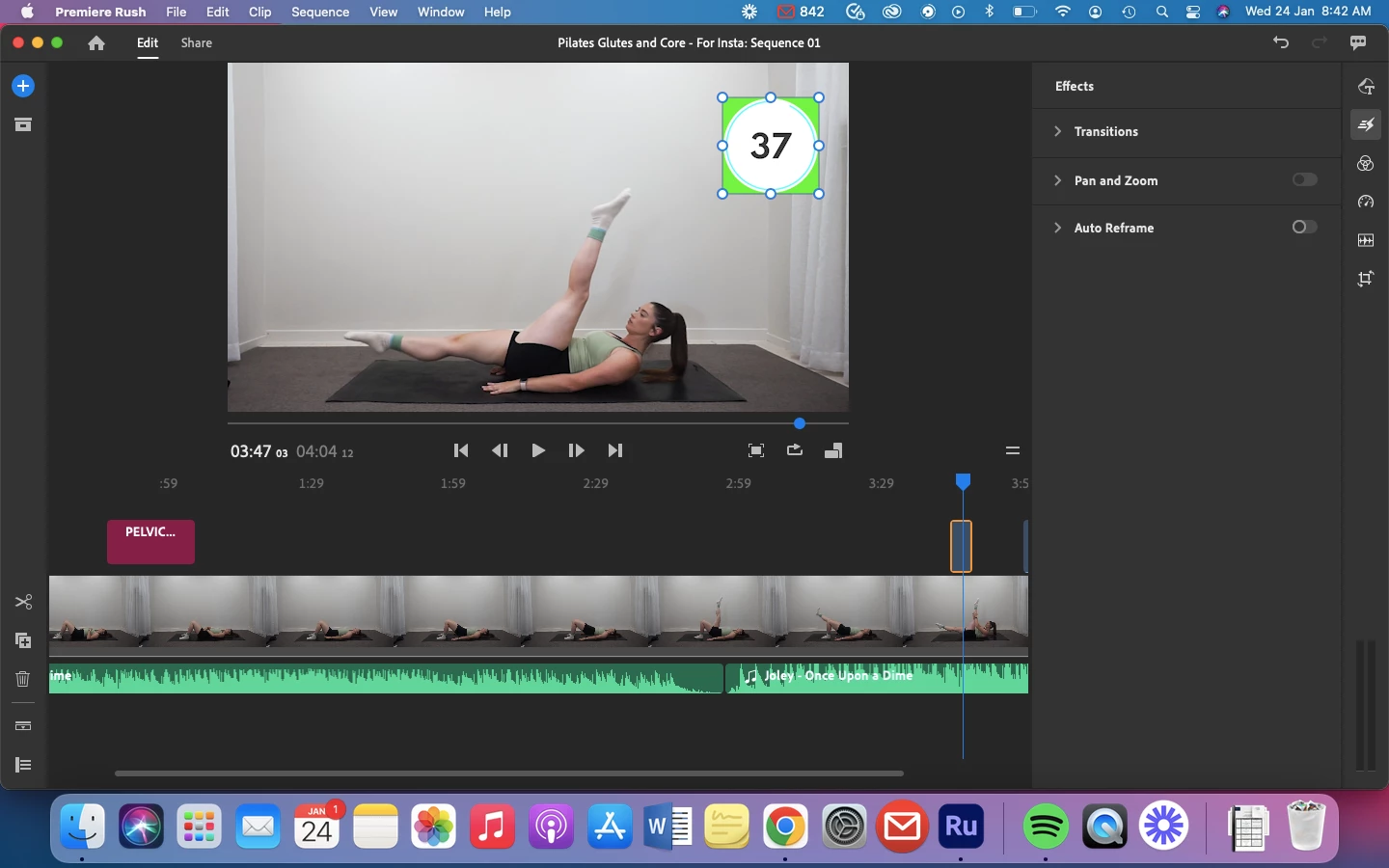
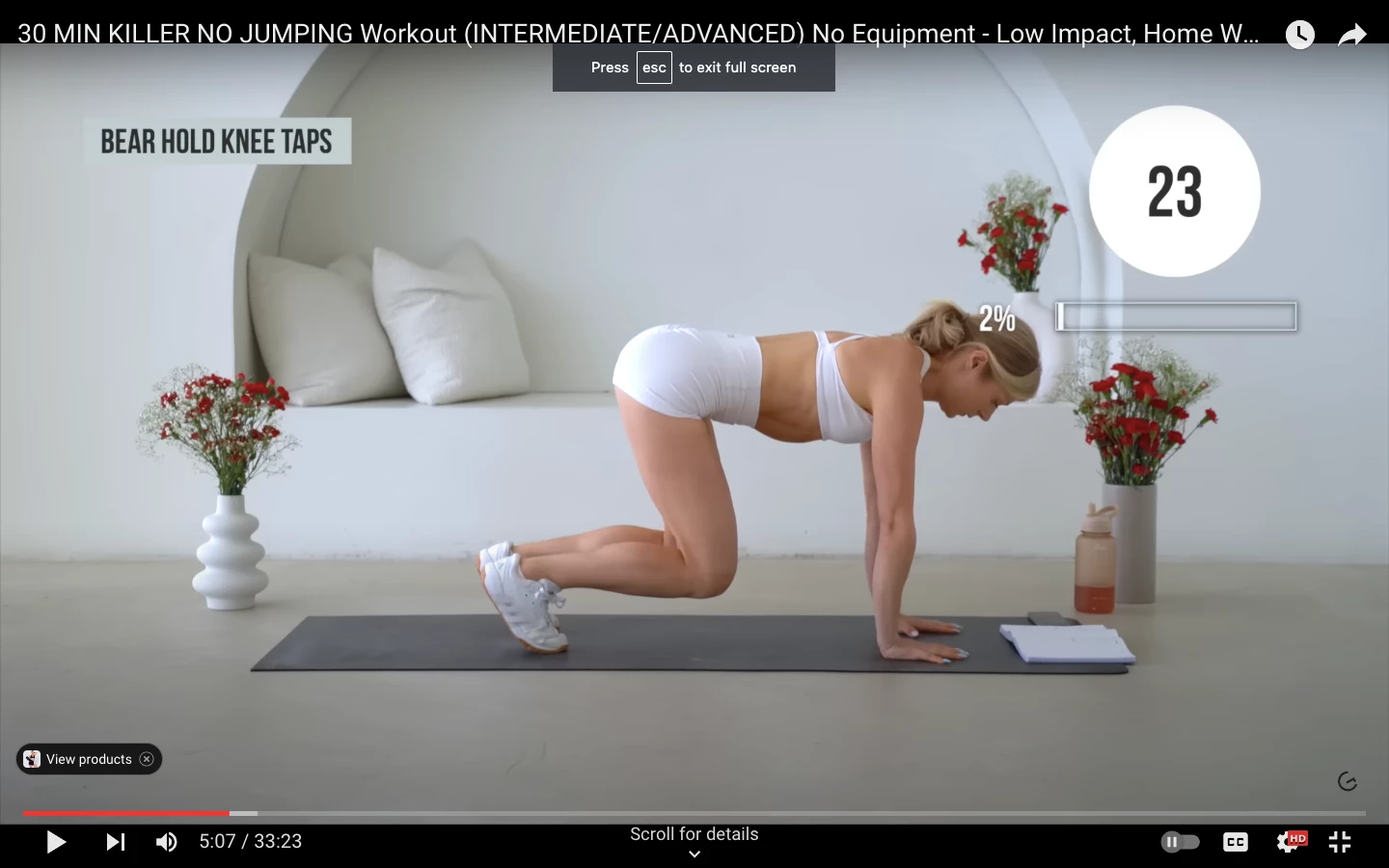
I would like a desinger to create me the motion graphics of a countdown timer for my fitness videos.
We are testing to see if it will work. He has created a file that has a green background so I can remove it. I followed a help article on medium however I couldn't find the "Ultra Key Effect" See article:

https://medium.com/@ben.kemp.alida/how-to-remove-green-screen-in-premiere-rush-a9c3d9202c3a


I was wondering if anyone else knows if its possible to do this in Adobe Rush.

See my attachement and an example of what I'm trying to achieve.

Thank you!
 

解決に役立った回答 caroline_edits

Hi, the effect you're looking for is called a "Key" effect. There is no effect to remove the green screen in Premiere Rush. You can try Premiere Pro! Here is a quick tutorial on how to do it in Premiere Pro. https://youtu.be/QLnA6SerQLo


返信数 2

viathecharles
Participant
May 29, 2025

CapCut can do this on mobile. Adobe needs to step up their game....

caroline_edits
Community Manager
Community Manager
January 23, 2024

Hi, the effect you're looking for is called a "Key" effect. There is no effect to remove the green screen in Premiere Rush. You can try Premiere Pro! Here is a quick tutorial on how to do it in Premiere Pro. https://youtu.be/QLnA6SerQLo