Participant
January 25, 2019
Answered

How to split audio and visual clips

  • January 25, 2019
  • 2 replies
  • 2846 views

I can't seem to cut a visual clip without cutting the audio. Is there a way to split the two in Rush?

I can pull the audio back and forth without the visual being affected, just not the other way around.

I know you can do it Prem Pro.

This topic has been closed for replies.
Correct answer gerikp

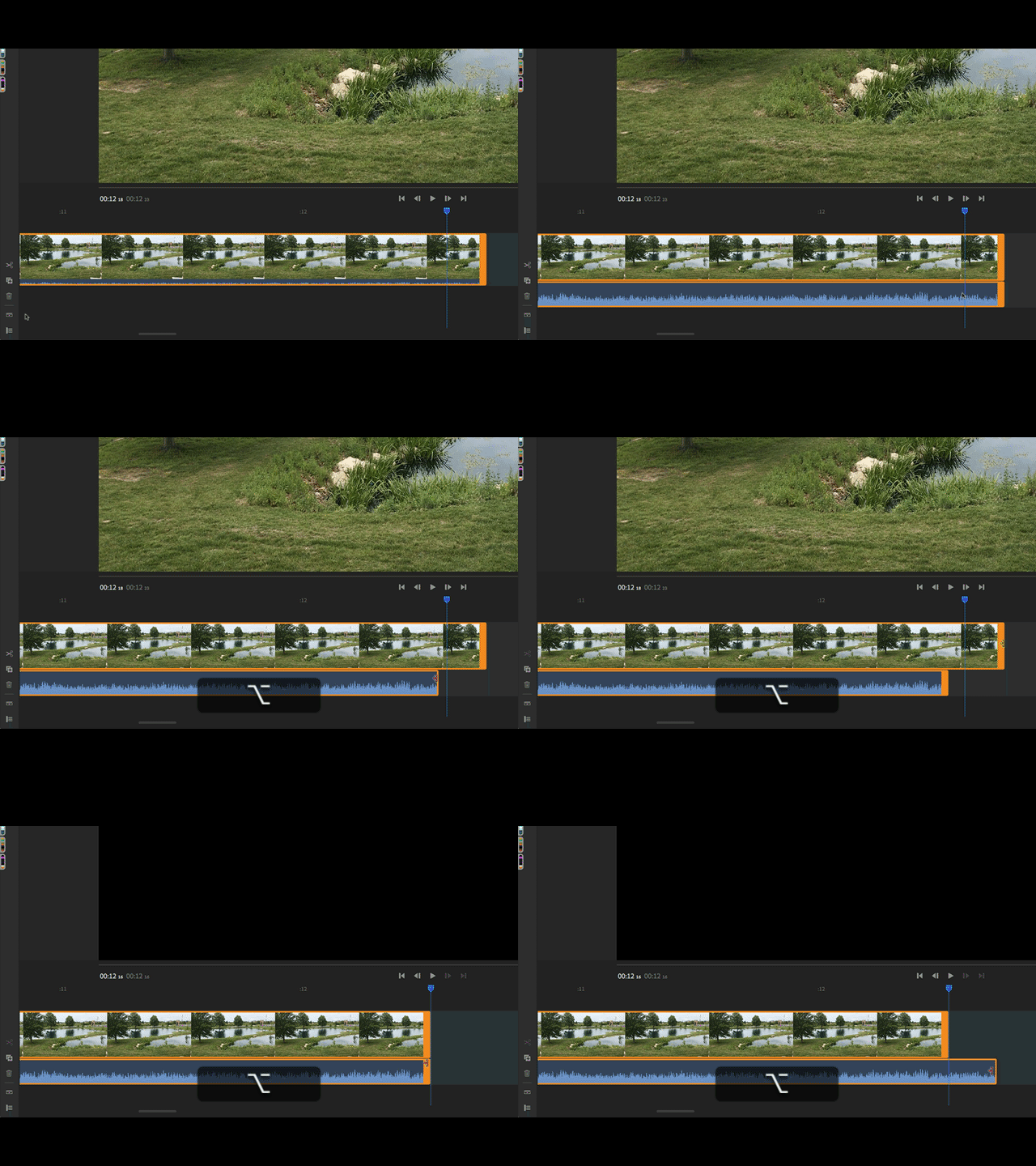
Perhaps not exactly what you are trying to do, but if you click on the Expand Audio icon, or Menu > View > Expand Audio and then hold your Option Key (ALT on a PC) you can click and drag your video or audio handle independently of each other. See reference GIF below.

2 replies

caroline_edits
Community Manager
Community Manager
January 29, 2019

Hi Leanne!

Adobe is working on unlinking audio and video in Rush! We hope to make it visible and intuitive. Thanks for giving Rush a shot and thanks for giving us some time to improve it!

Caroline

Participant
February 28, 2020

Hi! I am trying to create a clip which consists of a video with no sound + a video where I am speaking. It seems impossible to do it in Rush because I can't separate the sound from the video where I am speaking (I would like to show my face talking and in between shots from another video, with my voice in the background). Is it really impossible in Rush or am I wrong? 🙂

gerikp
Community Expert
gerikpCommunity ExpertCorrect answer
Community Expert
January 26, 2019

Perhaps not exactly what you are trying to do, but if you click on the Expand Audio icon, or Menu > View > Expand Audio and then hold your Option Key (ALT on a PC) you can click and drag your video or audio handle independently of each other. See reference GIF below.