

Import and project creation is cumbersome
Typically, my workflow in Premiere Pro would be start a new project then use drag and drop from File Explorer or "Import" browse window to start editing. The trouble with Rush is that the import method actually gets in the way of usability.
Let's say for example I wanted to edit a video clip under
D:\Documents\Hertfordshire - confirmed- graphic design\Masters course Hertfordshire university\Major Study Project\Experimentation\Worlds\sources
In order to start I would have to navigate to the D Drive listing in Rush, then click through all these subfolders. I have this location pinned to File Explorer (bookmarked) for quick access but there is no way to paste that directory into the Import window.
I also can't just start a blank project then drag and drop import from File Explorer which is another method I would often use. When I'm in a, well, Rush this considerably hampers the usability of the software as it feels like I'm fighting against the UI rather than using it.
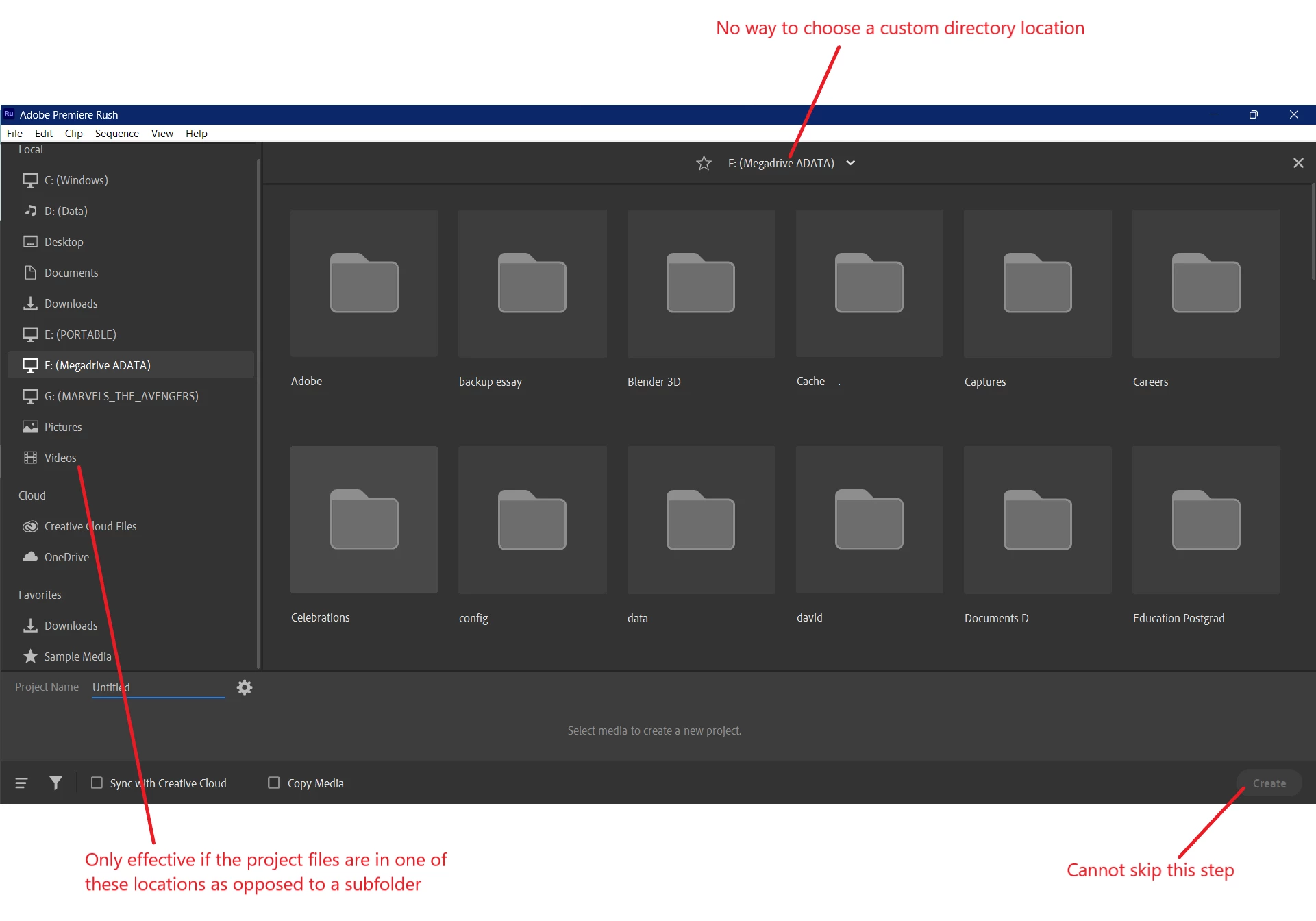
My suggestions:
- Allow creation of a new project in Rush without needing to select files first. I know how editing works, I don't need to be told what to do. Maybe have an option in Preferences to turn off the import window altogether to skip straight to the project screen
- Allow users to enter the preferred directory into the area at the top where I annotated
- "Import" browse function under File, brought over from Premiere Pro.


 AdChoices